
CraftBukkit Minecraft Server Software Wiki

CraftBukkit Minecraft Server Software Wiki & Guide
wiki.9minecraft.net/craftbukkit/
A server implementation providing Bukkit plugin support for multiplayer servers.
Guides
Step-by-step, in-game.
Create Custom Commands with Command PluginsInstall a Command Plugin Command creation plugins let you build custom commands without coding. Download and place…Install and Enable Your First PluginDownload and Place the Plugin Plugins for CraftBukkit come as .jar files. Download your chosen plugin from a trusted…Manage Player Permissions with Permission PluginsUnderstand Permission Nodes Permissions in CraftBukkit are organized as text strings (nodes) that control what…Prevent Griefing with Protection PluginsChoose a Protection Plugin Griefing protection plugins let you define safe zones where only authorized players can…
Frequently asked questions
How do I start a CraftBukkit server for the first time?
Download the CraftBukkit JAR file, create a new folder for your server, place the JAR inside, and run it—this generates the necessary configuration files and folders. Once generated, edit the server.properties file to customize settings like difficulty and world name, then run the server again to start it.
What's the difference between CraftBukkit, Spigot, and Paper?
CraftBukkit is the original server software that introduced plugin support. Spigot is built on CraftBukkit and adds performance improvements and additional features. Paper is built on Spigot and focuses on further optimization and bug fixes, making it the most performant option for most servers.
Why won't my plugins load?
Check that your plugins are in the correct plugins folder, that they're compatible with your server version, and that there are no errors in your server logs (usually found in the logs folder). Restart the server after adding new plugins, as they only load on startup.
How do I give players different permissions for different plugins?
Install a permission plugin like LuckPerms or PermissionsEx, which lets you create groups and assign specific permissions to players or ranks. Configure the permission plugin's config file to define what each group can do, then assign players to groups using in-game commands.
See all 10 CraftBukkit Minecraft Server Software questions ›
You May Also Like
Wikis that share the most with this one
 Server Sleep Data Pack
 EMI
EMI Psi
Psi DEUF
DEUF Tips
Tips BCLib
BCLib Morph
Morph Runes
Runes Wakes
Wakes Wards
Wards Anytag
 Hooked
More mod wikis on the site
Craftable Trident ModCraftable Tall Grass Mod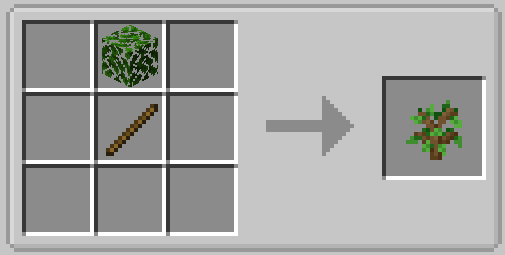 Craftable Saplings ModCraftable Notch Apple ModCraftable Nametags ModCraftable Name Tag Mod
 Craftable Horse Armour and Saddle ModCraftable Gunpowder Recipe ModCraftable Enchanted Golden Apple Mod
 Craftable Deeds ModCraftable Chainmail Armor ModCraftable Bell Mod
Craftable Saplings ModCraftable Notch Apple ModCraftable Nametags ModCraftable Name Tag ModCraftable Horse Armour and Saddle ModCraftable Gunpowder Recipe ModCraftable Enchanted Golden Apple ModCraftable Deeds ModCraftable Chainmail Armor ModCraftable Bell ModThe most downloaded mods that have a wiki here
 AppleSkin
 JourneyMap Mod
 Placebo
 Waystones
 Nature's Compass Mod
 Enchantment Descriptions Mod
 Patchouli Mod
 Jade Mod
 Quark Mod
 Balm Mod
A few wikis from each of the other kinds
 3D Crops 9minecraft Resource Pack