

 transport
 DownloadSophisticated Storage
Get the files on 9Minecraft
Guides
Step-by-step, in-game.
How to Extend Your Reach and Automate Pickups with Magnet and Pickup UpgradesMagnet vs Pickup Upgrades Both the Magnet and Pickup upgrades pull items into a container, but they behave…How to Set Up a Storage Controller and Storage I/O for a Networked BasePlacing the Controller A Storage Controller lets you access every connected Sophisticated Storage block from one…How to Upgrade a Sophisticated Storage Chest or Barrel to the Next TierUnderstanding Tier Upgrades Sophisticated Storage chests , barrels , and shulker boxes come in tiers: Basic (wood),…How to Use Limited Barrels for Controlled Storage CapacityWhat Limited Barrels Are Limited Barrels are variants of the standard barrel that cap how many items they can hold.…How to Use the Storage Tool to Move and Configure Sophisticated Storage BlocksWhat the Storage Tool Does The Storage Tool is a handheld item that lets you pick up, rotate, and reconfigure…How to Use Upgrade Modules: Filtering, Smelting, Compacting, and VoidingWhere Upgrades Go Every Sophisticated Storage chest , barrel , and shulker box has dedicated upgrade slots in its…
Recipes
Every recipe the mod adds, grouped by how it is made.
Crafting · 193Storage tier upgrade · 35Shulker box from vanilla shapeless · 16Upgrade next tier · 14Storage tier upgrade shapeless · 7Generic wood storage · 6Shulker box from chest · 6Double chest tier upgrade · 5Double chest tier upgrade shapeless · 1
Items
 Advanced Alchemy Upgrade
 Advanced Compacting Upgrade
 Advanced Feeding upgrade
 Advanced Filter Upgrade
 Advanced Hopper Upgrade
 Advanced Jukebox Upgrade
 Advanced Magnet Upgrade
 Advanced Pickup Upgrade
 Advanced Pump Upgrade
 Advanced Void Upgrade
 Alchemy Upgrade
 Auto-blasting Upgrade
 Auto-smelting Upgrade
 Auto-smoking Upgrade
 Basic Tier Upgrade
 Basic to Copper Tier Upgrade
 Basic to Diamond Tier Upgrade
 Basic to Gold Tier Upgrade
 Basic to Iron Tier Upgrade
 Basic to Netherite Tier Upgrade
 Blasting Upgrade
 Compacting Upgrade
 Compression Upgrade
 Copper to Diamond Tier Upgrade
Blocks
A
 Acacia Storage Connector
B
 Bamboo Storage Connector
 Birch Storage Connector
C
 Cherry Storage Connector
 Crimson Storage Connector
D
 Dark Oak Storage Connector
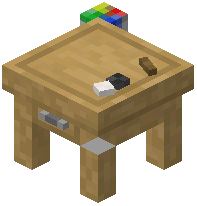 Decoration Table
G
I
J
 Jungle Storage Connector
L
Limited Barrel 1Limited Barrel 2Limited Barrel 3Limited Barrel 4Limited Copper Barrel 1Limited Copper Barrel 2Limited Copper Barrel 3Limited Copper Barrel 4Limited Diamond Barrel 1Limited Diamond Barrel 2Limited Diamond Barrel 3Limited Diamond Barrel 4Limited Gold Barrel 1Limited Gold Barrel 2Limited Gold Barrel 3Limited Gold Barrel 4Limited Iron Barrel 1Limited Iron Barrel 2Limited Iron Barrel 3Limited Iron Barrel 4Limited Netherite Barrel 1Limited Netherite Barrel 2Limited Netherite Barrel 3Limited Netherite Barrel 4
M
 Mangrove Storage Connector
N
O
 Oak Storage Connector
P
 Pale Oak Storage Connector
S
 Shulker Box
 Spruce Storage Connector
 Storage Controller
 Storage I/O
 Storage Input
 Storage Link
 Storage Output
W
 Warped Storage Connector
Configuration
Every setting in the mod config file, with what it changes.
| Option | What it does |
|---|---|
advancedAlchemyUpgrade | Enables the advanced alchemy upgrade item for storage blocks |
advancedCompactingUpgrade | Enables the advanced compacting upgrade item for storage blocks |
advancedFeedingUpgrade | Enables the advanced feeding upgrade item for storage blocks |
advancedFilterUpgrade | Enables the advanced filter upgrade item for storage blocks |
advancedHopperUpgrade | Enables the advanced hopper upgrade item for storage blocks |
advancedJukeboxUpgrade | Enables the advanced jukebox upgrade item for storage blocks |
advancedMagnetUpgrade | Enables the advanced magnet upgrade item for storage blocks |
advancedPickupUpgrade | Enables the advanced pickup upgrade item for storage blocks |
advancedVoidUpgrade | Enables the advanced void upgrade item for storage blocks |
alchemyUpgrade | Enables the basic alchemy upgrade item for storage blocks |
voidAlwaysEnabledAllow Direct Voiding | Allows the void upgrade to void items without a filter |
limitedBarrelCountDyeingEnabledAllow Limited Barrel Dyeing | Allows limited barrels to be dyed like other storage blocks |
dropPackedAlways Drop Packed | Makes storage blocks always drop in their packed form |
autoBlastingUpgrade | Enables the auto blasting upgrade that smelts items in a blast furnace |
autoSmeltingUpgrade | Enables the auto smelting upgrade that smelts items in a furnace |
autoSmokingUpgrade | Enables the auto smoking upgrade that cooks food in a smoker |
baseSlotLimitMultiplier | Multiplies the base storage slot count for all Sophisticated Storage containers |
blastingUpgrade | Enables the blasting upgrade that smelts items faster in furnaces |
compactingUpgrade | Enables the compacting upgrade that combines items into compressed blocks |
compressionUpgrade | Enables the compression upgrade that compresses items into blocks |
autoFillDrainContainerCooldownContainer Fill/Drain Cooldown | Sets cooldown ticks between auto-fill and drain container operations |
controllerRange | Sets how far the storage controller reaches to link containers |
smeltingSpeedMultiplierCooking Speed | Multiplies how fast smelting upgrades cook items |
copperBarrel | Enables the copper barrel storage container |
Frequently asked questions
How do I get started with Sophisticated Storage?
Craft a basic  Chest or
  Barrel first, then place it and right-click to open it. From there, craft the tier upgrade items to move your storage up through Copper, Iron, Gold, Diamond, and Netherite. Upgrade modules like Filter, Compacting, and Smelting slot into the upgrade panel inside the storage GUI.
Chest or Barrel first, then place it and right-click to open it. From there, craft the tier upgrade items to move your storage up through Copper, Iron, Gold, Diamond, and Netherite. Upgrade modules like Filter, Compacting, and Smelting slot into the upgrade panel inside the storage GUI.How do I upgrade a Sophisticated Storage chest to the next tier?
Open the chest or barrel, place the matching tier upgrade item (like Basic to Copper Tier Upgrade) into the upgrade slot, and it converts in place while keeping its contents. You can also use the  Storage Tool to upgrade blocks directly.
chest or barrel, place the matching tier upgrade item (like Basic to Copper Tier Upgrade) into the upgrade slot, and it converts in place while keeping its contents. You can also use the Storage Tool to upgrade blocks directly.How does the Storage Controller work?
Place a Storage Controller and connect nearby Sophisticated Storage blocks to it using Storage Connectors. The controller then exposes every linked inventory as one combined interface, so you can pull from or push to the whole network at once.
Storage Controller and connect nearby Sophisticated Storage blocks to it using Storage Connectors. The controller then exposes every linked inventory as one combined interface, so you can pull from or push to the whole network at once.What is Storage I/O used for?
Storage I/O acts as an input/output endpoint for your Storage Controller network, letting hoppers, pipes, or other automation insert and extract items from the whole connected storage. Point your automation at the I/O block instead of individual chests.See all 10 Sophisticated Storage questions ›
Gallery
12 images from the Sophisticated Storage Mod page.











You May Also Like
Wikis that share the most with this one
Wikis on the same theme: chest
More mod wikis on the site
The most downloaded mods that have a wiki here
A few wikis from each of the other kinds