Guides
Step-by-step, in-game.
How to Build a Working Aircraft from PartsCore components you need Every flyable aircraft needs at least a hull , an engine , and a propeller , plus a…How to Fly, Steer, and Land Any Immersive AircraftBasic flight controls Once airborne, your main controls are pitch (nose up/down), yaw (turn left/right), and roll if…How to Fuel Your Aircraft and Where to Get FuelWhat counts as fuel Immersive Aircraft engines run on furnace-type fuel — the same burnable items you would put in a…How to Pick Up, Move, and Store Your AircraftBreaking the aircraft down Immersive Aircraft vehicles are assembled from parts, so the cleanest way to move one is…How to Start Your Engine and Take Off in Immersive AircraftGetting the engine running Place your aircraft on flat ground and right-click it to board. Most engines need fuel…How to Use Weapons: Shooting, Bombs, and the Rotary CannonMounting and aiming weapons Weapons like the Rotary Cannon , Heavy Crossbow , and Bomb Bay are separate blocks you…
Recipes
Every recipe the mod adds, grouped by how it is made.
Items
A
 Advanced Gyroscope
 Airship
B
 Bamboo Hopper
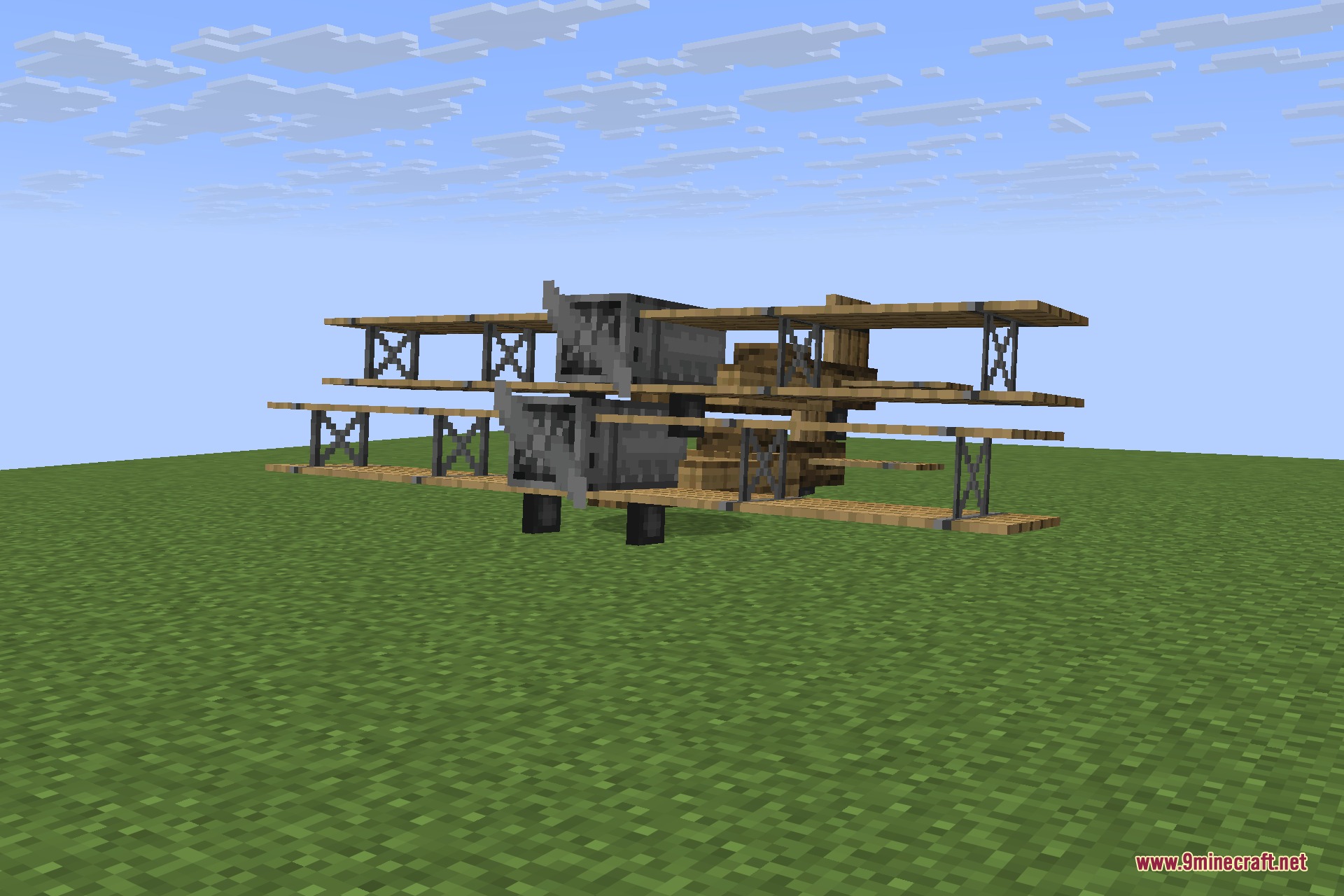
 Biplane
 Boiler
 Bomb Bay
C
 Cargo Airship
E
 Eco Engine
 Electronic Gyroscope
 Engine
 Enhanced Propeller
G
 Gyrodyne
 Gyroscope
H
 Heavy Crossbow
 Hull
Hull Hull Reinforcement
I
 Improved Landing Gear
 Industrial Gears
N
 Nether Engine
P
 Propeller
Q
 Quadrocopter
R
 Rotary Cannon
S
 Sail
Sail Steel Boiler
 Sturdy Pipes
T
 Telescope
W
 Warship
Mobs
Creatures this mod adds.
Configuration
Every setting in the mod config file, with what it changes.
| Option | What it does |
|---|---|
acceptVanillaFuel | Accept vanilla fuel. |
weaponsAreDestructive | Allow some weapons to destroy blocks. |
regenerateHealthEveryNTicks | Automatically regenerates health every given tick, simulating vanilla behavior. |
windClearWeather | Base wind effect. |
burnFuelInCreative | Burn fuel in creative mode. |
collisionDamage | Collision damage. |
crashDamage | Damage the player on a crash. |
useThirdPersonByDefault | Defaults to third person camera in aircraft. |
dropInventory | Drop the inventory, instead of saving it within the aircraft item. |
dropUpgrades | Drop the upgrades and customization, instead of saving it within the aircraft item. |
enableCrashBlockDestruction | Enable destructive explosion. |
enableCrashExplosion | Enable explosion. |
enableCrashFire | Enable fiery explosion. |
windThunderWeather | Extra wind at thunder. |
enableTrails | Fancy steam trails. |
fuelConsumption | Fuel burn rate. |
general | General Options |
damagePerHealthPoint | Higher values make aircraft more durable. |
healthBarRow | Offset the health bar of vehicles. |
requireShiftForRepair | Only repair when holding shift, otherwise just enter the vehicle. |
repairExhaustion | Player exhaustion per click. |
renderDistance | Render distance in blocks. |
showHotbarEngineGauge | Render the engine gauge over the hotbar. |
repairSpeed | Repair per click. |
Frequently asked questions
How do I start the engine in immersive aircraft?
Place your aircraft, right-click to board it, then hold the engine start key (check your controls menu under Immersive Aircraft keybinds) to crank the engine. Once it's running you'll hear it and the propeller will spin — then throttle up to take off.
How do I get fuel for immersive aircraft?
Fuel depends on the engine: the Eco Engine runs on burnable items like coal or wood, while the regular Engine and Nether Engine use liquid fuel stored in a Boiler or Steel Boiler. Craft the appropriate boiler, fill it, and it feeds the engine while you fly.
How do I fly a biplane in immersive aircraft?
Board the biplane, start the engine, then hold the throttle-up key to build speed and pull back to pitch up for takeoff. Use the standard movement keys to pitch, roll, and yaw, and watch your altitude — biplanes stall if you climb too steeply at low speed.
How do I land an immersive aircraft without crashing?
Cut throttle early, glide in at a shallow angle, and flare (pitch up gently) right before touchdown to bleed off speed. If your aircraft has Improved Landing Gear, deploy it before you touch down to avoid damage.
How do I pick up my plane in immersive aircraft?
Sneak-right-click the aircraft with an empty hand (or use the designated pickup key) to fold it back into an item you can carry. Make sure the engine is off and you're on solid ground first, or it may drop as an entity.
How do I shoot weapons on immersive aircraft?
Mount a Heavy Crossbow or Rotary Cannon on your aircraft's weapon slot, load it with ammo, then use the fire key while seated. The Rotary Cannon needs to spin up before it fires continuously, so hold the trigger rather than tapping it.
How do I drop bombs in immersive aircraft?
Install a Bomb Bay on your aircraft, load it with bombs or TNT, then press the bomb-release key while flying over your target. Fly low and level for accuracy — bombs fall straight down, so lead your target if you're moving fast.
Why won't my immersive aircraft engine start?
The most common causes are no fuel in the boiler, an empty Eco Engine, or the engine not being properly attached to the propeller and hull. Double-check that all parts are connected and that you're actually seated in the pilot seat before cranking.
Does immersive aircraft work on Bedrock or with other mods?
Immersive Aircraft is a Java Edition mod and does not run on Bedrock. It's generally compatible with most other mods, but vehicle or physics mods that also alter entity movement can occasionally conflict — test in a fresh world if you see odd behavior.
My aircraft is laggy or won't move — what's wrong
Large aircraft with many parts, weapons, and mobs aboard put more load on the server, so trim unnecessary blocks and avoid stacking multiple aircraft in one chunk. If it won't move at all, check that the propeller is attached, the engine is fueled, and the gyroscope is installed.
You May Also Like
Wikis that share the most with this one
Wikis on the same theme: plane
More mod wikis on the site
The most downloaded mods that have a wiki here
A few wikis from each of the other kinds
Gallery
11 images from the Immersive Aircraft 9Minecraft Mod page.