
Custom Background HD Resource Pack Wiki
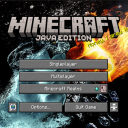
Custom Background HD Resource Pack Wiki & Guide
wiki.9minecraft.net/custom-background-hd-resource-pack/
Custom Background HD Resource Pack enhances your Minecraft experience by allowing you to personalize your main menu background. With this pack, you can replace the default background with any image of your choice, providing a unique and customizable interface.
Guides
Step-by-step, in-game.
Fixing a Custom Background That Won't Show UpCheck the Filename and Format Most failures come from a small mistake in the file itself. Confirm your image is named…How to Change Your Minecraft Main Menu Background with Custom Background HDFinding and Preparing Your Image Start with any PNG image you want as your menu background. Screenshots from your own…Making Your Custom Menu Background Look Good and ReadableChoosing the Right Image Because the main menu draws its logo, buttons, and text directly over your image, contrast…Switching Between Multiple Custom BackgroundsKeep Separate Copies of the Pack If you like changing your background often, editing the same zip each time gets…
Frequently asked questions
How do I change the background in Custom Background HD?
Open the resource pack zip and navigate to assets/minecraft/textures/gui/title/background/. Replace panorama_overlay.png with your own image, keeping the exact same filename, then apply the pack in-game.
What image format does the background need to be?
It must be a PNG file. Other formats like JPG or WEBP won't be read by the game, so convert your image to PNG before replacing the file.
Does the image have to be a specific size?
No strict size is required, but the image gets stretched to fill the menu screen. Match your screen's aspect ratio and use a high-resolution image so it doesn't look blurry or distorted.
Why isn't my custom background showing up?
The most common causes are a wrong filename, wrong file location inside the zip, or the pack not being applied or moved to the top of the resource pack list. Double-check that your file is named exactly panorama_overlay.png in the correct folder.
See all 10 Custom Background HD questions ›
You May Also Like
Wikis that share the most with this one
 Custom FoV Mod
 Custom NPCs Mod
 Custom Credits Mod
 Custom Crosshair Mod
 Custom Skin Loader Mod
 Custom Villager Trades
More resource pack wikis on the site
 Cubic Sun & Moon Resource Pack
 Cubic Sun and MoonCubic Stars Resource Pack
 Cubic Leaves Resource Pack
 Cubic Leaves 9minecraft Resource PackCrystal Vanilla Tweaks Resource PackCrosshair V3 Resource PackCrosshair TXF Resource PackCrosshair CUBE Resource PackCreepers Revamped 9minecraft Resource PackCreepers Refreshed Resource PackCreatures Animated Resource Pack
The most downloaded mods that have a wiki here
 AppleSkin
 JourneyMap Mod
 Placebo
 Waystones
 Nature's Compass Mod
 Enchantment Descriptions Mod
 Patchouli Mod
 Jade Mod
 Quark Mod
 Balm Mod