
Custom Portals Wiki

Custom Portals Wiki & Guide
wiki.9minecraft.net/custom-portals-mod/
Adds colored portal blocks and runes for creating custom dimensional gateways.
Guides
Step-by-step, in-game.
Build a Flat Portal on the Ground or CeilingConnect Multiple Portals with Different ColorsCreate Your First Portal Between Two BasesUse Runes to Enhance Your Portals
Recipes
Every recipe the mod adds, grouped by how it is made.
Items
E
 Enhancer Rune
G
 Gate Rune
H
 Haste Rune
I
 Infinity Rune
P
 Portal Catalyst (Black)
 Portal Catalyst (Blue)
 Portal Catalyst (Brown)
 Portal Catalyst (Cyan)
 Portal Catalyst (Gray)
 Portal Catalyst (Green)
 Portal Catalyst (Light Blue)
 Portal Catalyst (Light Gray)
 Portal Catalyst (Lime)
 Portal Catalyst (Magenta)
 Portal Catalyst (Orange)
 Portal Catalyst (Pink)
 Portal Catalyst (Purple)
 Portal Catalyst (Red)
 Portal Catalyst (White)
 Portal Catalyst (Yellow)
S
 Strong Enhancer Rune
Blocks
B
 Black Portal
 Blue Portal
 Brown Portal
C
 Cyan Portal
E
 Enhancer Rune
G
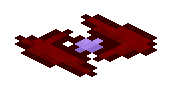 Gate Rune
 Gray Portal
 Green Portal
H
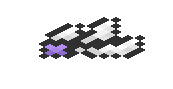 Haste Rune
I
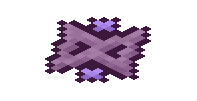 Infinity Rune
L
 Light Blue Portal
 Light Gray Portal
 Lime Portal
M
 Magenta Portal
O
 Orange Portal
P
 Pink Portal
 Purple Portal
R
 Red Portal
S
 Strong Enhancer Rune
W
 White Portal
Y
 Yellow Portal
Configuration
Every setting in the mod config file, with what it changes.
| Option | What it does |
|---|---|
defaultRange | Default Portal Range (In Blocks) |
filteredBlocks | Filtered Blocks |
muteAmbientSounds | Mute Ambient Portal Sound Effects |
muteTeleportSounds | Mute Player Teleport Sound Effects |
rangeWithEnhancer | Portal Range With Enhancer Rune |
rangeWithStrongEnhancer | Portal Range With Strong Enhancer Rune |
unlimitedRange | Portals Always Have Unlimited Range |
alwaysInterdim | Portals Always Link Across Dimensions |
alwaysHaste | Portals Always Teleport Instantly |
privatePortals | Private Portals |
redstone | Redstone... |
isWhitelist | Whitelist or Blacklist |
Customportals:Config
| Option | What it does |
|---|---|
false | Blacklist |
general | General |
block_filter_settings | Portal Frames |
range_settings | Portal Range |
true | Whitelist |
Frequently asked questions
How do I create my first portal?
Build a frame from any single block type (like obsidian, stone, or wood), then use dye on the frame to activate it with a color. The portal will link to any other portal with the same frame block and dye color, creating a two-way connection.
Can portals be any shape?
Yes, portals can be any shape as long as the entire frame is made from the same block type. They can be rectangular, circular, diagonal, or even completely irregular – the shape doesn't matter, only the block material and color.
What happens if I have multiple portals with the same color and block?
All portals sharing the same block type and color form a network, and stepping into any of them will randomly teleport you to one of the others in that group. If you want separate portal pairs, use different dye colors or different frame blocks.
Can I make a flat portal on the ground or ceiling?
Yes, portals work in any orientation. You can build them horizontally on the ground or ceiling by arranging your frame blocks in a flat pattern, then activate with dye just like a vertical portal.
What are runes and how do I use them?
Runes are special enhancements you can place on or near portals to modify their behavior – such as preventing random teleportation, restricting who can use them, or changing their effects. Check your guides on portal enhancement for specific rune placement and effects.
Do I need specific materials to build a portal frame?
No, you can use almost any block type for the frame – stone, wood, obsidian, dirt, or anything else. Different blocks don't affect function, only aesthetics and the color-coding system for linking portals.
Can I remove or change a portal's color after creating it?
Yes, you can use a different dye color on an existing portal to change its link group, or remove the dye entirely to deactivate it. The frame blocks remain unchanged.
Do Custom Portals work across dimensions?
Custom portals link within the same dimension – a portal in the Overworld connects to other Overworld portals with matching block and color, but not to portals in the Nether or End.
What's the performance impact of having many portals?
Custom portals are generally lightweight, but having dozens of large portals or complex rune setups in the same area may cause minor lag. Performance impact is minimal compared to other mods.
Can I make a portal that only I can use?
Yes, runes can restrict portal access to specific players or teams. Refer to your rune enhancement guide for the exact rune types and placement needed for access control.
Related mods
Other wikis you may find useful.
 Custom Nether Portals Mod
 Custom FoV Mod
 Custom NPCs Mod
 Anti Portals Mod
 Wormhole Portals
 Crying Portals Mod
 Custom Credits Mod
 Custom Crosshair Mod