
Primordial Pocket Monsters Data Pack Wiki

Primordial Pocket Monsters Data Pack Wiki & Guide
wiki.9minecraft.net/primordial-pocket-monsters-data-pack/
A data pack adding pocket monster creatures and mechanics to vanilla survival.
Guides
Step-by-step, in-game.
Build a Themed Battle Team from Each Cave BiomeCollecting Biome-Specific Teams Each underground biome contains thematically matched Pokémon perfect for specialized…Find and Catch Rare Legendary Pokémon in Underground CavesLocating Legendary Spawns Legendary and paradox Pokémon spawn at low rates across all underground biomes in this data…Navigate and Map Underground Biomes EfficientlyUnderstanding Biome Layout Alex's Caves underground biomes are large, interconnected systems. Each has distinct…Optimize Pokémon Spawning in Your Favorite CaveSpawn Mechanics and Chunk Loading Pokémon spawn when you're actively exploring a biome and moving between chunks.…
Frequently asked questions
Why aren't Pokémon spawning in the caves I'm exploring?
Make sure the data pack is properly loaded in your world—check your datapacks folder and confirm it appears in the `/datapack list` command. Also verify you're in the correct biome; each cave system has specific spawn tables, so Primordial Caves won't have Magnetic Cave spawns.
What's the difference between the cave biomes and which one should I explore first?
Each biome has a themed roster: Primordial Caves have fossils and starters, Magnetic Caves have steel types, Candy Cavity has food-themed Pokémon, Toxic Caves have poison types, Forlorn Hollows have ghosts, and Abyssal Chasm has water types. Start with whichever biome is closest to your base or matches the team you want to build.
How do I find legendary and paradox Pokémon?
Legendary and paradox spawns are rare encounters distributed across multiple biomes—Magnetic Caves have a higher chance for paradox types. You'll need to spend significant time exploring and battling spawns in each biome to encounter them.
Do I need to do anything with the unmodeled folder?
The unmodeled folder contains Pokémon that don't have custom models yet. When Cobblemon updates add new models, move those files out of the unmodeled folder so the Pokémon can spawn with proper visuals.
See all 10 Primordial Pocket Monsters questions ›
You May Also Like
Wikis that share the most with this one
 Mutant Monsters
 Lava Monsters Mod
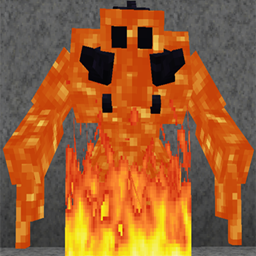 Magma Monsters Mod
 Deadly Monsters Mod
 Horror Movie Monsters
More data pack wikis on the site
 Portfolio Data PackPoint Zero Tactical Guns For Vics Point Blank Data Pack
 Player Shops Data PackPlayer Corpses Datapack ModPlaneta Cobblemon Pokemon Data PackPickaxe Effective Reinforced Deepslate Data PackPanda Temple Data PackPale Formations Data Pack
 Oxidize Copper Data Pack
 Ore Vein Miner Data PackOrbital Strike Cannon More Rods Data PackOrbital Strike Cannon Data Pack
The most downloaded mods that have a wiki here
 AppleSkin
 JourneyMap Mod
 Placebo
 Waystones
 Nature's Compass Mod
 Enchantment Descriptions Mod
 Patchouli Mod
 Jade Mod
 Quark Mod
 Balm Mod
A few wikis from each of the other kinds
 3D Crops 9minecraft Resource Pack