
Eggs N Eyes Resource Pack Wiki

Eggs N Eyes Resource Pack Wiki & Guide
wiki.9minecraft.net/eggs-n-eyes-resource-pack/
Changes spawn eggs to display the eyes and faces of the mobs they spawn.
Guides
Step-by-step, in-game.
Building a Mob Museum Wall Using Spawn Eggs as LabelsChecking Whether a Spawn Egg Is the Right Variant Before You Use ItHow to Tell Spawn Eggs Apart at a Glance in Your InventoryMaking Spawn Eggs Readable in Item Frames and on the GroundPairing Egg Faces With a Mob Farm's Storage SystemUsing Egg Faces to Speed Up Creative Building and Testing
Items
69 items · showing 24. Browse all →
 Allay Spawn Egg
 Armadillo Spawn Egg
 Axolotl Spawn Egg
 Bat Spawn Egg
 Bee Spawn Egg
 Blaze Spawn Egg
 Bogged Spawn Egg
 Breeze Spawn Egg
 Camel Spawn Egg
 Cat Spawn Egg
 Cave Spider Spawn Egg
 Chicken Spawn Egg
 Cod Spawn Egg
 Creaking Spawn Egg
 Creeper Spawn Egg
 Drowned Spawn Egg
 Elder Guardian Spawn Egg
 Ender Dragon Spawn Egg
 Enderman Spawn Egg
 Endermite Spawn Egg
 Evoker Spawn Egg
 Fox Spawn Egg
 Frog Spawn Egg
 Ghast Spawn Egg
What this pack changes
Every texture group the pack replaces, counted from the pack itself.
| Area | Textures replaced |
|---|---|
| Items | 72 |
Pack format 53–97 (Minecraft 1.21.5–1.21.9)72 texture files in total
Frequently asked questions
What does the Eggs N Eyes Resource Pack actually change?
It redraws spawn egg textures so each egg shows the face and eyes of the mob it spawns instead of a plain colored egg. Nothing about spawning behavior, mob stats, or recipes changes — it's purely a visual texture pack.
How do I turn the pack on after installing it?
Open Options, then Resource Packs, and move Eggs N Eyes from the Available list to the Selected list. Make sure it sits above any other pack that also edits spawn egg textures, or those textures will override it.
Why do some spawn eggs still look plain after I enable the pack?
Another resource pack loaded above Eggs N Eyes is probably overwriting those egg textures. Drag Eggs N Eyes to the top of your Selected packs list and reload, or remove the conflicting pack.
Does this pack work with modded mobs or other mods that add spawn eggs?
It only retextures the vanilla spawn eggs it ships with, so eggs from other mods keep their original look. If a modded egg uses the same base texture path, it may pick up an egg face by accident — reorder your packs if that happens.
See all 20 Eggs N Eyes questions ›
Related mods
Other wikis you may find useful.
 More Dragon Eggs Mod
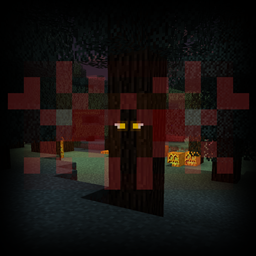 Eyes in the Darkness Mod
 Despawning Eggs Hatch Mod
 Fresh Animations
 Baby Mobs Resource Pack