
Pixel Perfection Legacy Resource Pack Wiki

Pixel Perfection Legacy Resource Pack Wiki & Guide
wiki.9minecraft.net/pixel-perfection-legacy-resource-pack/
Legacy pixel art resource pack with consistent textures for blocks and items.
Guides
Step-by-step, in-game.
Adjust to the Darker Color SchemeEnable Connected Textures for Seamless Block TransitionsIdentify and Appreciate Shiny Ore TexturesUse This Pack on Low-End Devices
Items
566 items · showing 24. Browse all →
 Abandoned Camp Map
 Acacia Boat
 Acacia Boat with Chest
 Acacia Door
 Acacia Sign
 Allay Spawn Egg
 Amethyst Shard
 Angler Pottery Sherd
 Apple
Apple Archer Pottery Sherd
 Armadillo Scute
 Armadillo Spawn Egg
 Armor Stand
 Arms Up Pottery Sherd
 Arrow
Arrow Axolotl Spawn Egg
 Baked Potato
 Bamboo
 Bamboo Door
 Bamboo Raft
 Bamboo Raft with Chest
 Bamboo Sign
 Banner Pattern (Mojang)
 Banner Pattern (Flow)
Blocks
574 blocks · showing 24. Browse all →
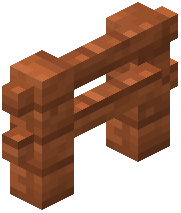 Acacia Fence
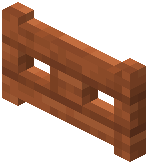 Acacia Fence Gate
 Acacia Hanging Sign
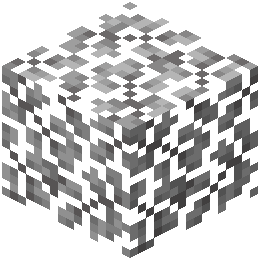 Acacia Leaves
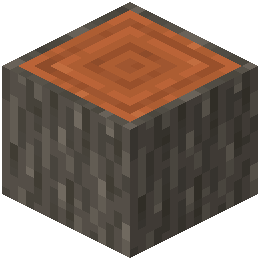 Acacia Log
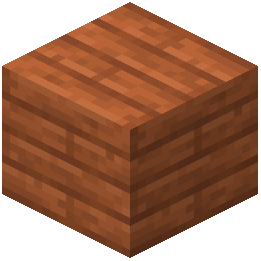 Acacia Planks
 Acacia Sapling
 Acacia Shelf
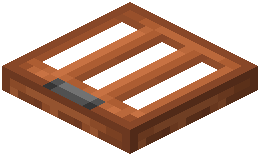 Acacia Trapdoor
 Activator Rail
 Allium
 Amethyst Cluster
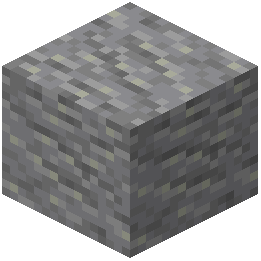 Andesite
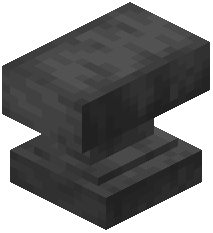 Anvil
Anvil Attached Melon Stem
 Attached Pumpkin Stem
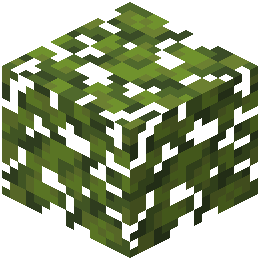 Azalea Leaves
 Azure Bluet
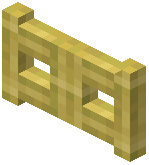 Bamboo Fence Gate
 Bamboo Hanging Sign
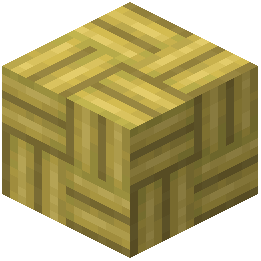 Bamboo Mosaic
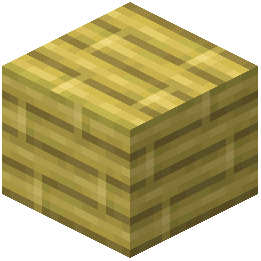 Bamboo Planks
 Bamboo Shelf
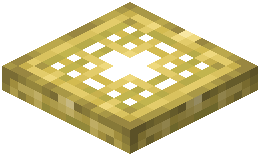 Bamboo Trapdoor
What this pack changes
Every texture group the pack replaces, counted from the pack itself.
| Area | Textures replaced |
|---|---|
| Blocks | 1,885 |
| Items | 1,044 |
| Mobs & entities | 1,004 |
| GUI & menus | 564 |
| Particles | 116 |
| Paintings | 52 |
| Maps | 43 |
| Status effects | 40 |
| Models | 20 |
| Sky & weather | 16 |
| Armor trims | 16 |
| Biome colours | 9 |
| Misc | 5 |
| Container | 1 |
| Font | 1 |
Pack format 97 (Minecraft 1.21.9)4,817 texture files in total
Extra features
Custom entity models (OptiFine/CEM)
Random entity textures
Custom shaders
Custom font
Custom sounds
Sound overrides
Custom block/item models
Reworked GUI
Frequently asked questions
Do I need to enable anything for connected textures to work?
Yes, you need to enable connected textures in your video settings. Look for the "Connected Textures" option in your graphics settings and set it to ON or FANCY for the seamless block transitions to appear.
Why do my ores look different and shiny?
This pack includes special shiny ore textures as one of its features to make ore blocks more visually distinctive. This is intentional and part of the pack's design to enhance the mining experience.
The colors look too dark, can I make them brighter?
The darker color scheme is a core design choice of this pack to create a rustic appearance. You can adjust your monitor brightness or Minecraft's brightness slider in-game, but the pack's textures themselves are designed to be darker than vanilla.
Will this pack work on my old/weak computer?
Yes, Pixel Perfection Legacy uses standard resolution textures specifically designed to run on low-end devices without requiring high performance hardware.
Is this pack compatible with shader mods?
Resource packs generally work with shaders, but visual results may vary depending on the shader's design. Test it in your world to see if the combination looks good to you.
Do I need Optifine for this pack to work properly?
No, the pack works without Optifine, though Optifine can enhance connected textures and other features if you choose to install it.
Why don't some blocks look connected even though I enabled connected textures?
Not all blocks have connected textures in this pack—only certain blocks like glass, stone, and similar materials are designed with this feature. This is intentional based on the pack's design.
Can I use this pack with other resource packs at the same time?
You can load multiple packs together by placing them in your resource packs folder and arranging them in priority order, but textures from higher-priority packs will override lower ones.
Does this pack change mob textures or just blocks?
Pixel Perfection Legacy focuses primarily on block textures and the overall world appearance rather than mob textures.
Will updating Minecraft break this pack?
New Minecraft versions may add blocks that this pack doesn't have textures for yet, so those blocks will appear as vanilla. The pack is regularly updated to cover new content, but there may be a delay after major updates.
You May Also Like
Wikis that share the most with this one
 Block Pixel
 Enigmatic Legacy Mod
More resource pack wikis on the site
Pixel Consistency Resource PackPirates Of The Caribbean Mash Up Resource PackPink Sweet GUI Resource PackPink Girlfriend Totem of Undying Resource PackPink Enchantment Glint Resource PackPiglin-Chan Resource PackPerfect Clear Glass Resource Pack PDB3Ds Blocky Armor Stands Resource PackPatrix Resource PackPack 3D Heycronus Resource PackP1kl’s 3D Items Resource Pack
 Ozocraft Remix Resource Pack
PDB3Ds Blocky Armor Stands Resource PackPatrix Resource PackPack 3D Heycronus Resource PackP1kl’s 3D Items Resource PackOzocraft Remix Resource PackThe most downloaded mods that have a wiki here
 AppleSkin
 JourneyMap Mod
 Placebo
 Waystones
 Nature's Compass Mod
 Enchantment Descriptions Mod
 Patchouli Mod
 Jade Mod
 Quark Mod
 Balm Mod