
Beryl Mod Wiki

Beryl Mod Wiki & Guide
wiki.9minecraft.net/beryl-mod/
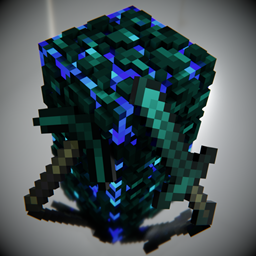
Adds beryl ore, gems, and related crafting materials and tools.
Guides
Step-by-step, in-game.
Enable Beryl Shaders and Configure Visual SettingsActivating the Shader Pipeline Beryl Mod works alongside VulkanMod to deliver enhanced visuals. Once installed, the…Optimize Beryl for Your HardwareUnderstanding Your GPU Capability Beryl Mod's performance depends on your graphics card. High-end GPUs (RTX 3070 and…Troubleshoot Low Frame Rate or Visual GlitchesDiagnosing Performance Issues Beryl Mod is designed for high performance, but problems can occur. First, verify both…Understand How Beryl Improves Lighting and ShadowsWhat Beryl's Shader Pipeline Does Beryl Mod replaces Minecraft's default lighting system with a more advanced…
Frequently asked questions
Do I need VulkanMod installed for Beryl to work?
Yes, Beryl Mod is a shader pipeline built specifically for VulkanMod, so you must have VulkanMod installed and running first. Without it, Beryl will not function.
How do I turn on Beryl shaders after installing the mod?
Open your video settings in-game and look for shader or rendering options related to Beryl. You should see a toggle or dropdown to enable the Beryl shader pipeline; select it and apply the changes.
Do I need to download a separate shader pack?
No, Beryl Mod comes with built-in shaders included, so you don't need to download additional shader files to get improved lighting and visuals.
Why is my frame rate dropping even though Beryl is supposed to be optimized?
Check your visual settings—Beryl has configurable quality levels that affect performance. Lower the shader quality or disable advanced lighting features if you're experiencing frame rate issues, and ensure your GPU drivers are up to date.
Related mods
More mod wikis on the same theme.
 Enderite Mod
 Tensura Mysticism
 Draconic Evolution
 No Tree Punching Mod