
Skin Totem 3D Edition Resource Pack Wiki

Skin Totem 3D Edition Resource Pack Wiki & Guide
wiki.9minecraft.net/skin-totem-3d-edition-resource-pack/
Redesigns totems of undying with 3D models based on player skins.
Guides
Step-by-step, in-game.
Display Your Totem in Item Frames for DecorationPlace and Rotate Your Totem Display Item frames let you showcase your 3D character totem as decoration on walls,…Ensure the Totem Renders Properly on Low-End ComputersCheck Your Graphics Settings The Skin Totem 3D Edition is designed to run smoothly, but rendering performance depends…Make Your Totem Match Your Current SkinUpdate Your Skin File The Skin Totem 3D Edition Resource Pack reads directly from your Minecraft skin file. If you've…Use Your Totem Effectively Before DeathUnderstanding Totem Activation Your 3D character totem works exactly like a normal Totem of Undying—the visual change…
Frequently asked questions
Why does my totem still look like the default gold idol?
The resource pack needs to be enabled in your resource pack menu and placed above any conflicting packs in the load order. Make sure you've selected it as active and restarted your world.
How do I update my totem to match a new skin I just changed to?
The totem pulls your skin from your current Minecraft profile, so it updates automatically when you change your skin in the launcher. You may need to rejoin your world or restart the game for the change to appear.
Can I use this pack on a multiplayer server?
Yes, the resource pack works on servers and each player will see their own character as their totem. The server doesn't need the pack installed—it's purely a client-side visual change.
Does the 3D totem work with capes and cosmetics?
The totem uses your skin file, so it includes any capes or cosmetics that are part of your official Minecraft skin. Custom cosmetics from mods or servers won't appear on the totem.
See all 10 Skin Totem 3D Edition questions ›
You May Also Like
Wikis that share the most with this one
 Skin Shuffle Mod
 Skin Swapper Mod
 Totem Tweaks Mod
 Skin Restorer Mod
 Skin Layers 3D Mod
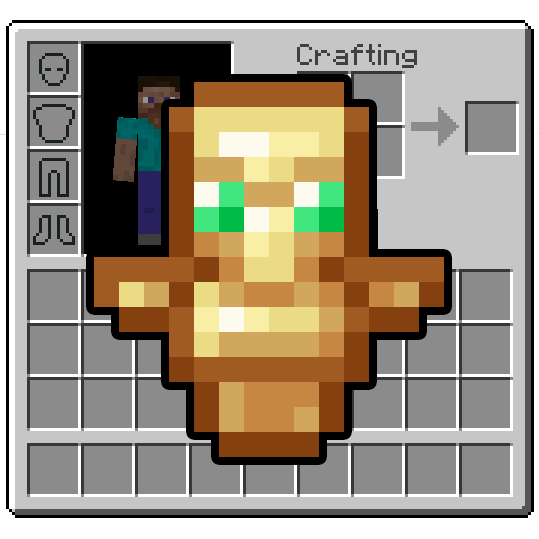 Inventory Totem Mod
 Show Me Your Skin Mod
 Void Totem 9minecraft
More resource pack wikis on the site
 Simplistic GUI Resource PackSimplecraft X16 Resource PackSimple Realistic Resource PackSimple Outlined Ores Resource PackSimple Lower Grass Sides Resource PackSimple Hotbar Resource Pack
 Simple Grass Flowers Resource PackSilly Moves Resource Pack
 Shrimp’s Immersive Interfaces Resource PackShort Swords Resource PackShiny Hearts Resource Pack
 Shiny Armor Trims 9minecraft Resource Pack
The most downloaded mods that have a wiki here
 AppleSkin
 JourneyMap Mod
 Placebo
 Waystones
 Nature's Compass Mod
 Enchantment Descriptions Mod
 Patchouli Mod
 Jade Mod
 Quark Mod
 Balm Mod
A few wikis from each of the other kinds