
Numeral Ping Mod Wiki
Numeral Ping Mod Wiki & Guide
wiki.9minecraft.net/numeral-ping-mod/
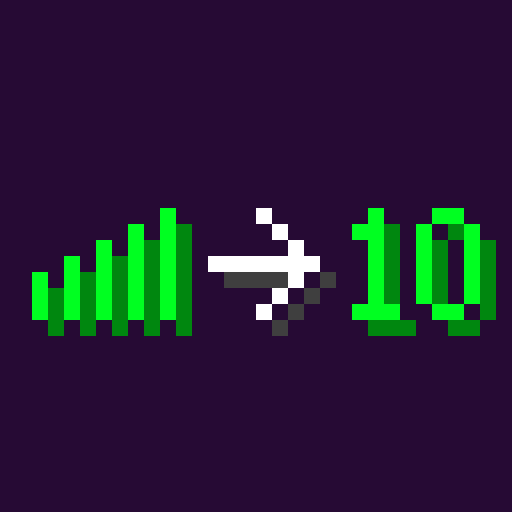
Numeral Ping Mod is a small mod that displays each player’s ping in the tab list as a numerical value rather than the standard icon. Numeric values are generally more informative and easier to interpret than abstract signal bars.
Guides
Step-by-step, in-game.
Fixing Blurry or Misaligned Ping Numbers with the Built-In Font PacksWhy the Numbers Look Wrong Some setups render the ping digits with a fuzzy, stretched, or misaligned appearance. This…How to Read Ping Values in the Tab ListWhat the Numbers Mean Once Numeral Ping Mod is active, open the tab list (hold the default tab key). Next to every…Troubleshooting: Ping Numbers Not Showing in the Tab ListFirst Checks If you expected numbers but still see the old signal bars, confirm the mod is actually loaded for the…Using Ping Numbers to Diagnose Lag on a ServerSeparate Your Lag from Theirs The exact millisecond values make it easy to tell whether a problem is local or shared.…
Frequently asked questions
How do I turn on the ping numbers in the tab list?
The mod works automatically once installed — just hold Tab and you'll see each player's ping in milliseconds next to their name. There's no keybind or toggle to enable; if numbers aren't showing, check that the mod is actually loaded for your game version.
What do the ping numbers actually mean?
The number is your round-trip latency to the server in milliseconds — how long it takes a packet to go there and back. Lower is better; a value in the low tens feels instant, while values in the hundreds or higher mean noticeable delay on actions like block breaking or combat.
Why are my ping numbers blurry or misaligned?
This is a font rendering issue, not a bug in the ping logic. The mod ships with built-in resource packs — one pixelated and one smooth — that you can enable in your resource pack list to fix the rendering.
Which font pack should I pick, pixelated or smooth?
Pick whichever matches the rest of your UI: pixelated keeps the vanilla Minecraft look, while smooth renders cleaner digits that some players find easier to read at small sizes. You can switch between them at any time without restarting.
See all 10 Numeral Ping questions ›
Related mods
Other wikis you may find useful.
 Fast IP Ping Mod
 Better Ping Display
 Better Ping Display Mod
 Rainbow XP Bar And Ping Resource Pack