
NBT Copy Mod Wiki
NBT Copy Mod Wiki & Guide
wiki.9minecraft.net/nbt-copy-mod/
Using the /data get command on servers or /cgetdata in single player world will allow you to view the various non binary tags (or NBT for short) data associated with an entity. This is mostly used by mod developers and technical players for various different purposes.
Guides
Step-by-step, in-game.
Copying NBT From Multiple Entities in One SessionHandling Repeated Outputs Technical players often inspect several entities in a row — say, comparing tags across a…Editing NBT Data After Copying ItWhy Copying Matters for Editing NBT data shown in the chat box cannot normally be selected with your mouse, which…How to Copy Entity NBT Data to Your ClipboardRunning the Command First Before you can copy anything, you need NBT data to appear in your chat. In a single-player…Sharing NBT Data With Other Players or in Bug ReportsGetting the Data Out of the Game When you need to show someone else an entity's NBT — for a bug report, a forum post,…
Frequently asked questions
How do I copy NBT data with this mod?
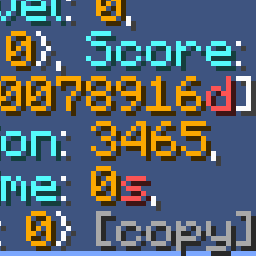
Run /data get on a server or /cgetdata in single player to print the entity's NBT to chat, then click the COPY text button that appears at the end of that command output. The data is placed on your  clipboard, ready to paste elsewhere.
clipboard, ready to paste elsewhere.Where does the copy button show up?
It appears as clickable text at the end of each individual command output in the message box, not as a separate GUI or keybind. If you don't see it, the command output may have been cut off or the mod isn't loaded.
Why can't I click the COPY button?
The button only appears on output from NBT-printing commands like /data get or /cgetdata, so it won't show on normal chat. Make sure you're clicking the COPY text itself and not the surrounding message.
Can I copy NBT from more than one entity at once?
Yes, each command output gets its own COPY button, so you can run the command on several entities and click each button individually. Each click replaces your clipboard contents with that entity's data, so paste before copying the next one.
clipboard contents with that entity's data, so paste before copying the next one.See all 10 NBT Copy questions ›
Related mods
Other wikis you may find useful.
 Naturalist
 Naturally Charged Creepers Mod
 Naturally Trimmed Mod
 Nature's Aura Mod
 Nature's Compass Mod
 Nature’s Spirit 9minecraft
 NBT Autocomplete Mod