
Cyrillic Patchwork Blockbench Resource Pack Wiki

Cyrillic Patchwork Blockbench Resource Pack Wiki & Guide
wiki.9minecraft.net/cyrillic-patchwork-blockbench-resource-pack/
Resource pack featuring Cyrillic text and patchwork-style block textures.
Guides
Step-by-step, in-game.
Change Your Main Menu Logo to Russian Cyrillic TextEnable the Resource Pack Once installed, open Minecraft and navigate to Options → Resource Packs . Find the Cyrillic…Customize Individual Update Logos Using BlockbenchAccess the Resource Pack Files Navigate to .minecraft/resourcepacks/ and open the Cyrillic Patchwork Blockbench…Identify Which Update Logo Is Currently DisplayedRecognize Update Logos by Their Cyrillic Text Each major Minecraft update has a unique Russian Cyrillic logo included…Restore Your Original Java Edition Title TextDisable the Resource Pack To return to the default Minecraft title screen, open Options → Resource Packs in-game.…
Frequently asked questions
How do I know if the resource pack is actually working?
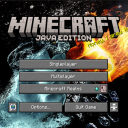
Launch Minecraft and look at your main menu—if you see Russian Cyrillic text instead of "Java Edition" under the Minecraft logo, the pack is active. You can also check your Resource Packs menu to confirm the Cyrillic Patchwork pack shows as enabled.
Why am I still seeing the English Java Edition text?
Make sure the resource pack is loaded above any conflicting packs in your Resource Packs menu (drag it to the top of the active list). If you're using other menu-modifying packs, they may override this one—try disabling them temporarily to test.
Can I use this pack with other resource packs at the same time?
Yes, but pack load order matters—place Cyrillic Patchwork above other packs that modify the main menu to avoid conflicts. If another pack also changes title screen logos, only the topmost pack in your list will be visible.
Does this pack change anything besides the main menu logo?
No, this pack only replaces the subtitle text and update logos on your main menu screen. All gameplay, blocks, items, and other UI elements remain unchanged.
See all 10 Cyrillic Patchwork Blockbench questions ›
You May Also Like
Wikis that share the most with this one
 Cubic Stars Resource Pack
 Cubic Sun and Moon
 Cubic Sun & Moon Resource Pack
 Custom Background HD Resource Pack
 Cute Hotbar Icons Resource Pack
 Cute Pumpkin Resource Pack
 Cutecore Kin’s Sweetest GUI ୭ ᵎᵎ Resource Pack
 Cyan Pvp Pack Resource Pack
 Daggers Resource Pack
 Dainty Order Resource Pack
 Dandelion X Resource Pack
 Dark Anime Sky Resource Pack
More resource pack wikis on the site
 Cubic Leaves Resource Pack
 Cubic Leaves 9minecraft Resource Pack
 Crystal Vanilla Tweaks Resource Pack
 Cryptid Entity Models Resource Pack
 Crosshair V3 Resource Pack
 Crosshair TXF Resource Pack
 Crosshair CUBE Resource Pack
 Crops Plus Resource Pack
 Crisp CTG Transit Resource Pack
 Crimson Fist Legacy Resource Pack
 Creepers Revamped 9minecraft Resource Pack
 Creepers Refreshed Resource Pack
The most downloaded mods that have a wiki here
 Farmer’s Delight Cutting Compat Data Pack
 Mouse Tweaks Mod
 Bookshelf Mod
 AppleSkin
 GeckoLib Mod
 Controlling Mod
 Clumps Mod
 JourneyMap Mod
 Placebo
 Waystones
 Nature's Compass Mod
 Enchantment Descriptions Mod
A few wikis from each of the other kinds
 0,5 HP Mod
 0Pack2Reload Mod
 8 Bit Trial Chambers Shaders
 Abyssal Glitch Perspective Shaders
 100 Levels 2 Map
 1000 Block Parkour Map
 Actions & Better Modpack
 Alaskan Wilderness Reimagined Forge Labs Recreation Modpack
 6 Stairs Data Pack
 A Breach Happened Data Pack
 22qq Client Mod
 67 Client Mod