
Cosmetics and Attachments Mod Wiki

Cosmetics and Attachments Mod Wiki & Guide
wiki.9minecraft.net/cosmetics-and-attachments-mod/
Adds cosmetic items and attachments for character customization.
Guides
Step-by-step, in-game.
Customize Your Base Skin TextureUnderstanding Skin Adjustments The mod allows you to modify your base player skin texture beyond the standard…Equip and Display Custom Cosmetic Items on Your CharacterAccessing Your Cosmetics Once you have cosmetic items added to your inventory (usually from resource packs or…Resolve Cosmetics Not Appearing or Animating CorrectlyCosmetics Not Showing Up 1. Verify the cosmetic item is actually equipped in the cosmetics slot (not just in your…Understand How Animated Attachments Move With Your CharacterBone Linking Explained Animated attachments use bone linking to attach directly to your character's skeleton. This…
Frequently asked questions
How do I get cosmetics to show up on my character?
Cosmetics appear through the Appearance Controller, which is a background system that other mods and packs use to add custom models to your player. You don't equip cosmetics directly—instead, the mod that adds them (like a cosmetics pack) handles displaying them on your character automatically.
Can I change my skin texture with this mod?
Yes, the mod includes Skin Adjustments that let you modify and customize your base skin texture. You can adjust your appearance through the mod's skin customization options without needing to change your Minecraft account skin.
Why aren't my cosmetics animating?
Animated attachments need proper setup to play their animations. Check that the cosmetics pack you're using is compatible with this mod, that GeckoLib is installed (required for complex animations), and that there are no conflicting mods. Restart your game after installing or updating packs.
What does 'bone linking' mean?
Bone linking attaches custom cosmetic items directly to specific parts of your character model—like your arms, legs, or body—so they move and rotate naturally with your character's animations instead of staying frozen in place.
See all 10 Cosmetics and Attachments questions ›
You May Also Like
Wikis that share the most with this one
 More Cosmetics Mod
 Corn Delight Mod
 CoroUtil Mod
 Corpse Complex
 Corpse Mod
 Corpse X Curios API Compat Mod
 Cosmetic Armor
More mod wikis on the site
 CorgiLib
 CoralReef Mod
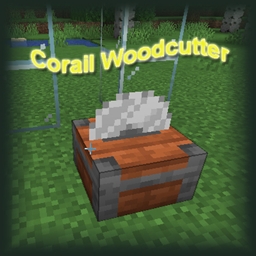 Corail Woodcutter Mod
 Corail Tombstone Mod
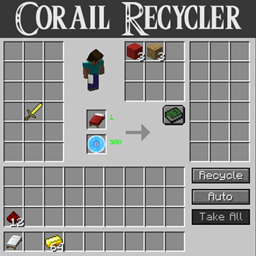 Corail Recycler Mod
 Corail Pillar Mod
 Corail Backpack Mod
 Copper Hopper
The most downloaded mods that have a wiki here
 AppleSkin
 JourneyMap Mod
 Placebo
 Waystones
 Nature's Compass Mod
 Enchantment Descriptions Mod
 Patchouli Mod
 Jade Mod
 Quark Mod
 Balm Mod
A few wikis from each of the other kinds
 3D Crops 9minecraft Resource Pack