
Acrit’s Fancy Nature Resource Pack Wiki

Acrit’s Fancy Nature Resource Pack Wiki & Guide
wiki.9minecraft.net/acrits-fancy-nature-resource-pack/
Enhances natural textures and visuals for trees, plants, and landscape elements.
Guides
Step-by-step, in-game.
Adjust Leaf Thickness to Match Your Building StyleAccess ResPackOpts Settings Open your resource pack options through the Minecraft resource pack menu. Look for…Build Dense Ground Cover with Grass and Bush ModelsUnderstand Ground Cover Options The pack enhances short grass and tall grass blocks with fuller 3D models, plus adds…Create Colorful Autumn Forests with Poplar Tree FoliageLocate Poplar Trees in Your World Poplar trees appear naturally in certain biomes. Search for tall, narrow tree…Toggle Between Full Branches and Branchless Leaf ModelsLocate Branch Options Access ResPackOpts through your resource pack settings. Acrit's Fancy Nature includes a branch…
Frequently asked questions
How do I enable the resource pack after downloading it?
Place the pack file in your resourcepacks folder, then open Minecraft and go to Options > Resource Packs. Find Acrit's Fancy Nature in the Available list and click the arrow to move it to Active. Make sure it's positioned above any conflicting packs.
What's the difference between the leaf thickness options?
Dense provides the fullest, bushiest foliage coverage for thick forests; Patchy offers a balanced middle ground with visible gaps; Thin keeps leaves sparse and airy for a lighter aesthetic. Choose based on your preferred forest density and building style.
How do I toggle branches on and off?
Open ResPackOpts (usually accessed through your mod menu or resource pack settings) and look for the branch toggle option. You can switch between full branches, branchless leaves, or other branch style variants without reloading the pack.
Can I use this with Sodium or other optimization mods?
Yes, this pack is designed to work alongside Sodium and maintains clean natural block lighting across different game versions. It should be compatible with most rendering optimization mods.
See all 10 Acrit’s Fancy Nature questions ›
You May Also Like
Wikis that share the most with this one
 Nature X
 Fancy Frames
 Fancy Menu Mod
 Fancy Name Mod
 Fancy Toasts Mod
 Fancy Npcs Plugin
 Fancy Npcs Plugin
 Nature's Aura Mod
 Primal Nature Calls
 Fancy Health Bar Mod
 Nature's Compass Mod
 Fancy Holograms Plugin
Wikis on the same theme: tree
 Odar Is
 Round Trees Resource Pack
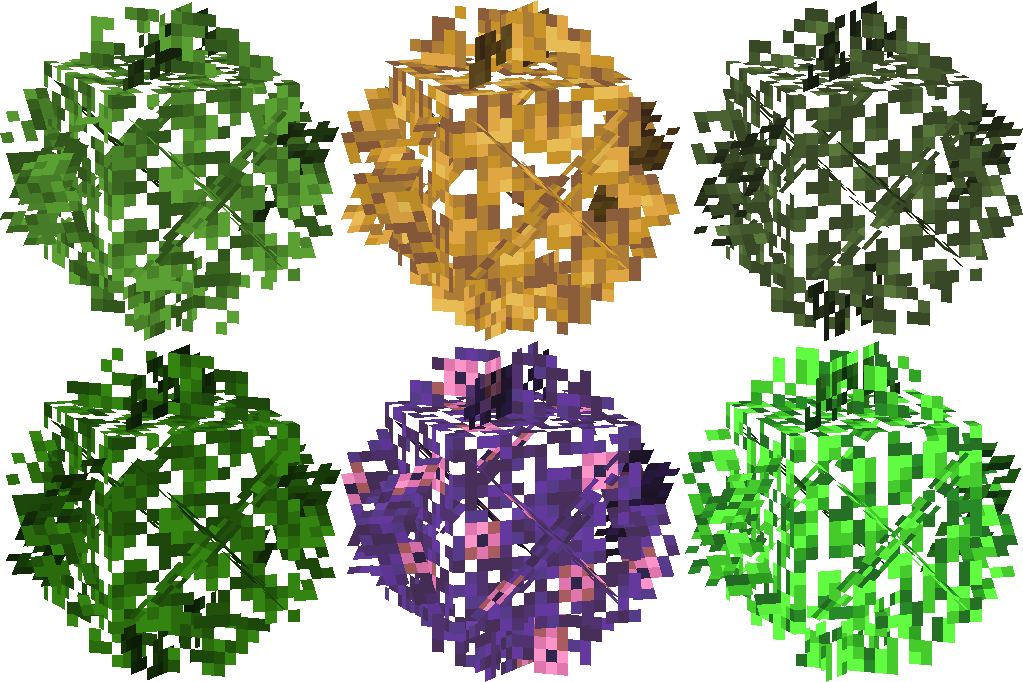 Universal Bushy Leaves Resource Pack
 Realistic Nature 3D Nature Resource Pack
 Scarcity
 Architect
 Ecologics
 Foodables
 Delightful
 Street Art
 Wild Flora
 Dense Trees
More resource pack wikis on the site
 Abibliophobia Enchanted Books Resource Pack
 A7Mds 3D Potions Resource Pack
 A Vanilla Overlay Resource Pack
 A Btv Texture Pack 64Px Full 3 D Pom Resource Pack
 3D Vanilla Items Resource Pack
 3D Muskets Resource Pack
 3D Ladders Resource Pack
 3D Items Vanillaism Resource Pack
 3D Items Vanillaism
 3D Default Resource Pack
 3D Crops Revamped Resource Pack
 3D Crops 9Minecraft Resource Pack
The most downloaded mods that have a wiki here
 Farmer’s Delight Cutting Compat Data Pack
 Mouse Tweaks Mod
 Bookshelf Mod
 AppleSkin
 GeckoLib Mod
 Controlling Mod
 Clumps Mod
 JourneyMap Mod
 Placebo
 Waystones
 Enchantment Descriptions Mod
 Patchouli Mod
A few wikis from each of the other kinds
 0,5 HP Mod
 0Pack2Reload Mod
 8 Bit Trial Chambers Shaders
 Abyssal Glitch Perspective Shaders
 100 Levels 2 Map
 1000 Block Parkour Map
 Actions & Better Modpack
 Alaskan Wilderness Reimagined Forge Labs Recreation Modpack
 6 Stairs Data Pack
 A Breach Happened Data Pack
 22qq Client Mod
 67 Client Mod