

 DownloadCreate Slice & Dice
Get the files on 9Minecraft
Contents (7)
Mixing Dyes
Use a Create Mixer basin to combine dye ingredients. Place the basin, add your dye items or fluids, and power the Mixer with rotational force. The mixed dye can then be piped or bucketed out for use in coloring blocks, wool, or other items.
Producing Fertilizer
 Fertilizer is made by processing organic materials. Feed the required inputs into the appropriate machine or mixing basin and power it. The result is Fertilizer, which can be applied to crops to speed growth or used in other mod processes.
Applying Fertilizer with the Sprinkler
Place the 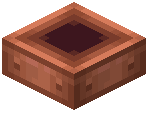 Sprinkler above your farm plot. Supply it with Fertilizer (either as an item or via a fluid form such as Bucket of Liquid Fertilizer, depending on your setup). Power the Sprinkler so it activates and distributes fertilizer over the crops below. Crops in range will grow faster.
Wet Air
 Wet Air is a fluid produced as a byproduct or through a specific process in the mod. It can be piped into tanks or used in further processing. Check your machine's output slots or fluid outputs to collect it.
Tips
- Use tanks and pipes to move liquid fertilizer from the mixer to the sprinkler automatically.
- Keep a chest of solid Fertilizer near the Sprinkler if your setup uses items instead of fluid.


