
Compatibility Addon For Minecolonies Wiki

Compatibility Addon For Minecolonies Wiki & Guide
wiki.9minecraft.net/compatibility-addon-for-minecolonies-mod/
Connects MineColonies storage and colonists with applied energistics terminals, stock keeping, and zoning tools.
Guides
Step-by-step, in-game.
How to Connect Your MineColonies Storage to an AE2 TerminalHow to Keep Your Colony Stocked Automatically with the Stock KeeperHow to Let Colonists Use AE2 Terminals and Grid AccessHow to Use the Zoning Tool to Manage Colony Areas
Recipes
Every recipe the mod adds, grouped by how it is made.
Items
 TaCZ Dummy Gun
 Zoning Tool
Blocks
Configuration
Every setting in the mod config file, with what it changes.
Plugin Minecolonies Compatibility
| Option | What it does |
|---|---|
age | MineColonies Crop Age |
requested | Postbox Requested |
requested | Stash Requested |
Frequently asked questions
How do I connect my MineColonies storage to an AE2 terminal?
Place a 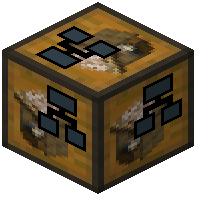 Common Network Storage block and connect it to your AE2 network with cables, then link it to your colony's storage so the network can see colony items. Once linked, your ME terminals will show colony inventory alongside your regular AE2 storage.
Common Network Storage block and connect it to your AE2 network with cables, then link it to your colony's storage so the network can see colony items. Once linked, your ME terminals will show colony inventory alongside your regular AE2 storage.What does the Common Network Storage block actually do?
It acts as the bridge between your MineColonies warehouse/rack storage and your AE2 network. Items in colony storage become visible and accessible through the AE2 grid once the block is connected to both sides.
How do I get started with this mod after installing it?
Build a Common Network Storage block, connect it to your existing AE2 network, and link it to your colony. From there you can add the  Grid for Colonist,
  ME Terminal for Colonist, and
 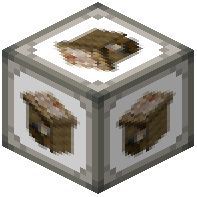 Stock Keeper for Colonist to expand what colonists and you can access.
Common Network Storage block, connect it to your existing AE2 network, and link it to your colony. From there you can add the Grid for Colonist, ME Terminal for Colonist, and Stock Keeper for Colonist to expand what colonists and you can access.How does the Stock Keeper for Colonist work?
The Stock Keeper keeps your colony supplied by pulling items from your AE2 network to maintain set stock levels. You configure what it should keep stocked, and it automatically requests those items so your colonists don't run out.
See all 18 Compatibility Addon For Minecolonies questions ›
Related mods
Other wikis you may find useful.
 Tweaks Addon For Minecolonies
 Better Compatibility Checker Mod
 Loot Integrations: Randomized Loot Compatibility Mod
 Utilitix
 RFTools Mod
 Vulcanite Mod
 XP Obelisk Mod
 Allthemodium Mod
 Engineer's Tools
 Storage Tech Mod