
Sofron Pack 16X Resource Pack Wiki

Sofron Pack 16X Resource Pack Wiki & Guide
wiki.9minecraft.net/sofron-pack-16x-resource-pack/
The community wiki and guide for Sofron Pack 16X Resource Pack.
Guides
Step-by-step, in-game.
Adjusting Night Brightness and Starfield VisibilityUnderstanding Sofron's Dark Night Aesthetic Sofron Pack 16x is designed with deep night lighting to capture classic…Creating Expressive Farm Animal DisplaysShowcasing Sofron's Stylized Animal Models Sofron Pack gives passive animals expressive models with clean facial…Maximizing the Look of Custom 3D Block ModelsGetting the Best View of Sofron's Detailed Blocks Sofron Pack includes custom 3D models for wooden doors, minecart…Using Emissive Textures for Atmospheric LightingUnderstanding Emissive Blocks in Sofron Pack Emissive textures glow naturally in darkness without requiring light…
Frequently asked questions
Do I need to do anything after installing the pack or does it just work?
The pack applies automatically once selected in your resource pack menu—no configuration needed. However, you may want to adjust your brightness slider in Video Settings to fully experience the dark night lighting the pack is designed for.
Why do my nights look too bright compared to the screenshots?
Check your Brightness setting in Video Settings; the Sofron Pack is designed for Bright or maximum brightness to show off the starry sky and deep shadows. If you're using Moody or Dim, the night atmosphere won't display as intended.
The wooden doors and minecart rails look flat, not 3D like in the guide. What's wrong?
Make sure you're using a version of Minecraft that supports custom model data and 3D block models—older versions may fall back to flat textures. Also verify the pack is actually selected as your active resource pack in the menu.
Do the glowing blocks (emissive textures) work in vanilla Minecraft or do I need mods?
Emissive textures work in vanilla Minecraft 1.17 and later without any mods—they're a built-in resource pack feature. If you're on an older version, the glowing effect won't appear.
See all 10 Sofron Pack 16X questions ›
You May Also Like
Wikis that share the most with this one
 SMP Basics Resource Pack
 Sneks Improvements And Consistencies Resource Pack
 Snod Animated Torches Resource Pack
 Snowy Mountains Sky Resource Pack
 Soartex Fantastik Resource Pack
 Soartex Fanver 9minecraft Resource Pack
 Soartex Fanver Vanilla Resource Pack
 Soartex Grove Resource Pack
 Soft Weather 9minecraft Resource Pack
 Solo Leveling Arsenal Resource Pack
 Song Of Resurrection I X128 I X256 I X512 I X1024 I Rtx I Pom I Lab Pbr Resource Pack
 Sonic Totem of Undying Resource Pack
More resource pack wikis on the site
 Smoothies Pvp Essentials Resource Pack
 Smooth Glass Resource Pack
 Smooth Bow Animations Resource Pack
 Smart Boost Resource Pack
 Smaller Totems Resource Pack
 Smaller Totem Resource Pack
 Smaller Handhelds Resource Pack
 Small X Crosshair Resource Pack
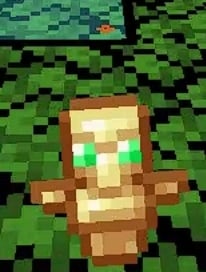 Small Totem Pop Resource Pack
 Small Swords Resource Pack
 Small Shield & Totem Resource Pack
 Small Items+ Resource Pack
The most downloaded mods that have a wiki here
 Farmer’s Delight Cutting Compat Data Pack
 Mouse Tweaks Mod
 Bookshelf Mod
 AppleSkin
 GeckoLib Mod
 Controlling Mod
 Clumps Mod
 JourneyMap Mod
 Placebo
 Waystones
 Nature's Compass Mod
 Enchantment Descriptions Mod
A few wikis from each of the other kinds
 0,5 HP Mod
 0Pack2Reload Mod
 8 Bit Trial Chambers Shaders
 Abyssal Glitch Perspective Shaders
 100 Levels 2 Map
 1000 Block Parkour Map
 Actions & Better Modpack
 Alaskan Wilderness Reimagined Forge Labs Recreation Modpack
 6 Stairs Data Pack
 A Breach Happened Data Pack
 22qq Client Mod
 67 Client Mod