
Rescale Aspect Ratio Mod Wiki

Rescale Aspect Ratio Mod Wiki & Guide
wiki.9minecraft.net/rescale-aspect-ratio-mod/
Allows adjusting the game's aspect ratio and screen scaling independently.
Guides
Step-by-step, in-game.
Adjust Your Hand and Item Position in First PersonOpen the Live Hand Editor While in-game, press the Insert key to open the hand editor tool. This allows you to…Change Your Screen to Stretched 4:3 Aspect RatioAccess the Scaling Settings Open your Minecraft pause menu and navigate to the Rescale Aspect Ratio Mod settings.…Fix Item Display When Using Stretched Aspect RatioUnderstand the Stretching Effect When you enable stretched aspect ratio (4:3 or 5:4), your first-person hand and…Switch Between Different Aspect RatiosOpen Rescale Settings Access the mod's main settings menu from your pause screen. Locate the aspect ratio selection…
Frequently asked questions
How do I open the mod settings?
Press the Insert key while in-game to open the live hand editor and access scaling settings. You can also find Rescale options in your main mod menu if your mod loader provides one.
What aspect ratios does this mod support?
The mod supports stretched 4:3 and 5:4 aspect ratios, which stretch your game view to mimic older monitor formats while keeping your monitor's native resolution.
Why do other players look wider when I use this mod?
The stretched aspect ratio compresses the horizontal field of view, which makes all entities—including other players and mobs—appear wider on your screen, making them easier to spot.
How do I move my hand and items in first person view?
Open the hand editor with Insert, then hold Ctrl and use the Arrow Keys to reposition your items. Hold Shift while doing this to make adjustments move faster.
See all 10 Rescale Aspect Ratio questions ›
Related mods
Other wikis you may find useful.
 Jamd
Jamd Hooked
 Exp Ore
 NoCubes
 Ender IO
 Estrogen
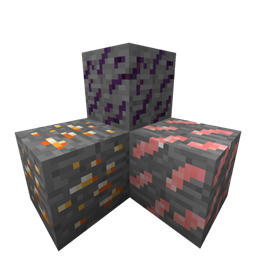 Fun Ores