
Mob Filter Mod Wiki

Mob Filter Mod Wiki & Guide
wiki.9minecraft.net/mob-filter-mod/
Mob Filter Mod is designed to give players greater control over mob spawning in their worlds. By using it, you can create safe zones, prevent specific mobs from spawning, and set detailed conditions for mob spawning based on biomes, times, or light levels.
Guides
Step-by-step, in-game.
How to Block a Specific Mob Entirely With the Mob Filter CommandUse the deny command Mob Filter exposes an in-game command for quickly blocking a mob without hand-editing the…How to Make a Safe Zone Where No Hostile Mobs SpawnScope the rule to an area A safe zone works best when the deny rule is limited by location rather than applied…How to Stop Creepers From Spawning Around Your BaseCreate a deny rule for creepers Open the mod's config file ( mobfilter.yml or mobfilter.json5 , depending on which…How to Stop Squids Spawning in Rivers but Keep Them in OceansUse biome conditions instead of a blanket ban A global deny on squids would remove them everywhere, including oceans…
Frequently asked questions
How do I get started with Mob Filter Mod after installing it?
Launch the game once so the mod generates its config file (mobfilter.yml or mobfilter.json5) in your config folder, then open it to add your first rule. Rules take effect on world load or after running the reload command.
Where is the Mob Filter config file and what format does it use?
It lives in your Minecraft config directory and can be written as either mobfilter.yml or mobfilter.json5. Pick one format and keep all your rules in that single file.
How do I write a rule that stops one mob from spawning?
Add a rule that names the mob and sets its action to deny, optionally scoped to a biome, dimension, or coordinate range. Without extra conditions, the deny applies everywhere that mob could spawn.
What's the difference between the config file rules and the /mobfilter command?
The config file holds persistent, condition-based rules that load with the world, while the /mobfilter command lets you quickly deny or allow a mob on the fly. Use the command for quick tests and the config for permanent setups.
See all 10 Mob Filter questions ›
Related mods
Other wikis you may find useful.
 Ftb Filter System
 Console Filter Mod
 Lost Cities Filter Mod
 Moa Decor Lights
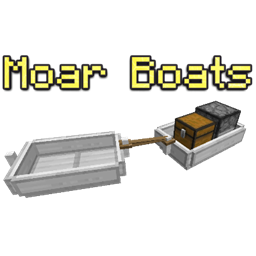 Moar Boats Mod
 Moar Concrete 9minecraft
 Mob AI Tweaks Mod
 Mob Amputation
 Mob Battle Mod