
Refined Storage Wiki › FAQ
Refined Storage FAQ
12 questions players actually ask, answered.
How do I start a basic Refined Storage network?
Place a  Controller as the network core, connect components to it using Cables, and supply power. Attach a Disk
  Interface holding a Storage Disk to add storage, then place a
  Grid on the network to access it.
Controller as the network core, connect components to it using Cables, and supply power. Attach a Disk Interface holding a Storage Disk to add storage, then place a Grid on the network to access it.How do I power a Refined Storage network?
The Controller must receive power from an external energy source; it acts as the energy input point for the network. Cables then distribute that power to all connected blocks.
Controller must receive power from an external energy source; it acts as the energy input point for the network. Cables then distribute that power to all connected blocks.How do I craft a Storage Disk?
Storage Disks are made from a Storage Part combined with other materials in a crafting recipe. The Storage Part itself is crafted first, then used to assemble the Disk.
What is the difference between Storage Disks and Storage Blocks?
Storage Disks go inside a Disk Interface to provide network storage, while Storage Blocks are placed directly in the world as storage blocks. Both come in sizes 1k, 4k, 16k, and 64k.
Interface to provide network storage, while Storage Blocks are placed directly in the world as storage blocks. Both come in sizes 1k, 4k, 16k, and 64k.How do I  upgrade a Storage Disk to a larger size?
Use the refinedstorage:storage_container_upgrade recipe type, which combines an existing storage container with materials to produce a higher-capacity version. This applies to both item and fluid storage.
How do I store fluids in my network?
Craft Fluid Storage Disks or Fluid Storage Blocks (64B, 256B, 1024B, 4096B) and place them in a Disk Interface or the world respectively. They store fluids the same way item disks store items.
Interface or the world respectively. They store fluids the same way item disks store items.How do I access my network from far away?
Use a  Wireless Transmitter on the network and a
  Network Transmitter/Receiver pair, or a Wireless
  Crafting Grid paired with a Wireless Transmitter. The Grid then accesses the network remotely.
Wireless Transmitter on the network and a Network Transmitter/Receiver pair, or a Wireless Crafting Grid paired with a Wireless Transmitter. The Grid then accesses the network remotely.How do I autocraft items?
Place a 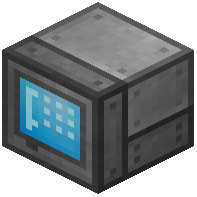 Pattern Grid to encode patterns, put those patterns into an Autocrafter connected to the network, and request the item from a Crafting Grid. The
 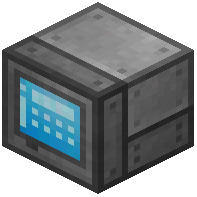 Autocrafter Manager and
 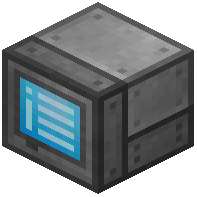 Autocrafting Monitor let you view and manage running jobs.
Pattern Grid to encode patterns, put those patterns into an Autocrafter connected to the network, and request the item from a Crafting Grid. The Autocrafter Manager and Autocrafting Monitor let you view and manage running jobs.How do I import and export items automatically?
Place an 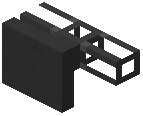 Importer to pull items from an adjacent inventory into the network, and an
  Exporter to push items out. A
  Constructor and
  Destructor can also place and break blocks as part of automation.
Importer to pull items from an adjacent inventory into the network, and an Exporter to push items out. A Constructor and Destructor can also place and break blocks as part of automation.How do I connect a non-Refined Storage inventory to the network?
Place an  External Storage block against the inventory; it exposes that inventory's contents to the network as if they were stored on the network itself.
External Storage block against the inventory; it exposes that inventory's contents to the network as if they were stored on the network itself.How do I change the color of my cables and blocks?
Use the refinedstorage:recoloring recipe type, which combines a colored block or 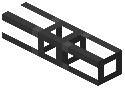 cable with a dye to change its color. Colored variants exist for Cables, Controllers, Grids, Crafters, and most other components.
cable with a dye to change its color. Colored variants exist for Cables, Controllers, Grids, Crafters, and most other components.What does the 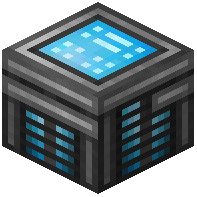 Security Manager do?
The Security Manager is placed on the network to manage player access permissions for the network. It controls who can view and modify the network's contents.
Security Manager is placed on the network to manage player access permissions for the network. It controls who can view and modify the network's contents.