
Optimum Realism Pom Pbr Resource Pack FAQ
20 questions players actually ask, answered.
How do I actually turn on POM and PBR after installing Optimum Realism?
POM and PBR are shader features, so you need a shader that supports them (like a PBR-capable shaderpack) loaded through Iris or OptiFine, plus the resource pack enabled above vanilla. In the shader settings, enable the parallax/POM option and make sure normal and specular maps are being read, otherwise blocks stay flat.
Why do my blocks look flat with no depth even though the pack is on?
This almost always means POM is off in your shader settings or the shader you're using doesn't support parallax occlusion mapping. Check that the resource pack is at the top of your pack list and that your shader's parallax depth is set above zero.
Do I need OptiFine or Iris for this pack to work?
You need one of them, because vanilla Minecraft can't read PBR or POM data. Iris with a compatible shader is the common choice on modern versions, while OptiFine works on older setups; the pack itself just supplies the textures and maps.
My leaves and plants look wrong or see-through with POM on. How do I fix it?
Foliage uses cutout transparency, which POM handles differently than solid blocks, so depth can look broken or leaves can vanish at certain angles. Lower the parallax depth for cutout materials or disable POM specifically for plants in your shader settings if the option exists.
Why don't my  diamond, gold, or netherite blocks reflect like metal?
Reflections come from the specular and roughness maps read by your shader, not from the pack alone. Make sure your shader has specular reflections enabled and that you're not using a shader that ignores PBR maps.
Does Optimum Realism work with stained glass, wool, and glazed terracotta?
Yes, these blocks are covered, but they behave differently: glass is transparent and wool and terracotta are matte, so their PBR response is subtle compared to stone or metal. If they look flat, that's expected for matte surfaces rather than a broken install.
My FPS tanked after enabling POM. What can I do?
POM is expensive because it adds depth sampling per pixel, so reduce parallax depth, lower the POM quality/steps in your shader, or disable POM for distant blocks. Turning down render distance and shadow resolution also helps a lot.
Textures look warped or stretched on some blocks. What causes that?
Excessive parallax depth on blocks with thin or complex geometry causes the surface to warp past its actual shape. Reduce the depth value in your shader's POM settings until edges sit correctly.
Can I use Optimum Realism with other resource packs or mods?
You can stack it with packs that don't touch the same textures, but anything overwriting the same blocks will break the PBR maps and cause flat or mismatched surfaces. Load Optimum Realism above packs you want it to override.
Do I need to change any video or shader settings before the pack looks right?
Yes, the pack only supplies textures and material maps, so the look depends entirely on your shader's PBR and parallax options being enabled. Set parallax depth, specular reflections, and normal map usage in the shader config, then adjust from there.
What does the Optimum Realism POM & PBR Resource Pack do?
It replaces in-game blocks with detailed, real-life counterparts. It uses POM and PBR technologies to add depth, lighting, and shadow effects for a more realistic look.
Does Optimum Realism add new items or blocks?
The pack retextures existing content rather than adding new content. Its registered entries are vanilla items and blocks like acacia logs, anvils, beacons, and wool.
What items and blocks does Optimum Realism cover?
It covers a wide range of vanilla blocks and items, including 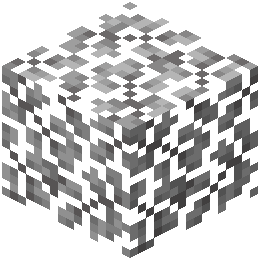 acacia leaves, acacia logs,
 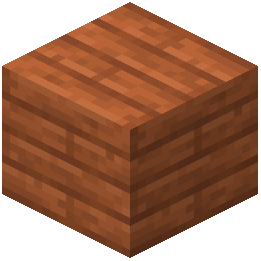 acacia planks, acacia saplings, acacia trapdoors,
  allium,
 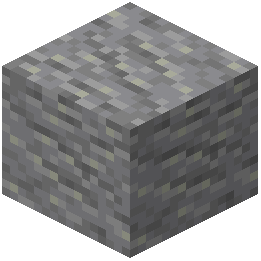 andesite, anvils, apples, and more.
acacia leaves, acacia logs, acacia planks, acacia saplings, acacia trapdoors, allium, andesite, anvils, apples, and more.What enchantments does Optimum Realism add?
It adds three enchantments: Custom entity models (OptiFine/CEM), Custom block/item models, and Reworked GUI.
Is Optimum Realism optimized for performance?
Yes, the pack is optimized to balance performance and quality. It aims to provide a high-fidelity experience without sacrificing too much game performance.
What sections are on the Optimum Realism wiki page?
The wiki page has sections for What this pack changes, Items, Blocks, and Related mods.
What related mods are listed for Optimum Realism?
The wiki lists Clarity Resource Pack, Redstone Tweaks Resource Pack, Fresh Animations Resource Pack, Moss Ruins Data Pack, Ultimate Skyblock Resource Generator, and Electroblob's Wizardry: Twilight Forest Spell Pack.
Does Optimum Realism change the GUI?
Yes, one of the enchantments it adds is a Reworked GUI.
Does Optimum Realism support custom entity models?
Yes, it adds a Custom entity models enchantment for OptiFine/CEM.
What technology does Optimum Realism use for textures?
It uses POM and PBR technologies to enhance textures with depth, lighting, and shadow effects.