
Golden Days Resource Pack FAQ
20 questions players actually ask, answered.
How do I actually enable golden days after installing it?
Open Options, then Resource Packs, and move Golden Days from the left column to the right column. Make sure it sits above any other pack that also touches vanilla textures, otherwise the other pack wins and you'll see no change.
Do I need OptiFine or a mod loader for golden days?
No, it's a resource pack, so it works on vanilla. OptiFine or a loader is only useful if you want to stack it with other packs or use extra features, not for the pack itself.
Why do some blocks still look modern after I turn the pack on?
Golden Days only retextures the blocks and items it covers, like boats, doors, signs, leaves, planks, flowers and pottery sherds. Anything outside that list keeps its vanilla look, so a mixed world is expected.
Does golden days change how the game plays or just the visuals?
It's purely cosmetic. No recipes, drops, mob behavior or world generation are altered, so you can add or remove it from an existing world without breaking anything.
My old world looks weird with the new planks and leaves, what did I do wrong?
Nothing is wrong, the pack just changes the texture those blocks already use. If you want a consistent look, rebuild or re-skin the areas you care about rather than expecting existing builds to match the retro style automatically.
Can I use golden days with shaders or other resource packs?
Yes, shaders are separate from resource packs and work fine alongside it. For other packs, load Golden Days above the ones you want it to override and below the ones you want to keep on top.
Does golden days hurt my fps?
Texture packs of this size have a negligible performance impact since they don't add models or complex rendering. If you notice a drop, it's almost always shaders or another pack, not Golden Days.
Will it work on a server or with friends who don't have it?
Resource packs are client-side, so each player chooses whether to use it. Your friends will see vanilla textures unless they install Golden Days themselves, but nothing breaks on the server.
Which blocks should I use to get the most out of the retro look?
Lean on the retextured families: planks, doors, trapdoors, signs, boats and leaves for structures, and flowers plus pottery sherds for detail. Mixing those with untouched blocks is what makes a build read as classic rather than half-finished.
How do I go back to vanilla textures if I don't like it?
Open Resource Packs and move Golden Days back to the left column, or just select the default pack. No files are modified, so the change is instant and reversible.
What does the Golden Days Resource Pack do?
It reworks textures for boats, doors, signs, leaves, planks, flowers, pottery sherds, and many other blocks and items into a classic retro style. It also brings back old textures, lighting, names, and sounds from older versions of Minecraft.
What packs is Golden Days split into?
Golden Days is split into Golden Days Base and Golden Days Alpha Addon. The Base pack is the main pack meant for survival gameplay, while the Alpha Addon changes a few things such as the iconic Alpha  grass foliage color.
grass foliage color.Does Golden Days add new items or blocks?
It does not add new items or blocks; it reworks existing textures for boats, doors, signs, leaves, planks, flowers, pottery sherds, and many other blocks and items. It also registers reworked textures for things like acacia boats, acacia doors, acacia signs, 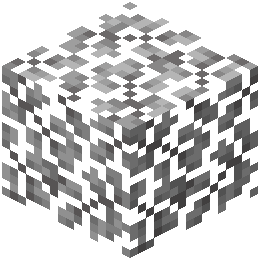 acacia leaves, and
 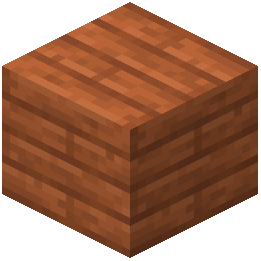 acacia planks.
acacia leaves, and acacia planks.Does Golden Days remove newer features?
No, the Golden Days Base pack is meant to be usable in survival gameplay and does not remove any newer features in order to make it functional.
What do I need to use Golden Days?
You need to use the Golden Days Base pack on top of Programmer Art in order for it to work. The Alpha Addon should be used on top of the Base pack.
What does the Golden Days Alpha Addon change?
It changes a few things, the main one being the iconic Alpha grass foliage color. Use it on top of the Base pack for an Alpha-like experience in Modern Minecraft.
grass foliage color. Use it on top of the Base pack for an Alpha-like experience in Modern Minecraft.What textures does Golden Days rework?
It reworks textures for boats, doors, signs, leaves, planks, flowers, pottery sherds, and many other blocks and items. This includes acacia boats, acacia doors, acacia hanging signs, acacia leaves, acacia planks, acacia signs, and acacia trapdoors.
acacia leaves, acacia planks, acacia signs, and acacia trapdoors.Does Golden Days change lighting and sounds?
Yes, Golden Days brings back old textures, lighting, names, and sounds from older versions of Minecraft. The Base pack includes lighting, sounds, textures, and models.
What enchantments does Golden Days add?
It adds Custom entity models (OptiFine/CEM), Custom shaders, Custom font, Custom sounds, Sound overrides, Custom block/item models, Reworked GUI, and Custom particles.
Is Golden Days a mod or a resource pack?
Golden Days is a Minecraft resource pack meant to bring back old textures, lighting, names, and sounds from older versions of Minecraft. It is split into the Golden Days Base pack and the Golden Days Alpha Addon.