
How to Use Picture Frames to Display Maps, Paintings, and Items
Picture Frames let you hang flat decorations on walls in a way vanilla item frames cannot match, because they come in wood variants that blend into your build.
Crafting Picture Frames
Each wood variant has its own Picture Frame recipe, made from the corresponding wood. Search "Picture Frame" in your recipe viewer to see the layout. Craft a few in the wood that matches the room you are decorating.
Hanging and Filling a Frame
Place a Picture Frame against a wall. Once placed, it behaves like a display block: interact with it while holding the item you want to show, and the frame will hold that item. This lets you display maps, paintings, banners, or any flat item as wall art. Interact again to remove or swap the displayed item.
Decorating Tips
- Hang a row of frames at eye level along a hallway and fill them with maps of your explored world.
- Use frames to display a matching set of items, such as tools or food, above a kitchen counter.
- Mix wood variants so frames match the furniture in each room.
- Combine frames with lamps or
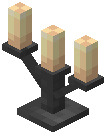 candelabras nearby so the displayed art is actually visible at night.
Picture Frames are cosmetic only — they do not store items beyond what they display, so do not use them as chests.