
3D Default Resource Pack FAQ
17 questions players actually ask, answered.
How do I actually turn on the 3D models after installing the pack?
Just enable the resource pack in Options > Resource Packs and move it to the top of the selected list. The models apply automatically to the supported items and blocks — there's no config screen or toggle to flip.
Which items and blocks does this pack make 3D?
It redraws a specific set: rails (including powered, detector, and activator rails), bamboo fence gates, bookshelves, potions, honey bottles, and  dragon's breath. Anything not on that list stays vanilla, so don't expect the whole game to change.
dragon's breath. Anything not on that list stays vanilla, so don't expect the whole game to change.Why do my rails still look flat?
Make sure the pack is actually enabled and sitting above any other pack that also touches  rail models. If another pack overrides the same models, whichever sits higher in the list wins.
rail models. If another pack overrides the same models, whichever sits higher in the list wins.Does this pack change gameplay, recipes, or hitboxes?
No. It's purely visual — only the models and textures change, so block behavior, crafting, and collision stay exactly the same as vanilla.
Can I use this on a server with friends?
Yes, but it's client-side only — each player has to install and enable it themselves. The server doesn't need it, and players without it will just see normal vanilla models.
Will this hurt my FPS or performance?
The impact is small since only a handful of models are affected, but 3D models do use more geometry than flat ones. If you're on a very low-end machine, expect a minor hit in areas with lots of rails or bookshelves.
Can I combine it with other resource packs?
Yes, as long as the other packs don't edit the same models. Put this pack above packs that only change unrelated textures, and below any pack you want to take priority for the same items.
Why does a potion or  honey bottle look weird or stretched?
This usually means another pack is overriding part of the model or texture. Disable other packs one at a time to find the conflict, or move this pack to the top of the list.
Do I need any other mods or loaders for this to work?
No — it's a resource pack, so it works on vanilla Minecraft and with any mod loader. You don't need Fabric, Forge, or any dependencies.
Does it work in older or newer Minecraft versions?
Resource pack model formats change between versions, so check that the pack matches your game version. If models render broken or missing, that's usually a version mismatch rather than a bug.
What does the 3D Default Resource Pack do?
It redraws select vanilla items and blocks with three-dimensional models while keeping the vanilla look. The models are designed to blend seamlessly with the default textures.
Which items and blocks does 3D Default change?
It changes  activator rail,
 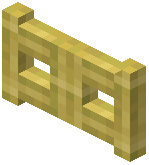 bamboo fence gate, bookshelf,
  detector rail, dragon's breath, honey bottle, potion, powered rail, and rail. These are the nine items and blocks the mod registers.
activator rail, bamboo fence gate, bookshelf, detector rail, dragon's breath, honey bottle, potion, powered rail, and rail. These are the nine items and blocks the mod registers.Does 3D Default add new items or blocks?
No, it does not add new items or blocks. It only gives 3D models to existing vanilla items and blocks like rails, 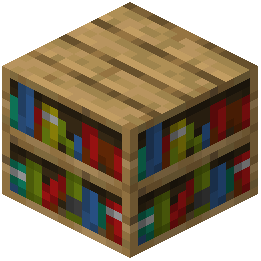 bookshelf, potions, honey bottles, and dragon's breath.
bookshelf, potions, honey bottles, and dragon's breath.Does 3D Default add new enchantments?
It adds two enchantments: Custom entity models (OptiFine/CEM) and Custom block/item models.
Does 3D Default work with OptiFine?
Yes, the mod includes a Custom entity models (OptiFine/CEM) enchantment, so it supports OptiFine's custom entity models.
Does 3D Default keep the vanilla look?
Yes, it maintains the vanilla look. The 3D models are designed to preserve the simplicity and charm of the default textures.
What is the 3D Default Resource Pack about?
It is a resource pack that enhances the default textures by giving select blocks and items detailed 3D models. It is aimed at players who want the classic Minecraft aesthetic with added depth.