
Yitality Resource Pack FAQ
10 questions players actually ask, answered.
Why do my blocks look flat and textures aren't showing the bumpy detail?
You need to enable parallax mapping in your shader settings—this is what creates the 3D depth effect on surfaces like 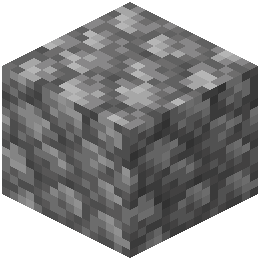 cobblestone and wood. Make sure you've turned on Smooth Parallax in your shader menu and disabled the "Normals by Parallax" setting to avoid conflicts.
cobblestone and wood. Make sure you've turned on Smooth Parallax in your shader menu and disabled the "Normals by Parallax" setting to avoid conflicts.My metals don't look shiny and reflective, what am I doing wrong?
Enable Screen Space Reflections or Global Illumination in your shader settings, and make sure your shader supports labPBR format. The resource pack relies on these features to make metals and other reflective materials actually shine.
Do I need a specific shader pack for this resource pack to work?
Yes, you need a shader pack that supports labPBR and parallax mapping—without these features, the resource pack won't display its realistic lighting and depth effects. Check your shader's settings menu to confirm it has these options available.
Why is my performance so bad with this resource pack?
The 128x resolution and advanced features like Screen Space Reflections and subsurface scattering are demanding; try disabling Global Illumination or lowering your render distance if you're struggling. You can also reduce parallax depth in shader settings to improve frame rates.
How do I make ice blocks actually look transparent and reflective?
The resource pack automatically converts ice into mirror-like surfaces, but you need your shader's reflections enabled (Screen Space Reflections or Global Illumination) for the effect to show up properly.
What does it mean that materials react to rain and water?
Wood darkens when wet, while stone and metal develop small water puddles on their surfaces—these effects happen automatically based on proximity to water or during rain, making your builds look more dynamic and weathered.
Why do glowing blocks like 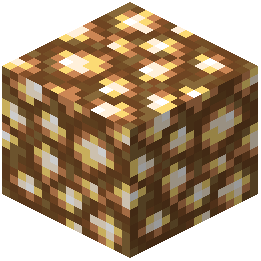 glowstone look dull instead of bright?
Make sure you've enabled labPBR Emissive Textures in your shader settings; this is what allows glowing blocks to emit light correctly with the resource pack.
Can I use this resource pack with other resource packs?
It's not recommended because other packs may overwrite the textures and PBR data that Yitality relies on; for best results, use it as your only active resource pack.
Why does snow look like it has light shining through it?
That's subsurface scattering—a feature that makes semi-transparent blocks like snow and resin glow softly when light passes through them. Make sure Subsurface Scattering is enabled in your shader for this effect.
What shader settings should I turn off to avoid breaking the resource pack?
Disable any hardcoded lighting options in your shader, as these can conflict with the physically based rendering that makes materials look realistic. Also turn off "Normals by Parallax" to prevent texture distortion.