
Tacz Heavy Bunker Wiki › FAQ
Tacz Heavy Bunker FAQ
10 questions players actually ask, answered.
How do I get started with Heavy Bunker mod?
Craft or find the  Edit Mode Tool, then hold it in your hand to begin working with heavy blocks. You'll use Shift + clicks to select areas and Right Click to rotate blocks within your selection.
Edit Mode Tool, then hold it in your hand to begin working with heavy blocks. You'll use Shift + clicks to select areas and Right Click to rotate blocks within your selection.What's the difference between regular blocks and reinforced blocks?
Reinforced blocks are crafted versions that can withstand direct hits from tank shells, rockets, and large explosions, while regular blocks break easily. They use the same vanilla textures but have much higher durability.
How do I rotate heavy blocks after I've placed them?
Hold the Edit Mode Tool, press Shift + Right Click on one block and Shift + Left Click on another to define an area, then Right Click to rotate all heavy blocks in that selection simultaneously.
Edit Mode Tool, press Shift + Right Click on one block and Shift + Left Click on another to define an area, then Right Click to rotate all heavy blocks in that selection simultaneously.Can I see through 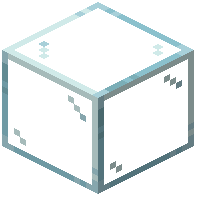 reinforced glass while it stops bullets?
Yes, Reinforced Glass is designed to let light and sight pass through while blocking bullets and projectiles, making it perfect for safe observation windows in your bunker.
Reinforced Glass is designed to let light and sight pass through while blocking bullets and projectiles, making it perfect for safe observation windows in your bunker.What materials do I need to craft reinforced blocks?
Each reinforced block type requires a base material (dirt, cobblestone, bricks, or wood) combined with obsidian and iron components; check the crafting recipes in your inventory for exact combinations.
Will my block rotations save if I log out?
Yes, the mod automatically saves your block rotation settings in a background file, so your base layout stays exactly as you built it when you return.
Does Heavy Bunker mod work with TACZ weapons and other warfare mods?
Yes, the mod is specifically designed to work with TACZ and similar warfare mods like SBW, giving you proper defense against their heavy weapons and explosions.
Why are some old blocks like heavy pumpkins no longer in the mod?
The mod removed outdated block types to keep the block list clean and focused on the most useful defensive blocks for bunker building.
Do I need custom texture packs to use this mod?
No, all heavy blocks use standard vanilla textures, so you don't need any extra texture files or resource packs to see them properly.
What should I do if my rotated blocks don't look right?
Make sure you're using the Edit Mode Tool correctly: Shift + Right Click sets the first corner, Shift + Left Click sets the second corner, then Right Click rotates the area. If blocks still seem wrong, try selecting a smaller area and rotating again.
Edit Mode Tool correctly: Shift + Right Click sets the first corner, Shift + Left Click sets the second corner, then Right Click rotates the area. If blocks still seem wrong, try selecting a smaller area and rotating again.