
Refined Storage Wiki › FAQ
Refined Storage FAQ
10 questions players actually ask, answered.
How do I start a Refined Storage network?
Place a  Controller and give it power, then connect a Disk Drive, a
 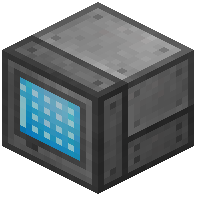 Grid, and a
 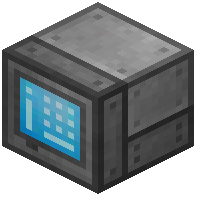 Crafting Grid to it with cables. Put a Storage Disk into the Disk Drive, and you can start inserting and pulling items through the Grid.
Controller and give it power, then connect a Disk Drive, a Grid, and a Crafting Grid to it with cables. Put a Storage Disk into the Disk Drive, and you can start inserting and pulling items through the Grid.How do I power a Refined Storage network?
The Controller is the only block that consumes power for the whole network, so connect it to any Forge Energy/RF-compatible generator or energy source. Cables carry that energy to the rest of the network, and you can check consumption in the Controller's GUI.
Controller is the only block that consumes power for the whole network, so connect it to any Forge Energy/RF-compatible generator or energy source. Cables carry that energy to the rest of the network, and you can check consumption in the Controller's GUI.Do I need a Controller for my Refined Storage network?
Yes for a full network — the Controller is what distributes power and lets blocks communicate. A single Grid placed directly against a Disk Drive can work as a tiny standalone setup, but anything larger needs a Controller.
Controller is what distributes power and lets blocks communicate. A single Grid placed directly against a Disk Drive can work as a tiny standalone setup, but anything larger needs a Controller.Why is my Refined Storage network not working / no power?
Check that the Controller has energy, that cables actually connect the blocks, and that you haven't exceeded the Controller's energy capacity. Also make sure the Grid is facing a  cable or the Controller, not just floating next to a machine.
Controller has energy, that cables actually connect the blocks, and that you haven't exceeded the Controller's energy capacity. Also make sure the Grid is facing a cable or the Controller, not just floating next to a machine.How do I store items in Refined Storage?
Craft Storage Disks and put them into Disk Drives connected to your network, then insert items via a Grid or an  Importer. Each disk tier holds a different amount, and you can pull items back out through the Grid's search bar.
Grid or an Importer. Each disk tier holds a different amount, and you can pull items back out through the Grid's search bar.How do I autocraft with Refined Storage?
Encode a Pattern in a 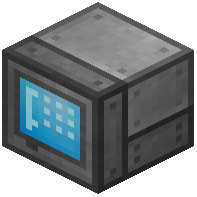 Pattern Grid, place it in an
 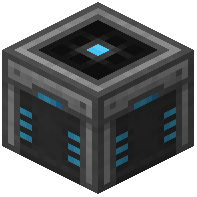 Autocrafter, and connect the Autocrafter to your network. Then open a Crafting Grid, request the item, and the network will pull ingredients from storage and craft it for you.
Pattern Grid, place it in an Autocrafter, and connect the Autocrafter to your network. Then open a Crafting Grid, request the item, and the network will pull ingredients from storage and craft it for you.How do I filter items with Importer, Exporter, and 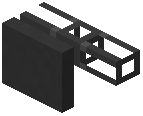 External Storage?
Put an Importer on a chest or machine to pull items into the network, an 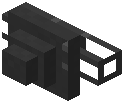 Exporter to push items out, and an External Storage to treat a chest as part of the network. Use a Configuration Card or the block's filter slots to whitelist or blacklist specific items.
Importer on a chest or machine to pull items into the network, an Exporter to push items out, and an External Storage to treat a chest as part of the network. Use a Configuration Card or the block's filter slots to whitelist or blacklist specific items.How do I  upgrade storage capacity in Refined Storage?
Craft higher-tier Storage Disks (or Fluid Storage Disks) and swap them into your Disk Drives — each tier stores more than the last. You can also apply Stack, Speed, Fortune, Silk Touch, and Range Upgrades to relevant blocks to change how they behave.
Does Refined Storage work on Minecraft Bedrock?
No — Refined Storage is a Java Edition mod and is not available for Bedrock. Bedrock players usually use different storage mods or addons instead.
Why is my Refined Storage network laggy or slow?
Large numbers of items in a single disk, too many Autocrafters running at once, or long cable runs can all cause lag. Split storage across multiple disks, keep autocrafting jobs reasonable, and avoid looping cable paths to keep the network responsive.
cable runs can all cause lag. Split storage across multiple disks, keep autocrafting jobs reasonable, and avoid looping cable paths to keep the network responsive.