
Identifying Fixed Copper Blocks and Doors
Locating Copper Variants
The resource pack improves textures for all Copper-related blocks: Chiseled Coppers (all oxidation states), Copper Grates, Copper Bulbs, and Copper Doors. These blocks now display corrected textures that resolve visual bugs in the Programmer Art while maintaining the original aesthetic.
What to Look For
1. Mine or place Copper blocks in your world to see the updated textures
2. Observe the 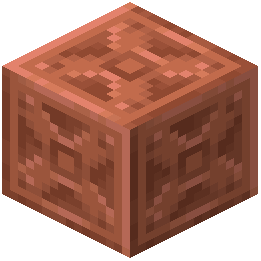 Chiseled Copper patterns—they should display clearer detail and consistent shading across all oxidation stages (Fresh, Exposed, Weathered, Oxidized)
3. Copper Grates and Bulbs will show improved clarity in their grid and bulb details
4. Copper Doors now have corrected coloring and shading that matches the oxidation state more accurately
Comparing States
Place multiple Copper blocks side-by-side at different oxidation levels to see how the fixes maintain visual consistency. The improvements ensure that as copper oxidizes from fresh to weathered to oxidized, the texture transitions appear smooth and intentional rather than buggy.