
Music Maker Wiki › FAQ
Music Maker FAQ
25 questions players actually ask, answered.
How do I start playing music in Music Maker Mod?
Craft any instrument item, hold it, and right-click to open its play interface. From there you click the on-screen keys or notes to play sounds, and you can bind the instrument to a hotbar slot for quick access.
How do I use music sheets in Music Maker Mod?
Place a  Music Sheet in an instrument's sheet slot (or use the sheet interface) and the instrument will play the notes written on it automatically when triggered. You can write notes onto a sheet yourself or load one that came with a song.
Music Sheet in an instrument's sheet slot (or use the sheet interface) and the instrument will play the notes written on it automatically when triggered. You can write notes onto a sheet yourself or load one that came with a song.How do I import a midi file into Music Maker Mod?
Open the Music Sheet interface and use the import option to select a .mid file from your computer; the mod converts the MIDI tracks into notes on the sheet. Very large or multi-track MIDIs may need trimming, since each sheet holds a limited number of notes.
Music Sheet interface and use the import option to select a .mid file from your computer; the mod converts the MIDI tracks into notes on the sheet. Very large or multi-track MIDIs may need trimming, since each sheet holds a limited number of notes.How do I import songs into Music Maker Mod Minecraft?
Songs are imported as MIDI files through the Music Sheet screen, not as audio files. Once imported, the sheet can be played by any compatible instrument or by a Redstone-triggered setup.
Music Sheet screen, not as audio files. Once imported, the sheet can be played by any compatible instrument or by a Redstone-triggered setup.How do I use the  voice of god in Music Maker Mod?
The Voice of God is a special instrument that plays powerful, wide-range sounds; hold it and right-click to open its interface just like other instruments. It is often used for dramatic cues or as the output for a Redstone-triggered song.
Voice of God is a special instrument that plays powerful, wide-range sounds; hold it and right-click to open its interface just like other instruments. It is often used for dramatic cues or as the output for a Redstone-triggered song.How do I make an instrument play automatically with redstone?
Place the instrument (or a  Redstone
  Guitar /
  Redstone
 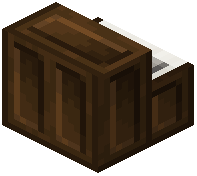 Piano) and wire a Redstone signal into it; a pulse triggers the currently loaded sheet or note. Use a button, lever, pressure plate, or repeater clock to control timing.
Redstone Guitar / Redstone Piano) and wire a Redstone signal into it; a pulse triggers the currently loaded sheet or note. Use a button, lever, pressure plate, or repeater clock to control timing.What is the difference between redstone guitar and regular guitar?
The regular Guitar is played manually by right-clicking and clicking notes, while the Redstone Guitar responds to Redstone signals so it can be triggered by circuits. Both use the same sheet system, but only the Redstone variant is meant for automation.
Guitar is played manually by right-clicking and clicking notes, while the Redstone Guitar responds to Redstone signals so it can be triggered by circuits. Both use the same sheet system, but only the Redstone variant is meant for automation.How do I compose my own song with music sheets?
Open a Music Sheet, place notes on the grid at the desired pitches and timing, then save it. You can then load that sheet into any instrument or a Redstone-triggered instrument to play it back.
Music Sheet, place notes on the grid at the desired pitches and timing, then save it. You can then load that sheet into any instrument or a Redstone-triggered instrument to play it back.Can I share my music sheets with other players?
Yes, a written Music Sheet is an item, so you can trade it, put it in a chest, or copy it and give copies to other players. They can then load it into their own instruments.
Music Sheet is an item, so you can trade it, put it in a chest, or copy it and give copies to other players. They can then load it into their own instruments.Does Music Maker Mod work on NeoForge?
Yes, Music Maker is available for NeoForge as well as other common mod loaders, so it can be installed alongside other NeoForge mods. Check that the version you have matches your Minecraft version and loader.
Is Music Maker Mod free?
Yes, Music Maker is a free mod distributed through normal mod hosting sites. There is no paid version required to use instruments, sheets, or MIDI import.
Why does my imported midi sound wrong or cut off?
MIDI import maps notes to the mod's instrument range, so notes outside that range may be dropped or shifted, and long songs may exceed the sheet's note limit. Try a simpler MIDI, split it across multiple sheets, or transpose it before importing.
Why won't my instrument play when I right-click?
Make sure you are holding the instrument item and not sneaking, and that no other mod is intercepting the right-click. If it is a Redstone instrument, it needs a Redstone signal instead of a manual right-click.
Can I play Music Maker instruments on a server with other players?
Yes, instruments and sheets work on multiplayer servers as long as the mod is installed on the server and clients. Other players nearby will hear the notes, which makes it usable for in-game concerts.
Does Music Maker Mod cause lag with many instruments?
A few instruments playing at once is fine, but many Redstone-triggered instruments firing rapidly can add up. If you notice lag, space out triggers, reduce the number of simultaneous instruments, or shorten the sheets being played.
What does the Music Maker Mod do?
It adds music sheets, instruments and other devices to Minecraft for creating and playing music. It is designed to work efficiently in multiplayer so server lag doesn't ruin the rhythm like with note block creations.
What items and blocks does Music Maker add?
It registers 26 items and blocks, including instruments like the banjo,  bass guitar, cello, chimes, cymbal, drum, drum kit, flute, french horn, guitar, lyre, oboe, organ, piano, redstone guitar, redstone piano, sansula, saxophone, trumpet, violin, voice of god and xylophone. It also adds the metronome, metronome block, music box and music sheet.
bass guitar, cello, chimes, cymbal, drum, drum kit, flute, french horn, guitar, lyre, oboe, organ, piano, redstone guitar, redstone piano, sansula, saxophone, trumpet, violin, voice of god and xylophone. It also adds the metronome, metronome block, music box and music sheet.Which Minecraft versions and mod loaders does Music Maker support?
It supports Fabric, Forge and NeoForge. The listed Minecraft versions are 1.21.5, 1.21.8, 1.21.10, 1.21.11, 26.1.2 and 26.2.
How many notes and octaves does Music Maker support?
Sounds follow the chromatic scale with 12 notes per octave. The Huge Update raised the range from 4 to 8 octaves, though not every instrument is suitable for every octave.
What tempo settings does Music Maker have?
The mod offers 11 different tempo settings from 60 BPM to 1200 BPM, and the Huge Update made tempo options more granular with an upper limit of 3000 BPM.
How do music boxes work in Music Maker?
A 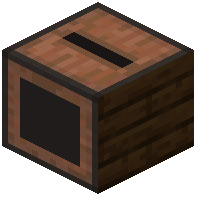 music box takes in a sheet and an instrument. It starts or stops playing when it receives a redstone signal that goes from off to on, and it sends a one second redstone pulse to its right face when it finishes playing.
music box takes in a sheet and an instrument. It starts or stops playing when it receives a redstone signal that goes from off to on, and it sends a one second redstone pulse to its right face when it finishes playing.How do metronomes work in Music Maker?
Metronomes supply a steady ticking while the redstone signal is on, and the ticking rate can be set with a right click or by using a music sheet on the 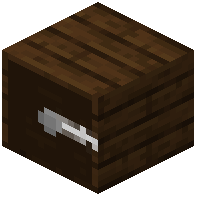 metronome. After four tickings, nearby players holding a music sheet with the correct tempo and an instrument start playing synchronously.
music sheet on the metronome. After four tickings, nearby players holding a music sheet with the correct tempo and an instrument start playing synchronously.Can you play music together with friends in Music Maker?
Yes. The mod is designed to work properly in multiplayer, and metronomes let nearby players holding a sheet with the correct tempo and an instrument start playing synchronously like a band.
Can you copy music sheets between worlds or outside Minecraft?
Yes. You can copy between different sheets and even outside Minecraft, for example to a text file to back up or paste into another world or server. CTRL + A, CTRL + C and CTRL + V shortcuts work.
How do you preview music sheets in Music Maker?
You can preview a sheet with an instrument in your off hand, and you can lock the instrument per sheet so it only previews with that instrument even when your off hand item changes. You can also put up to 5 sheets in the hotbar to see and preview multiple layers at once while editing.