
Glyph Craft Foundry Wiki › FAQ
Glyph Craft Foundry FAQ
10 questions players actually ask, answered.
How do I start making signs with this mod?
Craft a 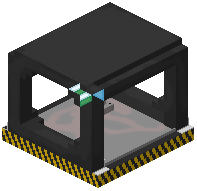 Sign Press Station first—this is your dedicated crafting table for producing individual letter and symbol pieces. Once you have it placed, use it to craft the specific letters, numbers, or symbols you want to place in your world.
Sign Press Station first—this is your dedicated crafting table for producing individual letter and symbol pieces. Once you have it placed, use it to craft the specific letters, numbers, or symbols you want to place in your world.Can I place an entire word at once instead of one letter at a time?
Yes, use the Blueprint Tool. Hold it and right-click the air to open a text menu, type your phrase, then right-click on any solid surface to place the complete word instantly.
What do I need to gather to make signs in Survival mode?
The mod uses concrete and glowstone dust as crafting materials for sign pieces. When you remove placed letters, these materials are refunded to your inventory, making it survival-friendly for rebuilding.
How do I change the color of letters I've already placed?
Hold the  Paint Brush and right-click the air to open the color picker—you can choose preset tones, enter custom Hex codes, or select a rainbow cycle mode. Then click on any placed letter to apply the color.
Paint Brush and right-click the air to open the color picker—you can choose preset tones, enter custom Hex codes, or select a rainbow cycle mode. Then click on any placed letter to apply the color.What are the different light animation modes and how do I use them?
Hold the  Wrench and right-click the air to cycle through seven modes: Normal (steady glow), Blink, Flicker, Wave, Breathing, Proximity (lights when players approach), and Night Shift (auto-activates at dark). Click letters to apply the selected mode.
Wrench and right-click the air to cycle through seven modes: Normal (steady glow), Blink, Flicker, Wave, Breathing, Proximity (lights when players approach), and Night Shift (auto-activates at dark). Click letters to apply the selected mode.Can I paint or animate multiple letters at once?
Yes, the Smart Fill feature lets you paint or apply light animations to entire connected words with a single click, saving time on large signs.
Do the letters work with redstone?
Yes, placed letters and symbols react to redstone power and can toggle their lights on and off based on redstone signals, allowing for dynamic sign control.
Can I undo a sign placement if I make a mistake?
The mod includes an undo button that removes recent text placements and refunds your materials back to your inventory.
Do letters snap to walls and floors properly, or do they float?
Letters and symbols have accurate hitboxes and snap cleanly onto both floors and walls, so they align properly without floating or clipping issues.
Is this mod compatible with hoppers for automated sign production?
Yes, the Sign Press Station is hopper-compatible, so you can automate letter and symbol production by feeding materials into it with redstone contraptions.
Sign Press Station is hopper-compatible, so you can automate letter and symbol production by feeding materials into it with redstone contraptions.