
Create Propulsion Wiki › FAQ
Create Propulsion FAQ
10 questions players actually ask, answered.
How do I turn my blocks into a moving vehicle?
Place a  Physics Assembler adjacent to a cluster of blocks you want to move, and it will convert them into an active physical contraption that responds to thrusters and forces. The blocks must be touching the Physics Assembler or each other in a connected group.
Physics Assembler adjacent to a cluster of blocks you want to move, and it will convert them into an active physical contraption that responds to thrusters and forces. The blocks must be touching the Physics Assembler or each other in a connected group.Which direction should thrusters face on my vehicle?
Thrusters should face the opposite direction of where you want to travel—if you want to move forward, point the 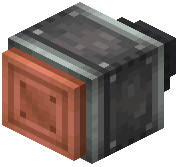 thruster backward. The thruster will push your contraption away from its facing side.
thruster backward. The thruster will push your contraption away from its facing side.How do I control thruster speed?
Thrusters respond to redstone signals and fuel input; stronger redstone signals or more fuel will increase thrust output. You can also use redstone comparators and repeaters to fine-tune the signal strength sent to your thrusters.
What fuels can thrusters use?
Thrusters accept fuel from addon mods like Create Diesel Generators and The Factory Must Grow, in addition to standard redstone activation. Check your installed addons to see which fuel types are available in your setup.
How do optical sensors detect blocks?
Optical Sensors use raycasting to detect specific block types at a distance you configure, emitting a laser beam in their facing direction. They output a redstone signal when a matching block is detected, which you can use to trigger actions or stop your vehicle.
Can I filter which blocks the 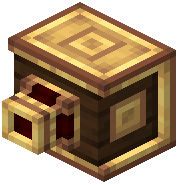 optical sensor detects?
Yes, optical sensors allow you to specify which block types to detect, so you can ignore certain blocks and only trigger on your target material. This is useful for obstacle avoidance or precise navigation.
What's the difference between the regular and  inline optical sensor?
The Inline Optical Sensor is a more compact version designed to fit in tight spaces on your vehicle, while the regular Optical Sensor offers the same detection capability in a standard block form. Choose based on your available space and vehicle design.
Inline Optical Sensor is a more compact version designed to fit in tight spaces on your vehicle, while the regular Optical Sensor offers the same detection capability in a standard block form. Choose based on your available space and vehicle design.How do redstone magnets work for docking?
Redstone Magnets attract or repel each other based on their polarity settings, allowing you to align and dock vehicles automatically. Set matching polarities to attract or opposite polarities to repel.
How do I make a compass point to a lodestone?
Use a 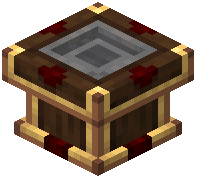 Lodestone Tracker bound to a specific lodestone block; the compass will point directly toward that lodestone's location. You can bind multiple compasses to the same lodestone for navigation across your world.
Lodestone Tracker bound to a specific lodestone block; the compass will point directly toward that lodestone's location. You can bind multiple compasses to the same lodestone for navigation across your world.Can I automate vehicle control with ComputerCraft?
Yes, Create Propulsion Mod connects with ComputerCraft, allowing you to write scripts that monitor and control thrusters, sensors, and other blocks for fully automated vehicle operation. This requires ComputerCraft to be installed alongside the mod.