
Create Fly Wiki › FAQ
Create Fly FAQ
10 questions players actually ask, answered.
How do I start playing Create Fly Mod?
Create a new world (old saves may cause data loss), install a recipe viewer like REI or JEI to see crafting recipes, then use the in-game Ponder tutorial system to learn how machines work. Start by crafting basic mechanical components and building your first machine.
What's the difference between the 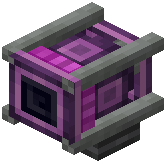 Creative Motor and other power sources?
The Creative Motor is an adjustable power source that lets you set its rotational speed to match different machine needs—higher speeds for faster processing, lower speeds for precision work. You can change its speed through the block's menu.
Creative Motor is an adjustable power source that lets you set its rotational speed to match different machine needs—higher speeds for faster processing, lower speeds for precision work. You can change its speed through the block's menu.Why is my 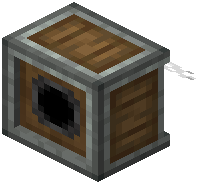 Mechanical Saw not cutting trees?
Make sure the Mechanical Saw is powered by a Creative Motor or other energy source and positioned correctly against the tree. The saw needs rotational force to operate, so check that your power transmission (gears, shafts) is properly connected.
Mechanical Saw is powered by a Creative Motor or other energy source and positioned correctly against the tree. The saw needs rotational force to operate, so check that your power transmission (gears, shafts) is properly connected.Do I need Fabric API to run this mod?
No, Create Fly Mod runs completely without Fabric API, so you don't need to install it separately in your mods folder.
Why does my game crash when I load the mod?
Create Fly Mod uses a new loading system designed to catch errors clearly, so crashes are rare. If you experience one, check that you're using a compatible Minecraft version and that server/client files aren't mixed up.
Can I use shaders with this mod?
Yes, but the  Flywheel speed improvements will turn off automatically when shaders are enabled. If you want to keep the speed boost, you'll need to play without shaders.
Flywheel speed improvements will turn off automatically when shaders are enabled. If you want to keep the speed boost, you'll need to play without shaders.How do I use the Ponder tutorial system?
The Ponder system shows 3D animated tutorials for how machines work—interact with machines or access it through the mod's guide to watch step-by-step breakdowns of complex builds.
What recipe viewer should I install?
REI, JEI, or EIV all work well with Create Fly Mod and will show you crafting recipes for all the new items and machines.
Can I use this mod with other mods?
Create Fly Mod is designed to work on its own without requiring extra APIs, and it pairs well with recipe viewers. Compatibility with other mods depends on whether they conflict with Create Fly's mechanics or data loading system.
Where do I find all the new blocks and items?
All Create Fly Mod items are sorted into custom creative tabs in your inventory, making it easy to browse mechanical components, building blocks, tools, and processed materials.