
Char1Ies Backrooms Resource Pack FAQ
10 questions players actually ask, answered.
How do I activate the custom Backrooms language option?
Open your resource pack settings in-game and look for the language toggle option within Char1ie's Backrooms pack. Once enabled, block names and UI text will display using Backrooms lore terminology instead of standard Minecraft names.
Which blocks should I use to build Level 0?
The pack retextures standard Minecraft blocks to match Level 0—use wool for yellow wallpaper, concrete for walls, carpet for flooring, and  iron bars or chains for maintenance pipes. Check the pack's texture previews to identify which vanilla blocks correspond to each Backrooms element.
iron bars or chains for maintenance pipes. Check the pack's texture previews to identify which vanilla blocks correspond to each Backrooms element.Do the custom sounds play automatically or do I need to set them up?
Custom ambient sounds play automatically once the pack is applied, but you can adjust their volume and frequency through Minecraft's sound settings. For the most immersive experience, enable ambient sounds in your world settings and lower other sound categories.
Can I use this pack with other resource packs?
Yes, but load Char1ie's Backrooms pack last in your resource pack list to ensure its textures take priority. If you're using packs that modify the same blocks or sounds, the last pack loaded will override earlier ones.
What's the best way to replace paintings with Backrooms artwork?
The pack automatically retextures all paintings when applied—no additional setup needed. Place paintings normally in your world, and they'll display as liminal photographs, warning signs, and Backrooms imagery instead of vanilla art.
How do I build Level 37 poolrooms accurately?
Use 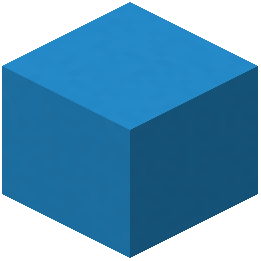 light
light  blue concrete or terracotta blocks for the pale ceramic tiles, and place water channels using the retextured water blocks to match the poolroom aesthetic. Refer to the Level 37 screenshots in the pack documentation to match wall and floor patterns.
light blue concrete or terracotta blocks for the pale ceramic tiles, and place water channels using the retextured water blocks to match the poolroom aesthetic. Refer to the Level 37 screenshots in the pack documentation to match wall and floor patterns.Will this pack slow down my game performance?
The pack is optimized for standard performance, but high-resolution textures and custom sounds may impact older systems. If you experience lag, try reducing your render distance or disabling ambient sounds temporarily.
How do I add graffiti and warning signs to my corridors?
The pack includes custom graffiti textures applied to specific blocks—place these blocks on walls and they'll display as painted warnings and markings. You can also use item frames with custom-textured items to add additional wall decorations.
Are specialty levels like Level 974 and Level Fun fully textured?
Yes, the pack includes specialized textures for Level 974 (pink toyroom), Level 37 (poolroom), Level 94 (suburban), and several others. Each level has unique block retextures that match its Backrooms aesthetic.
What should I do if textures look wrong or don't match the screenshots?
Ensure the pack is loaded in the correct position in your resource pack list and that you're not using conflicting packs. Try reloading your world or restarting Minecraft—sometimes texture changes require a full reload to display correctly.