
Backrooms Retextured Resource Pack FAQ
10 questions players actually ask, answered.
How do I start building a Backrooms map?
Begin by placing brown, orange, or 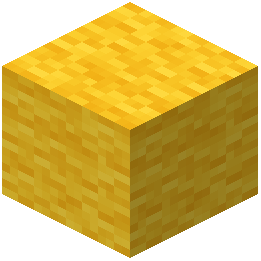 yellow wool blocks where you want walls and ceilings—the resource pack will automatically retexture them into backrooms wallpaper and tiles. Start with a large open room using yellow wool for walls to create the iconic main lobby aesthetic, then add details like doorways and fixtures.
yellow wool blocks where you want walls and ceilings—the resource pack will automatically retexture them into backrooms wallpaper and tiles. Start with a large open room using yellow wool for walls to create the iconic main lobby aesthetic, then add details like doorways and fixtures.Why do my wool blocks look different on each side?
The resource pack uses directional textures so each face of a wool block displays a different part of the wallpaper or tile pattern. This is intentional and helps create a more realistic, varied look when building large rooms—rotate or place blocks strategically to control which texture shows.
Can I mix different wool colors in the same room?
Yes, you can combine brown, orange, and yellow wool in one build to create visual variety and depth. The guides on designing different room styles show how to layer these colors to distinguish between walls, trim, and architectural features.
yellow wool in one build to create visual variety and depth. The guides on designing different room styles show how to layer these colors to distinguish between walls, trim, and architectural features.What blocks should I use for water and poolrooms?
Use water source blocks freely—the resource pack includes wet tile textures that appear when water is adjacent to or flowing over the wool blocks. Combine this with brown or orange wool to build the flooded office and poolroom levels.
How do I add wall markings and arrows to my rooms?
The resource pack includes special textures with arrows, numbers, and markings built into certain wool block faces. Place and rotate your wool blocks to position these markings where you want them, or layer blocks to create layered marking effects.
Do I need to use only wool blocks, or can I mix in other materials?
You can use other Minecraft blocks like concrete, stone, or dark wood alongside the retextured wool to add structural variety and realism. The wool blocks are the core of the backrooms aesthetic, but combining them with other materials helps break up large flat surfaces.
Will this resource pack work with my existing world, or do I need to start fresh?
The resource pack only changes the appearance of brown, orange, and yellow wool blocks, so it works on any world instantly—no rebuild needed. If your world already has these wool colors placed, they'll immediately show backrooms textures when you load the pack.
yellow wool blocks, so it works on any world instantly—no rebuild needed. If your world already has these wool colors placed, they'll immediately show backrooms textures when you load the pack.Can I use this pack for multiplayer maps or found footage videos?
Yes, this pack is designed specifically for creating found footage maps and multiplayer horror experiences. Share the resource pack file with other players so they see the same backrooms textures you do.
What's the difference between the normal, bright, and modern block styles?
The pack offers multiple texture variants so you can choose between aged yellow wallpaper (normal), clean bright tiles (bright), and sleek modern walls (modern) depending on which backrooms level you're building. You can switch between styles by changing your active resource pack variant.
Why do some of my wool blocks look plain or untextured?
Make sure the resource pack is actually enabled in your resource pack menu and ranked above any conflicting packs. If blocks still appear plain, try reloading your world or checking that you're using the correct wool colors (brown, orange, or yellow)—other colors won't be retextured.