
Titles Mod Wiki › Guides › Titles Selection GUI
Titles Selection GUI
The Title Selection GUI is the central hub for managing your earned titles.
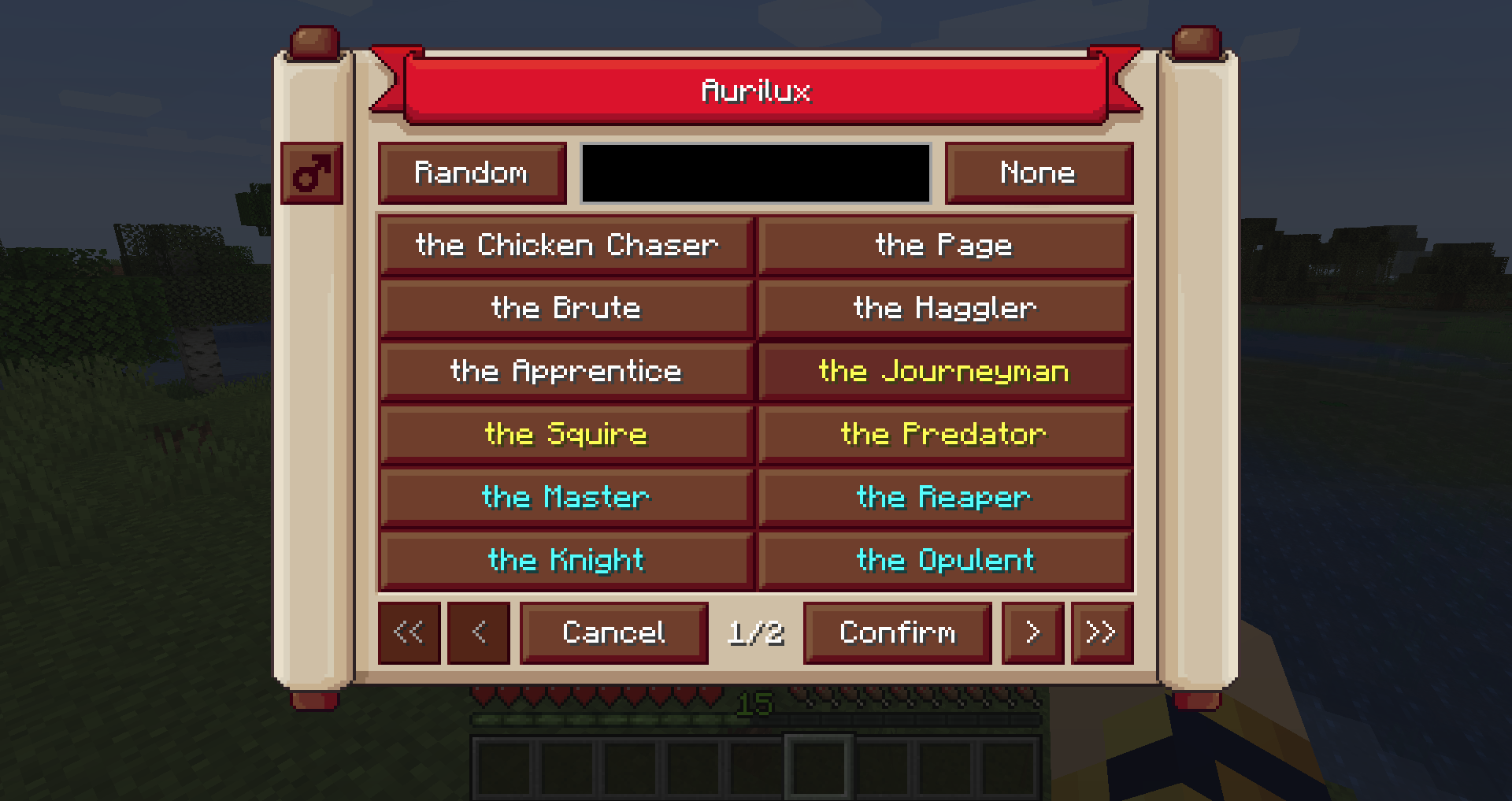
- Default Keybind: Press 't' to open the menu. Note: This may conflict with the default chat key and should be rebound in the controls menu if necessary.
- Search Bar: Allows players to sift through large collections of titles.
- Advanced Filters:
- Rarity Filter: Type
#followed by the first letter of the rarity (e.g.,#rfor Rare,#cufor Common and Uncommon). - Mod ID Filter: Type
@followed by the mod ID (e.g.,@minecraftfor vanilla titles,@titlesfor mod-specific titles). - Combined Search: You can combine these, such as
@titles #eto find Epic titles specifically from this mod.