
Shrink Your First Contraption
Setting Up the Compressor
Place a 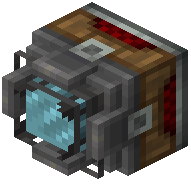 Static Subspace Compressor near your target structure. This fixed station block is your main workstation for spatial compression. Ensure it has access to power—the compressor requires energy to operate.
Compressing Step by Step
Use the  Compression Cannon or
  Creative Shrinkray to fire compression beams at your contraption. The mod scales structures through five power-of-two stages, so you'll need to fire multiple times to reach one-sixteenth size. Each stage compresses the structure further while maintaining accurate block collisions.
Watch for visual feedback as the target shrinks. Once fully compressed, an  Empty Box will appear nearby—pick it up to store the shrunken sublevel in your inventory.
Deploying Your Miniature
Place the  Pocketed Sublevel (the stored compressed structure) anywhere to expand it back to working size. The contraption will resume function immediately, including any bearings, pistons, or Redstone systems. You can now carry complex machines between dimensions as single inventory items.