
How to Find and Excavate Suspicious Dirt and Fossiliferous Dirt
Locating the dig sites
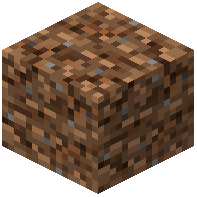 Suspicious Dirt and
 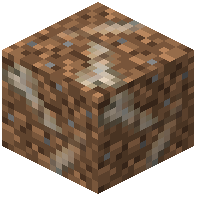 Fossiliferous Dirt are the two diggable blocks this mod adds. They generate in fossil-bearing structures and patches rather than being craftable, so your first job is finding them. Explore caves, ravines, and exposed stone layers, and watch for the telltale speckled texture that looks like vanilla suspicious sand/gravel but tinted for dirt. Fossiliferous Dirt tends to appear in larger clusters around fossil remains, while Suspicious Dirt shows up in smaller scattered patches.
Brushing them out
Equip a brush and use it on the block the same way you would on vanilla suspicious sand. Hold right-click and let the brushing animation play out; do not break the block with a shovel or pickaxe first, or you will destroy whatever is inside. When the block finishes brushing, it drops its loot and turns into plain dirt.
What you get
Brushing yields  Artifact Shards and other excavation loot. Collect every shard you find, because they are the raw material for the
  Archeology Table. If you are short on brushes, the
  Iron Brush is your basic tool, with Diamond and
  Netherite Brushes lasting longer and brushing faster. Bring several brushes on long digs, since they wear out.