Contents (14)
Overview
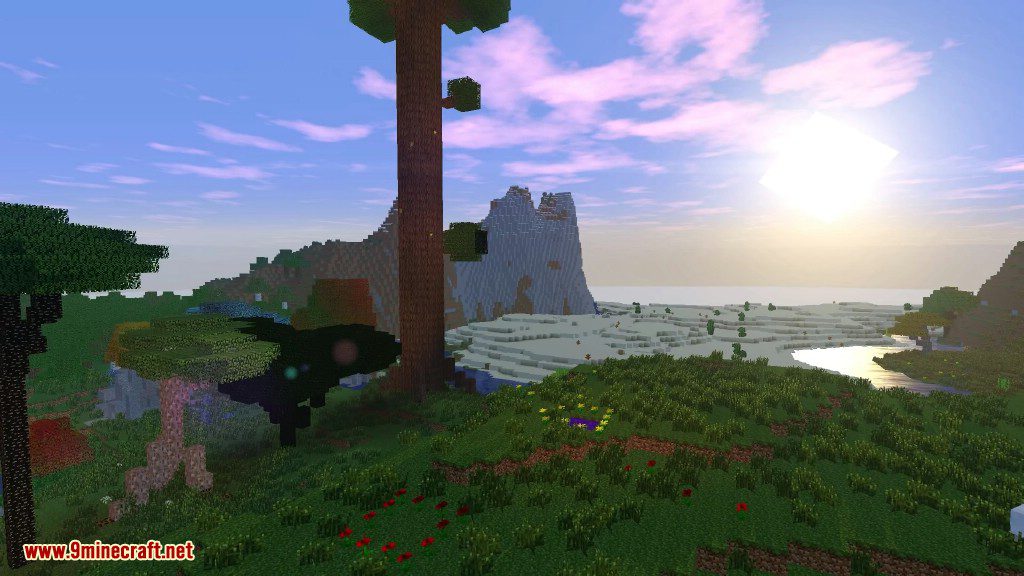
The Twilight Forest mod introduces a vast, enchanted dimension that exists in a state of perpetual dusk. This world is characterized by a massive canopy of trees that blocks out most of the sky, creating a unique atmosphere filled with fireflies, cicadas, and mystical creatures. Unlike the Overworld, the Twilight Forest is structured around a linear progression system where players must defeat specific bosses to unlock new biomes and structures.
Key Features
- Massive Dimension: Explore 19 distinct biomes and dozens of unique structures.
- Progression System: Biomes are protected by magical barriers or environmental hazards until the local boss is defeated.
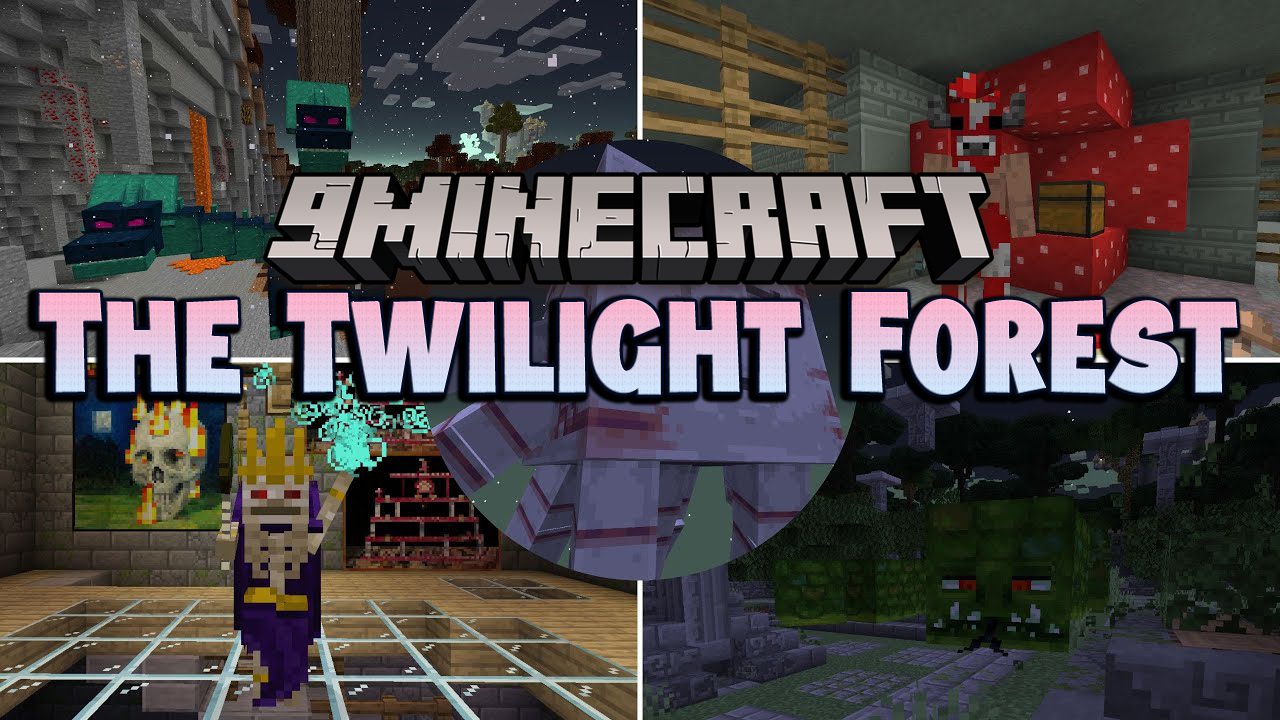
- Unique Bosses: Battle legendary creatures like the Hydra, the Ur-Ghast, and the Snow Queen.
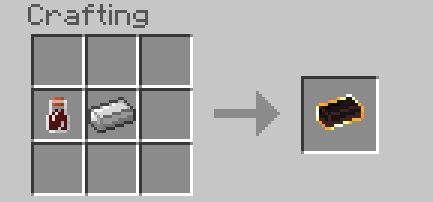
- Legendary Loot: Discover powerful artifacts, scepters, and specialized armor sets like Fiery and Knightmetal gear.
In-game Screenshots


Guides
Step-by-step, in-game.
Recipes
Every recipe the mod adds, grouped by how it is made.
Items
267 items · showing 24. Browse all →
 Adherent Spawn Egg
 Alpha Yeti Fur
 Alpha Yeti Spawn Egg
 Arctic Boots
 Arctic Fur
 Arctic Hood
 Arctic Jacket
 Arctic Leggings
 Armor Shard
 Armor Shard Cluster
 Armored Giant Spawn Egg
 Banner Pattern (Minoshroom)
 Banner Pattern (Snow Queen)
 Banner Pattern (Lich)
 Banner Pattern (Hydra)
 Banner Pattern (Naga)
 Banner Pattern (Knight Phantom)
 Banner Pattern (Quest Ram)
 Banner Pattern (Ur Ghast)
 Banner Pattern (Alpha Yeti)
 Beef Jerky
 Berry Medley
 Bighorn Sheep Spawn Egg
 Blackberry
Blocks
481 blocks · showing 24. Browse all →
 Acacia Banister
 Acacia Drying Rack
 Alpha Yeti Boss Spawner
 Alpha Yeti Trophy
 Antibuilder
 Antibuilt Block
 Aurora Block
 Aurora Pillar
 Aurora Slab
 Auroralized Glass
 Bamboo Banister
 Bamboo Drying Rack
 Beanstalk Leaves
 Birch Banister
 Birch Drying Rack
 Blackberry Bush
 Blightberry Bush
 Block of Arctic Fur
 Block of Carminite
 Block of Fiery Metal
 Block of Ironwood
 Block of Knightmetal
 Block of Steeleaf
 Blue Castle Door
Mobs
Creatures this mod adds.
Enchantments
Enchantments this mod adds.
Commands
Chat commands this mod registers, and what each one does.
| Command | What it does |
|---|---|
/function twilightforest:dev_new_world | |
/function twilightforest:dev_powerwash_chunk | |
/function twilightforest:give_3_shields | |
/function twilightforest:setup_structure_hunt | |
/function twilightforest:tp_overworld | |
/function twilightforest:tp_twilight |
Configuration
Every setting in the mod config file, with what it changes.
| Option | What it does |
|---|---|
twenty_four_hour_format24-Hour Format | If ON, the clock upgrade displays time in 24-hour format instead of 12-hour format. |
animate_trophiesAnimate Trophies | Rotate Trophy heads on item model. Has no performance impact at all. For those who don't like fun. |
aurora_biomesAurora Shader Biomes | Defines which biomes the aurora shader effect will appear in. Leave the list empty to disable the effect. |
screen_shakeBeanstalk Screen Shake | Controls whether the screen shakes when a Magic Bean is in the process of growing. |
boss_drop_chestsBoss Drop Chests | If true, Twilight Forest's bosses will put their drops inside of a chest where they originally spawned instead of dropping the loot directly. Note that the Knight Phantoms are not affected by this as their drops work differently. |
casket_uuid_lockingCasket UUID Locking | If true, Keepsake Caskets that are spawned when a player dies will not be accessible by other players. Use this if you dont want people taking from other people's death caskets. NOTE: server operators will still be able to open locked caskets. |
check_portal_placementCheck Portal Placement | Determines if new portals should be pre-checked for safety. If false, portals will fail to form rather than redirect to a safe alternate destination. Note that disabling this also reduces the rate at which portal formation checks are performed. |
chiseled_bookshelf_spawner | Chiseled Canopy Bookshelf Spawns |
cloud_precipitationCloud Precipitation Distance | Dictates how many blocks down from a cloud block should the game logic check for handling weather related code. Lower if experiencing low tick rate. Set to 0 to turn all cloud precipitation logic off. |
portals_in_other_dimensionsCreate Portals in Other Dimensions | Allow portals to the Twilight Forest to be made outside of the 'origin' dimension. May be considered an exploit. |
portal_for_new_playerCreate Return Portal for Players | If true, the return portal will spawn for new players that were sent to the TF if `newPlayersSpawnInTF` is true. |
default_item_enchantmentsDefault Item Enchantments | If false, items that come enchanted when you craft them (such as ironwood or steeleaf gear) will not show this way in the creative inventory. Please note that this doesn't affect the crafting recipes themselves, you will need a datapack to change those. |
destructive_portal_lightingDestructive Lightning | Set this to false if you want the lightning that zaps the portal to not set things on fire. For those who don't like fun. |
dim_settingsDimension Settings | Settings that are not reversible without consequences. |
ingredient_switchingDisable Ingredient Switching | If true, the uncrafting table will no longer allow you to switch between ingredients if a recipe uses a tag for crafting. This will remove the functionality for ALL RECIPES! If you want to prevent certain ingredients from showing up in the first place, use the |
locked_toastsDisable Locked Biome Toasts | Disables the toasts that appear when entering a locked biome. Not recommended if you're unfamiliar with progression. |
disable_portalDisable Portal Creation | Disable Twilight Forest portal creation entirely. Provided for server operators looking to restrict action to the dimension. |
disable_skull_candlesDisable Skull Candles | If true, disables the ability to make Skull Candles by right clicking a vanilla skull with a candle. Turn this on if you're having mod conflict issues for some reason. |
disable_uncraftingDisable Uncrafting | Disables the uncrafting function of the uncrafting table. Recommended as a last resort if there's too many things to change about its behavior (or you're just lazy, I dont judge). Do note that special uncrafting recipes are not disabled as the mod relies on th |
disable_uncrafting_tableDisable Uncrafting Table | Disables any usage of the uncrafting table, as well as prevents it from showing up in loot or crafted. Please note that table has more uses than just uncrafting, you can read about them here! It is h |
uncrafting_mod_idsDisabled Mod IDs | Here, you can disable all items from certain mods from being uncrafted. Input a valid mod id to disable all uncrafting recipes from that mod. Example: "twilightforest" will disable all uncrafting recipes from this mod. |
uncrafting_recipesDisabled Recipes | If you don't want to disable uncrafting altogether, and would rather disable certain recipes, this is for you. To add a recipe, add the mod id followed by the name of the recipe. You can check this in things like JEI. Example: "twilightforest:firefly_particle_ |
screen_scaleDisplay Scale | Defines the scale of all display modifiers on the screen. |
screen_offset_xDisplay X Offset | Defines the starting Y offset for all display modifiers on the screen. |
Frequently asked questions
How do I craft a Canopy Door?
What can I make with Canopy Planks?
How do I get a Canopy Boat with Chest?
How do I use a Drying Rack?
How do I make Beef Jerky?
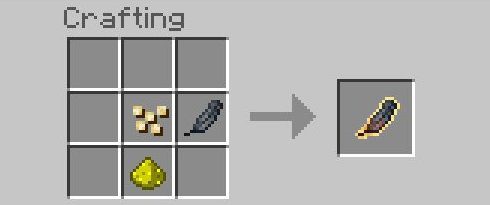
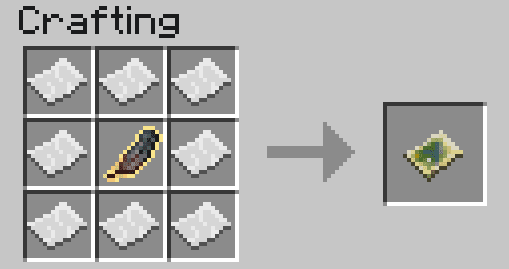
How do I craft a Blank Magic Map?
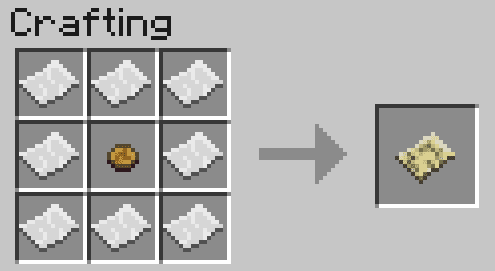
How do I make a Blank Maze Map or Blank Maze/Ore Map?
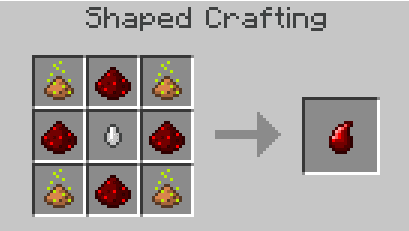
What are Charms of Keeping used for?
How do I craft a Charm of Life?
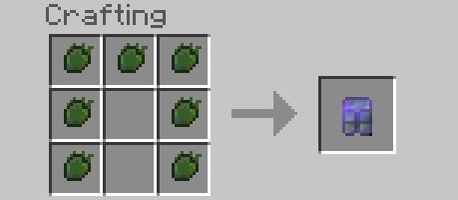
How do I make Arctic armor?
How do I craft Blocks of Ironwood, Knightmetal, Steeleaf, Fiery Metal, and Carminite?
How do I get Castle Brick and its variants?
You May Also Like
Wikis that share the most with this one
Wikis on the same theme: dungeon
More mod wikis on the site
The most downloaded mods that have a wiki here
A few wikis from each of the other kinds
Gallery
12 images from the The Twilight Forest Mod page.