

 DownloadQuantrum Client Mod
Get the files on 9Minecraft
Guides
Step-by-step, in-game.
Avoid Walking Into Traps and PitfallsEnabling Anti Trap Protection Anti Trap alerts you to dangerous block configurations before you trigger them. This is…Detect Nearby Players and Mob SpawnersUsing Player Detect and Spawner Notifier These tools give you early warning of threats and help you locate mob farms…Find Rare Resources Like Deepslate and DripstoneUsing Resource and Deepslate ESP These tools highlight valuable ore and block types through solid stone, letting you…Locate Hidden Stashes and Loot ChestsUsing Advanced Stash Finder The Advanced Stash Finder helps you track down chests and loot caches that other players…
Frequently asked questions
How do I open the Quantrum Client menu?
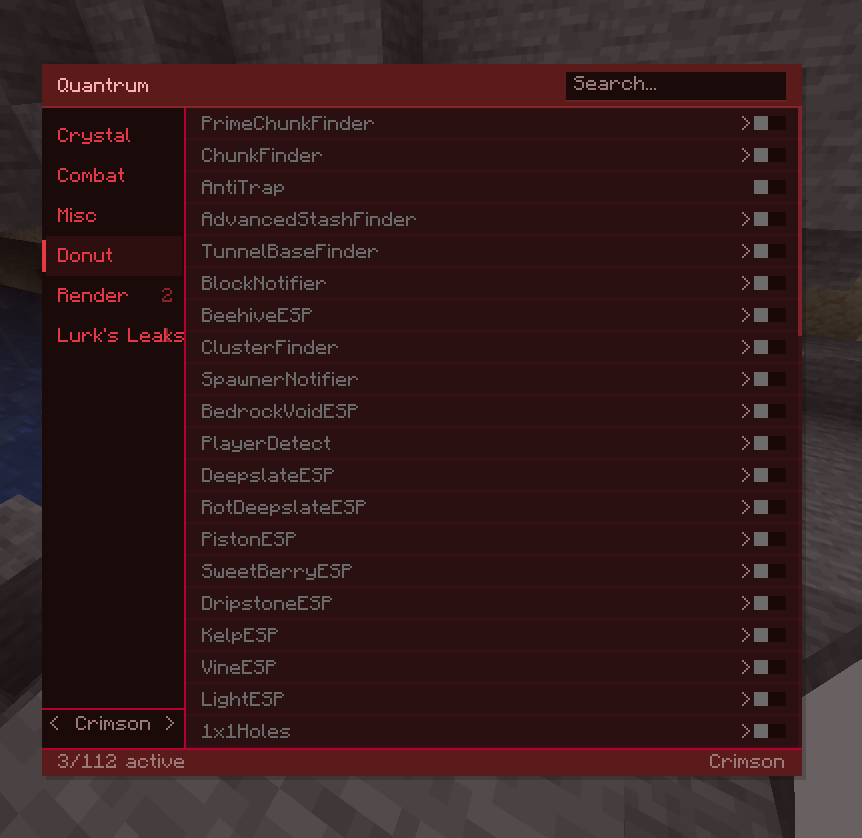
Press Right Shift to open or close the client menu. From there you can toggle any finder or ESP feature on or off.
What's the difference between ESP and Finder tools?
ESP tools (like Block ESP and Deepslate ESP) highlight blocks through walls in real-time so you can see them. Finder tools (like Stash Finder and Tunnel Base Finder) actively search and locate specific structures or items in your area.
Can I use Quantrum on single-player worlds or only servers?
Quantrum works on both single-player worlds and servers, though it's most useful on multiplayer servers where you need to find other players' bases and avoid PvP traps.
Why isn't Block ESP showing the blocks I'm looking for?
See all 10 Quantrum questions ›
Gallery
2 images from the Quantrum Client Mod page.
You May Also Like
Wikis that share the most with this one
Wikis on the same theme: cat
More client wikis on the site
The most downloaded mods that have a wiki here
A few wikis from each of the other kinds