

 DownloadPolar Client Mod
Get the files on 9Minecraft
Guides
Step-by-step, in-game.
Manage Potions and Health During CombatTrack Active Effects Open the ClickGUI and enable PotionTracker in the Util panel. This displays: Current potion…Optimize Movement for Evasion and MobilityEnable Movement Modules Access the Movement panel in your ClickGUI and toggle: Speed : Increases walking and…Set Up Combat Modules for Crystal PvP DuelsEnable Core Combat Tools Press Right Shift to open the ClickGUI and navigate to the Combat panel. Left-click to…Use ESP and Visual Modules to Spot EnemiesEnable Detection Visuals Open the ClickGUI (Right Shift) and go to the Visuals panel. Activate: EntityESP :…
Frequently asked questions
How do I open the mod menu?
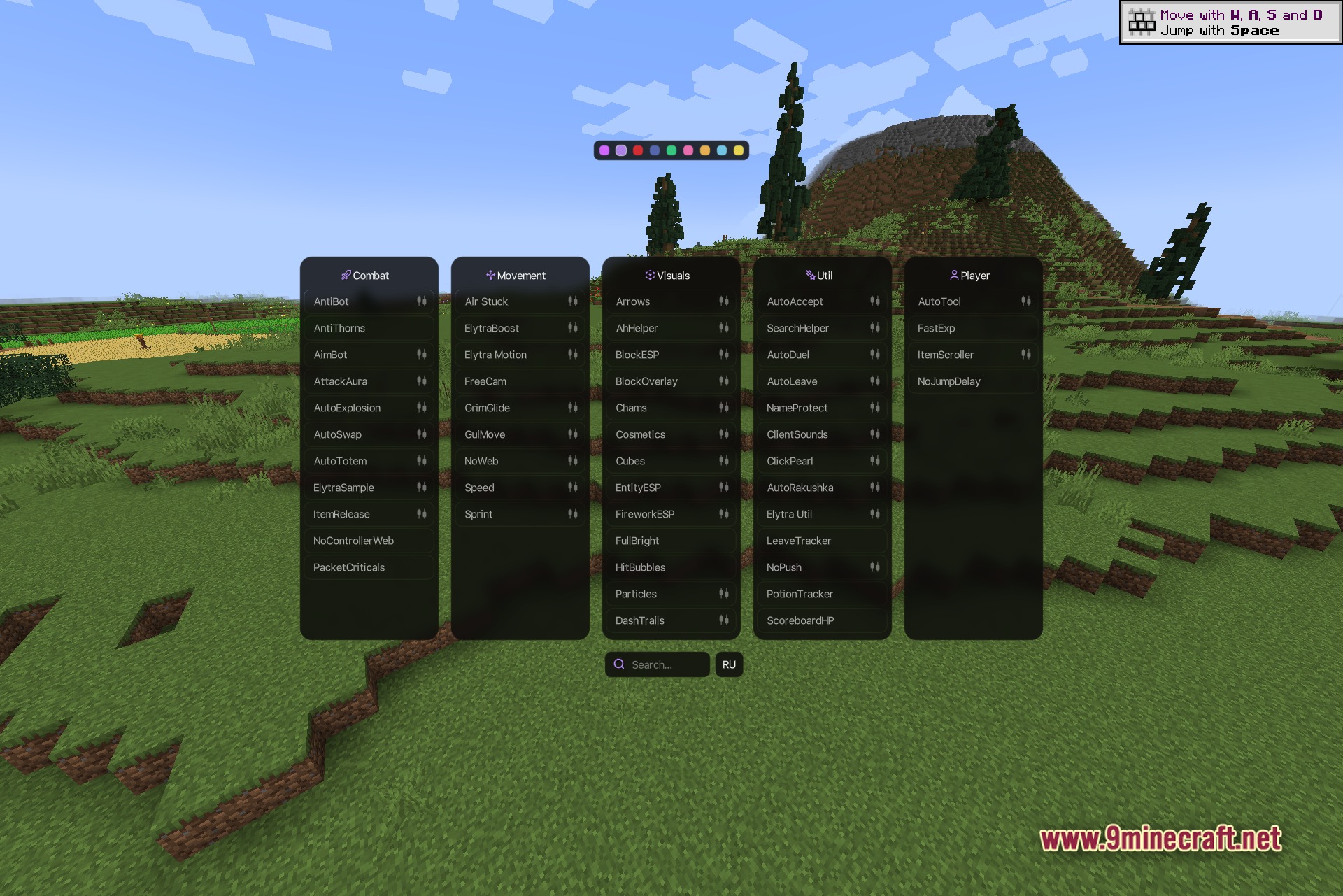
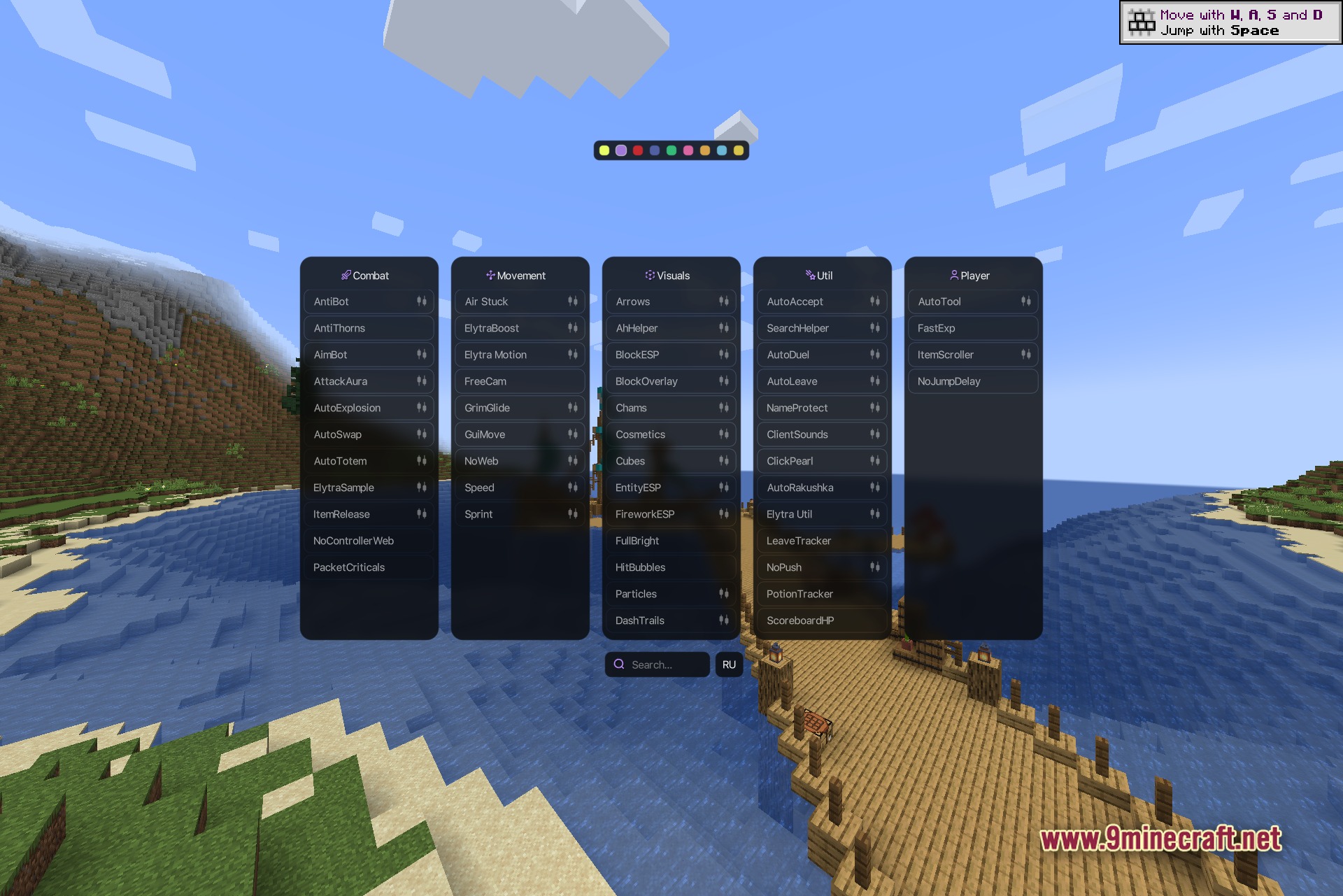
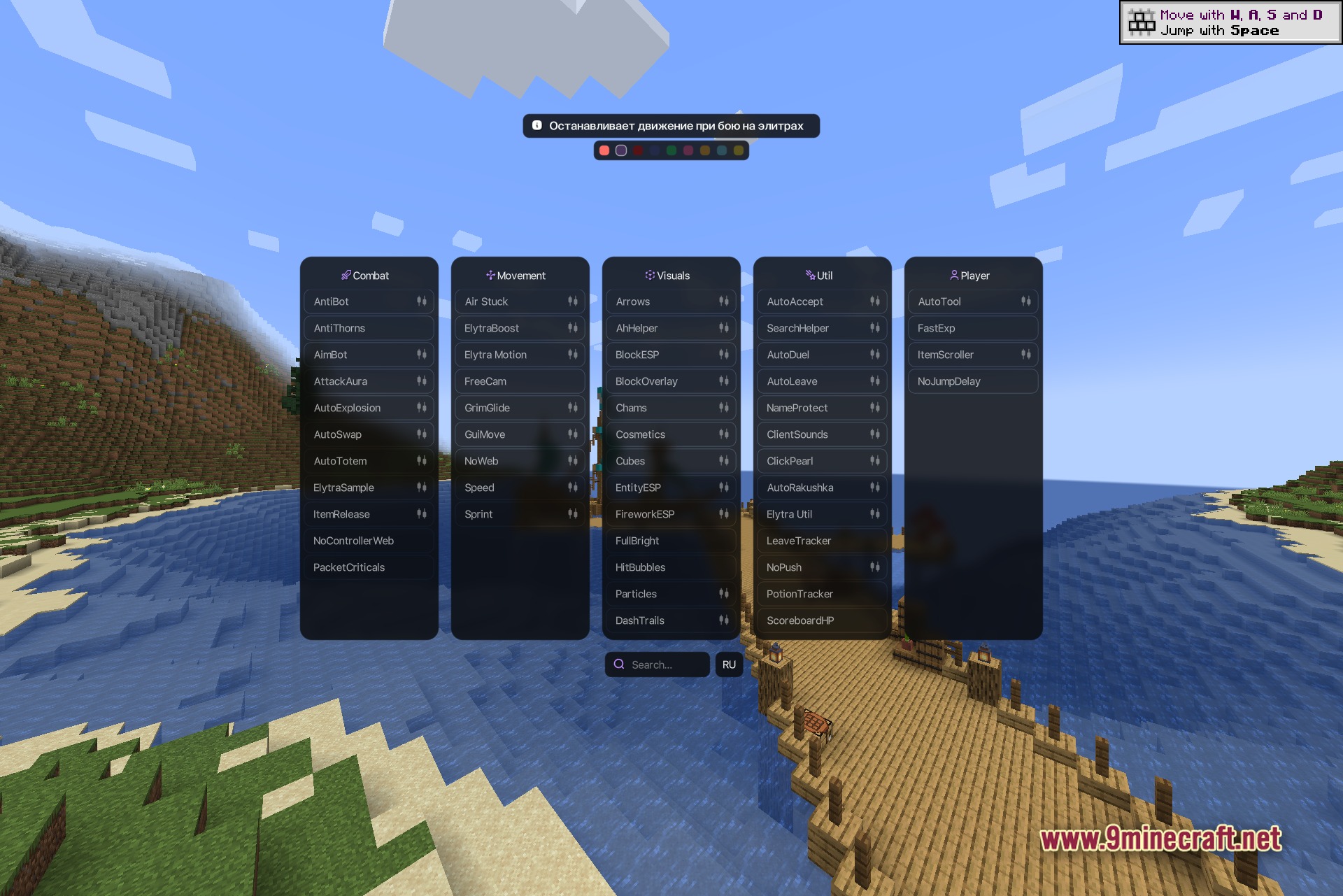
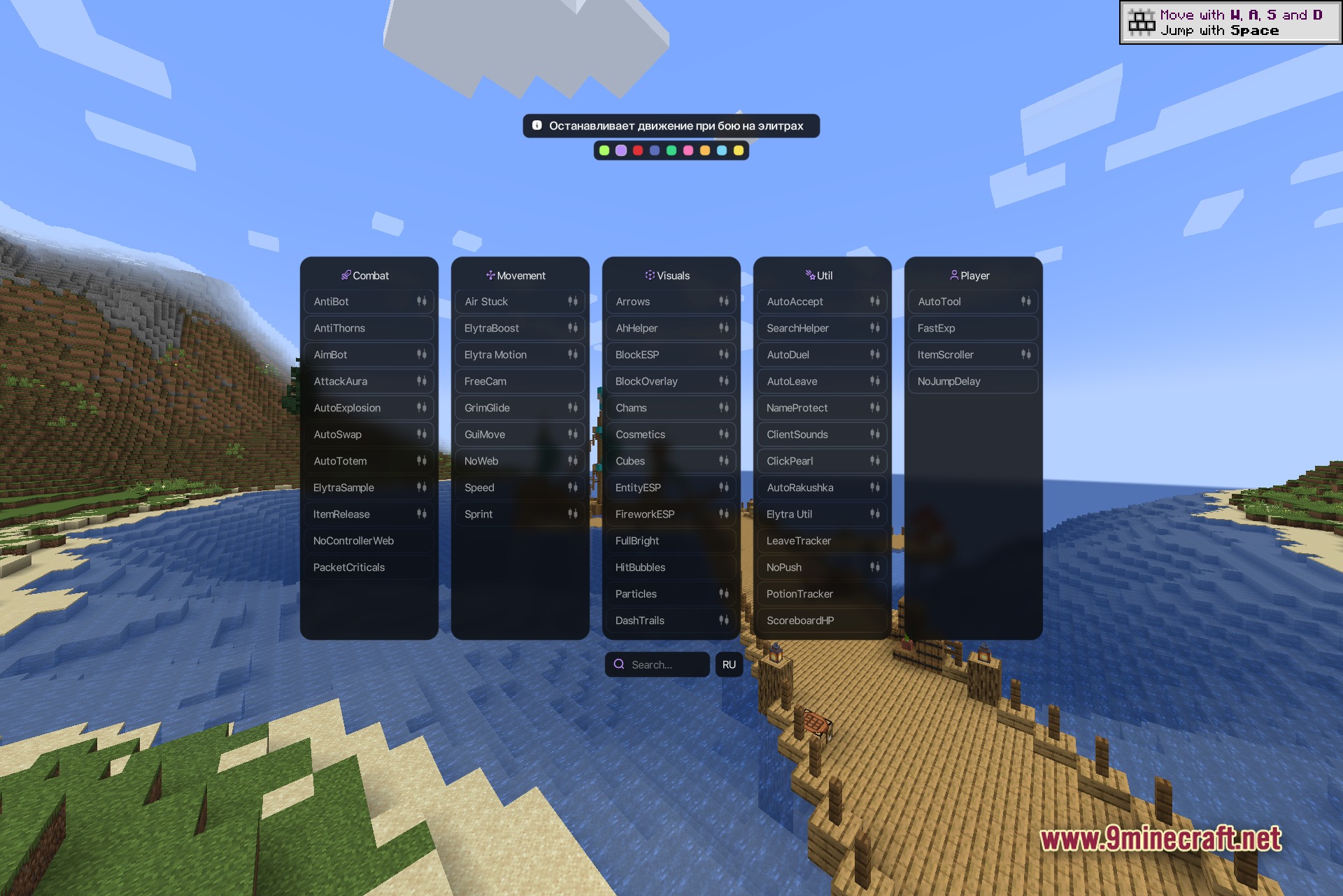
Press Right Shift in-game to open the main Polar Client interface. You'll see all five module panels (Combat, Movement, Visuals, Util, and Player) displayed at once.
How do I turn modules on and off?
Left-click any module box to toggle it on or off instantly. You'll see the module activate or deactivate in real-time on your HUD.
How do I change a module's settings?
Right-click the module box to open its settings panel, where you can adjust sliders, change keybinds, and customize its behavior. Each module has different customization options depending on its function.
What's the search bar for?
Use the search bar at the bottom of the menu to quickly find specific modules by name instead of scrolling through all five panels. Type the module name and it will filter results instantly.
Gallery
5 images from the Polar Client Mod page.
You May Also Like
Wikis that share the most with this one
More client wikis on the site
The most downloaded mods that have a wiki here
A few wikis from each of the other kinds