

 DownloadFPS Reducer
Get the files on 9Minecraft
Contents (6)
Guides
Step-by-step, in-game.
How to Configure FPS Reducer So It Actually Saves FramesFPS Reducer does nothing visible on its own — it only kicks in when you stop interacting with the game. To get real…Making FPS Reducer Work Alongside Other Performance ModsFPS Reducer overlaps in purpose with other performance mods, and stacking them carelessly can produce confusing…Stopping FPS Reducer From Making the Game Feel LaggyThe most common complaint about FPS Reducer is that it makes the game feel sluggish or unresponsive. That is usually…Using FPS Reducer to Cut Laptop Heat and Fan Noise While Playing MinecraftFPS Reducer is not a frame rate booster — it is a power and heat reducer. If your laptop sounds like a jet engine…
Configuration
Every setting in the mod config file, with what it changes.
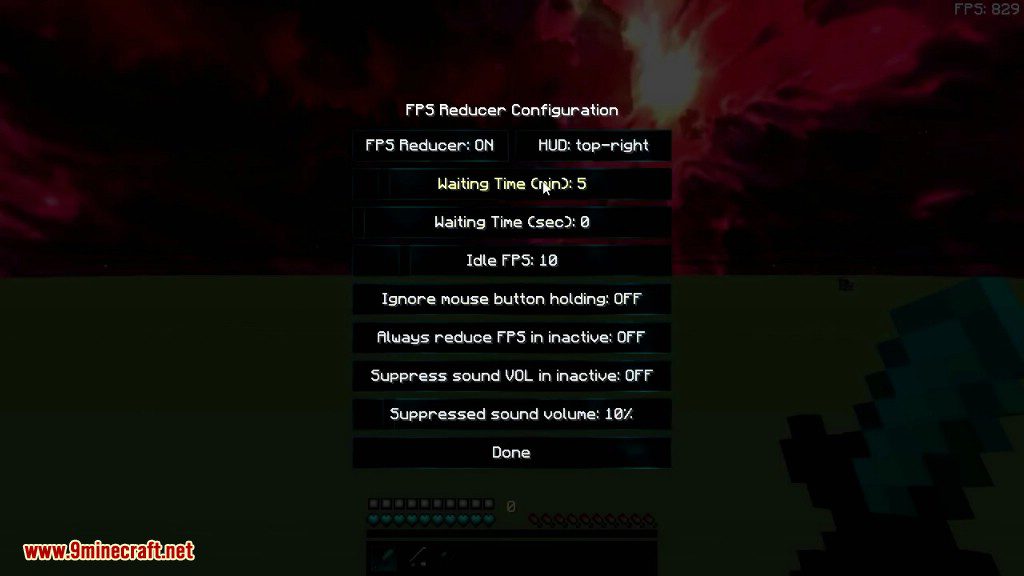
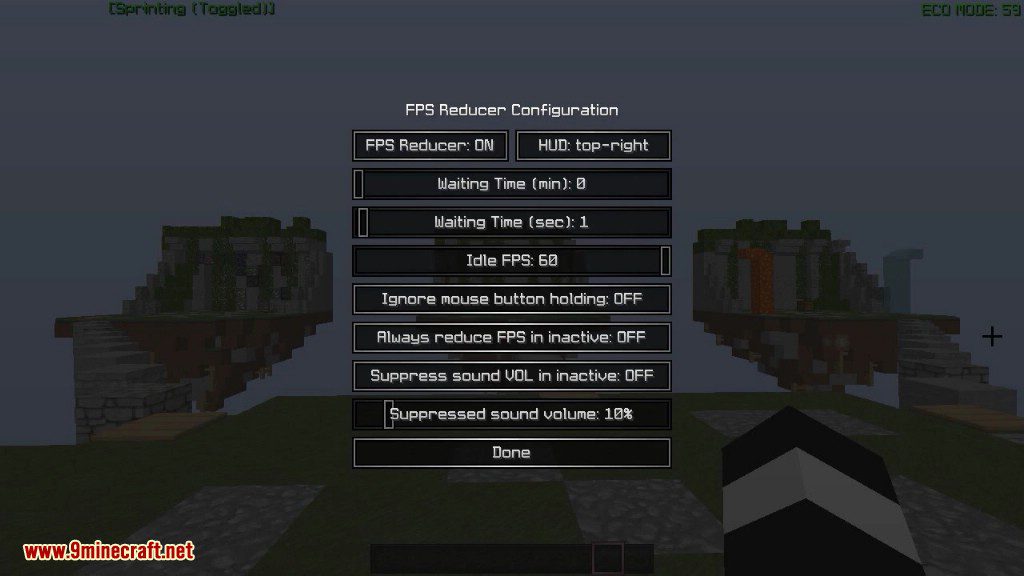
| Option | What it does |
|---|---|
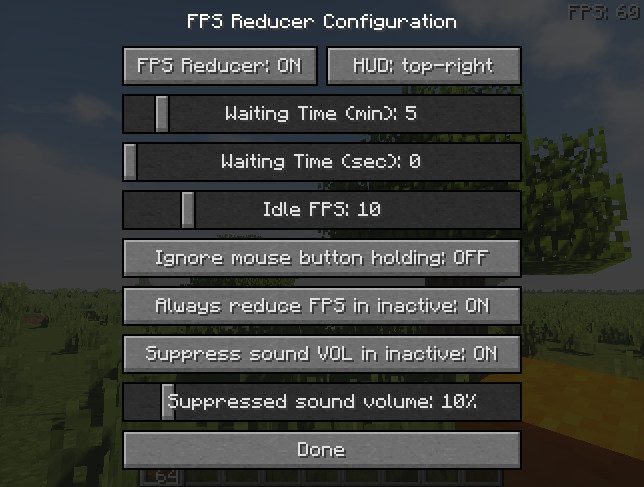
4FPS Only | Places the HUD element in the bottom left corner |
3FPS+CPU (2lines) | Places the HUD element in the bottom right corner |
detectMovingDetect Movement | Enables detection of player movement to trigger FPS reduction |
returnToGameDone | Closes the config screen and returns to the game |
enableFpsReducerFPS Reducer | Turns the FPS Reducer mod's FPS limiting on or off |
enableHUDHUD | Shows or hides the on-screen HUD overlay |
hudLayout | Sets the position of the HUD overlay on screen |
hudScale | Sets the size scale of the HUD overlay |
Other settings in this file
10 more options the mod ships without its own description. Names are taken straight from the config file.
- globalConfig
- playerConfig
- 2Centered
- 5CPU Only
- 1FPS+CPU (Long)
- 0HUD Disabled
- resetReset Position
- descriptionSelect one reference position from the eight check boxes located at the edges of the screen, and then drag the box indic
- 6Simple
- advancedOptions
Frequently asked questions
What does FPS Reducer Mod do?
It automatically lowers your frame rate when the Minecraft window is not focused or when you have not moved or clicked for a while, cutting CPU and GPU load. As soon as you return to the window or provide input, it restores your normal frame rate.
How to use FPS Reducer Mod?
Just install it and play — it works automatically with no setup required. If you want to change when it kicks in or how low it drops your frame rate, open the mod's config screen from the mod list or edit its config file.
How do I open the FPS Reducer config?
Open the mod list from the main menu, select FPS Reducer, and click the config button to reach its settings screen. Alternatively, edit the config file in your instance's config folder and restart the game.
Why is my fps still high when I tab out?
The mod only reduces frame rate when the game detects the window is inactive or you are idle, so check that the idle-reduction and unfocused-reduction options are actually enabled in the config. Also note that some launchers or overlays can keep the window reporting as active.
See all 10 FPS Reducer questions ›
Gallery
6 images from the Fps Reducer Mod page.
You May Also Like
Wikis that share the most with this one
Wikis on the same theme: window
More mod wikis on the site
The most downloaded mods that have a wiki here
A few wikis from each of the other kinds