

 DownloadGeforcelegends 3D Default Resource Pack
Get the files on 9Minecraft
Contents (8)
Guides
Step-by-step, in-game.
Decorating with 3D Items and BlocksChoosing 3D Blocks for Decoration The resource pack enhances the visual appearance of standard Minecraft blocks,…Enabling 3D Models in Your WorldActivate the Resource Pack Once installed, the resource pack must be selected in your world or server settings to…Optimizing Performance While Using 3D ModelsAdjust Graphics Settings While this resource pack is lightweight, you can further optimize performance: 1. Open Video…Troubleshooting 3D Models Not AppearingReload Resource Packs If 3D models aren't displaying: 1. Press F3 + T to reload all resource packs 2. 3. Check if…
Items
 Dragon's Breath
 Honey Bottle
 Potion
Blocks
 Activator Rail
 Bamboo Fence Gate
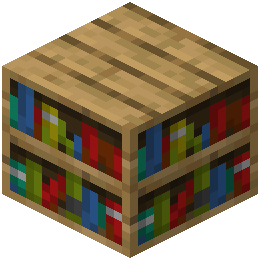 Bookshelf
 Detector Rail
 Powered Rail
 Rail
What this pack changes
Every texture group the pack replaces, counted from the pack itself.
| Area | Textures replaced |
|---|---|
| Blocks | 315 |
| Items | 102 |
| Mobs & entities | 2 |
Pack format 35–88 (Minecraft 1.21.2–1.21.9)419 texture files in total
Extra features
Custom entity models (OptiFine/CEM)
Custom block/item models
Frequently asked questions
How do I turn on 3D models after installing the pack?
Load the resource pack in your world settings by going to Options > Resource Packs, finding GeForceLegend's 3D Default Resource Pack in the available list, and moving it to the active side. The 3D models will appear immediately on all compatible blocks and items.
Why are some of my blocks still flat even with the pack enabled?
Not all blocks have 3D models in this pack—it focuses on items and decorative blocks. Blocks like stone, dirt, and ore are intentionally kept flat to maintain the vanilla aesthetic and performance. Check the pack's showcase to see which blocks have 3D variants.
Do 3D items work in my inventory or only in the world?
The 3D models appear when items and blocks are placed in the world or in item frames, armor stands, and other display blocks. Items in your inventory remain 2D to keep the UI clean and readable.
Will this pack work with other resource packs?
You can stack this pack with others by placing it higher in your resource pack list, but conflicts may occur if another pack modifies the same models or textures. Test the combination in a creative world first to check for overlaps.
Is this pack compatible with Optifine or shader mods?
Yes, this pack works alongside Optifine and most shader mods since it only changes model files and textures, not rendering code. However, some shaders may interact unexpectedly with 3D models—test in a backup world if you're concerned.
My FPS dropped after enabling this pack. How do I fix it?
Reduce render distance, lower your graphics settings, or disable fancy graphics in Video Settings. If performance is still poor, try disabling the pack on lower-end hardware, as 3D models increase geometry complexity even at 16×16 resolution.
Can I use this pack on a multiplayer server?
Yes, resource packs are client-side only, so you can use this pack on any server without the server needing to install it. Other players won't see your 3D models unless they also have the pack installed.
Do mobs and entities have 3D models too?
This pack focuses on blocks and items rather than mobs. Mobs and entities remain unchanged from the default textures.
What should I do if 3D models look broken or stretched?
Make sure you're using a compatible Minecraft version—check the pack's description for supported versions. If the issue persists, try deleting the pack from your resourcepacks folder and reinstalling it, or check if another active pack is conflicting.
Can I edit or add my own 3D models to this pack?
Yes, you can modify the pack's JSON model files and textures in the resourcepacks folder, but this requires knowledge of Minecraft's model format. Back up the original pack before making changes so you can revert if needed.
You May Also Like
Wikis that share the most with this one
Wikis on the same theme: potion
Uhc Optimized Resource PackA7Mds 3D Potions Resource PackShureees Potions Resource PackA Vanilla Overlay Resource PackCrimson Fist Legacy Resource PackWeskersons 3D Items Resource PackVisual Potion Effects Resource PackAlmost Vanilla Potions Resource PackRemove Potion Particles Resource PackXali’s Potions 9minecraft Resource PackHurkledurkle S Animated Items Resource PackRemove Potion Particles 9minecraft Resource Pack
More resource pack wikis on the site
Garfield Totem of Undying Resource PackGamma Boost Resource PackFyoncles 3D Trims Resource PackFusion Connected Glass Resource PackFusion 3D Items Resource PackFurry in Inventory Resource PackFullbright UB 9minecraft Resource PackFullbright SP Resource PackFull Brightness Resource PackFrosted Pvp Resource PackFrogcrafting Hotbar Resource PackFreshly Modded Resource Pack
The most downloaded mods that have a wiki here
A few wikis from each of the other kinds
Gallery
12 images from the Geforcelegends 3D Default Resource Pack page.


