

 DownloadDefault Hd 256X Resource Pack
Get the files on 9Minecraft
Contents (8)
Guides
Step-by-step, in-game.
Adjust Texture Sharpness and Shading IntensityUnderstanding Shading in This Pack Default HD 256x applies soft shading and subtle shadows directly into block…Enable PBR Materials for Realistic Block SurfacesWhat PBR Does Physically Based Rendering (PBR) materials in Default HD 256x add realistic surface properties to…Maximize Visual Quality for Screenshots and BuildingPreparing Your World for Best Results Default HD 256x shines when you're building or taking screenshots. The crisp…Optimize Performance While Using 256x TexturesWhy Performance Matters 256x resolution textures are four times larger than vanilla defaults. While Default HD 256x…
Items
282 items · showing 24. Browse all →
 Acacia Boat
 Acacia Sign
 Apple
 Armor Stand
 Arrow
 Baked Potato
 Bamboo
 Banner Pattern (Mojang)
 Banner Pattern (Skull)
 Banner Pattern (Piglin)
 Banner Pattern (Flower)
 Banner Pattern (Globe)
 Banner Pattern (Creeper)
 Barrier
 Beetroot
 Beetroot Seeds
 Beetroot Soup
 Bell
 Birch Boat
 Birch Sign
 Black Dye
 Blaze Powder
 Blaze Rod
 Blue Dye
Blocks
66 blocks · showing 24. Browse all →
 Acacia Door
 Acacia Leaves
 Acacia Log
 Acacia Planks
 Acacia Sapling
 Acacia Trapdoor
 Activator Rail
 Allium
 Andesite
 Anvil
 Attached Melon Stem
 Attached Pumpkin Stem
 Azure Bluet
 Bedrock
 Birch Door
 Birch Leaves
 Birch Log
 Birch Planks
 Birch Sapling
 Birch Trapdoor
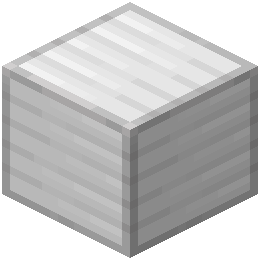 Block of Iron
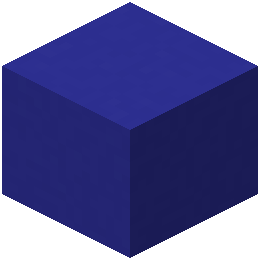 Blue Concrete
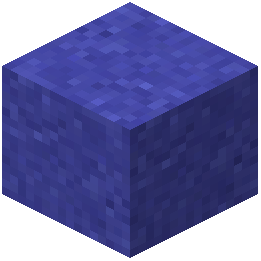 Blue Concrete Powder
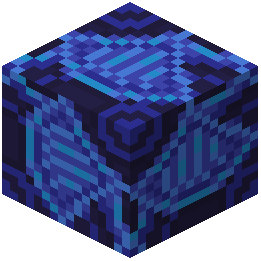 Blue Glazed Terracotta
What this pack changes
Every texture group the pack replaces, counted from the pack itself.
| Area | Textures replaced |
|---|---|
| Items | 433 |
| Mobs & entities | 401 |
| Blocks | 158 |
| Particles | 139 |
| Status effects | 32 |
| Paintings | 27 |
| Models | 17 |
| Misc | 9 |
| Maps | 3 |
| Biome colours | 2 |
| Sky & weather | 2 |
| Effect | 1 |
Pack format 15–1000 (Minecraft 1.20–1.21.9)1,224 texture files in total
Extra features
Custom block/item models
Frequently asked questions
How do I enable PBR materials on my blocks?
PBR materials are enabled by default in this resource pack. If you're not seeing realistic surface highlights and depth on your blocks, check that your launcher's graphics settings have shader support enabled, and verify the pack is properly loaded in your resource pack list.
Why is my frame rate dropping with 256x textures?
High-resolution textures demand more VRAM. Try lowering your render distance, disabling fancy graphics, or reducing other visual settings like particle effects. You can also check the performance optimization guide to find settings that balance quality with your hardware.
Can I use this pack with shaders?
Yes, this pack works with most shader mods, though results vary depending on the shader. Some shaders may override or conflict with the pack's built-in soft shading, so test your preferred shader combination to see if you like the visual result.
How do I make the textures sharper or softer?
You can adjust texture sharpness through your launcher's graphics settings—try toggling mipmap levels or texture filtering options. The pack's shading intensity can be modified by adjusting your brightness and contrast settings in-game.
Do I need a powerful GPU to run this?
This pack is designed to run smoothly without heavy performance loss on mid-range hardware, but 256x textures do require more VRAM than vanilla. If you have less than 2GB of dedicated VRAM, you may experience stuttering—lowering render distance helps.
Will this pack work on older Minecraft versions?
This pack targets modern Minecraft versions that support 256x resolution and PBR materials. Check the pack's compatibility information to confirm it works with your specific game version.
Why do some blocks look flat or lack shadows?
Ensure PBR materials are enabled in your graphics settings and that the resource pack is at the top of your resource pack list. If shadows still appear missing, your GPU may not fully support PBR rendering—try updating your graphics drivers.
Can I customize individual block textures?
You can edit texture files directly in the pack's folder, but this requires image editing software and knowledge of Minecraft's texture structure. For simpler adjustments, use the in-game texture settings or combine this pack with a shader that offers customization options.
Does this pack change mob or entity textures?
This pack focuses on block and item textures at 256x resolution. Mobs and entities retain their vanilla appearance unless you combine this pack with another resource pack that modifies them.
How much disk space does this pack take up?
High-resolution textures require more storage than vanilla, but this pack is designed to be lightweight compared to other 256x packs. The exact size depends on your Minecraft installation, but expect a noticeable increase over the default textures.
You May Also Like
Wikis that share the most with this one
More resource pack wikis on the site
Default Dark Mode: Expansion Resource PackDeez Fps Resource PackDeep Origins Overlays Resource PackDeceased Craft Screen Tweak Resource PackDeath Knights PT BR Translation Resource PackDarkmode Resource PackDark Transparent GUI Resource PackDark Smooth GUI Resource PackDark Red GUI Resource PackDark OreUI Recreation Resource PackDark Mode Skyblock Resource PackDark Grass Resource Pack
The most downloaded mods that have a wiki here
A few wikis from each of the other kinds
Gallery
11 images from the Default Hd 256X Resource Pack page.


