

 DownloadMultiWorld Plugin
Get the files on 9Minecraft
Guides
Step-by-step, in-game.
Create a PvP Arena World with Custom RulesCreate and Configure the Arena World Start with /world create pvp_arena overworld to create a new world. Then apply…Link a Nether and End Dimension to Your Custom WorldUnderstand World Linking By default, worlds have their own Nether and End dimensions. The /world link command lets…Migrate an Existing World Into Your MultiWorld ServerPrepare Your World Files Before importing, ensure your world folder is in the server's worlds directory. The world…Set Up a Creative World Alongside Your Survival WorldCreate the Creative World Use /world create creative creative to generate a new world with creative mode enabled.…
Frequently asked questions
How do I create my first world?
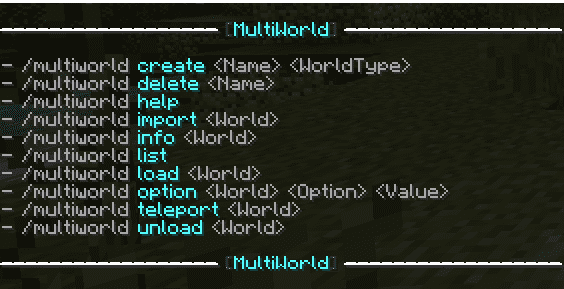
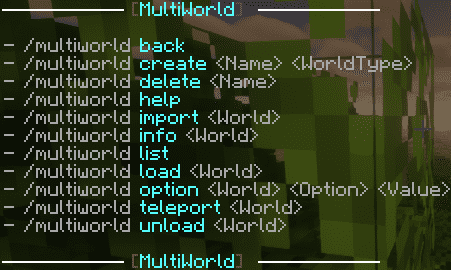
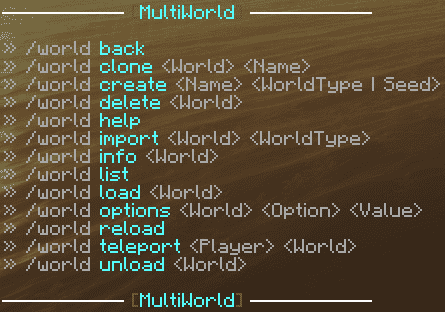
Use `/world create ` to generate a new world with default settings, or add a world type like `/world create survival` to specify the environment. You can then teleport to it with `/world teleport `.
How do I set different game modes for different worlds?
Use `/world flag ` to adjust world settings like game mode and difficulty for each world individually. Check `/world info ` to see what properties are currently set.
What's the difference between linking and teleporting?
Teleporting moves a player to another world using `/world teleport`, while linking connects dimensions together—use `/world link ` so players can access the Nether or End from your custom world.
See all 10 MultiWorld questions ›
Gallery
4 images from the Multiworld Plugin page.
You May Also Like
Wikis that share the most with this one
 Job X Plugin
Wikis on the same theme: world
More plugin wikis on the site
The most downloaded mods that have a wiki here
A few wikis from each of the other kinds