

 DownloadFeather Remake Client Mod
Get the files on 9Minecraft
Guides
Step-by-step, in-game.
Feather Remake Client Mod: Controls and FeaturesUsing Feather Remake Client Mod Feather Remake is a client-side mod, so it works on any server without being…How to Customize Which HUD Elements Show and HideNot every player wants FPS, CPS, coordinates, armor, and potion effects all on screen at once. Feather Remake lets…How to Enable FullBright and See in Caves Without TorchesFullBright in Feather Remake brightens dark areas so you can navigate caves, mines, and night-time terrain without…How to Move and Rearrange HUD Elements in Feather RemakeFeather Remake lets you place every HUD element exactly where you want it, so your screen stays readable during PvP,…How to Set Up Zoom and Freelook Keys for PvP and ExplorationZoom and Freelook are two of the most-used Feather Remake features, but they shine when bound to keys that fit your…
Frequently asked questions
What kind of mod is Feather Remake Client Mod?
It is a lightweight client-side mod for Minecraft. It adds customizable HUD elements, Zoom, Freelook, Fullbright, and other useful tools.
How do I open the Feather Remake mod menu?
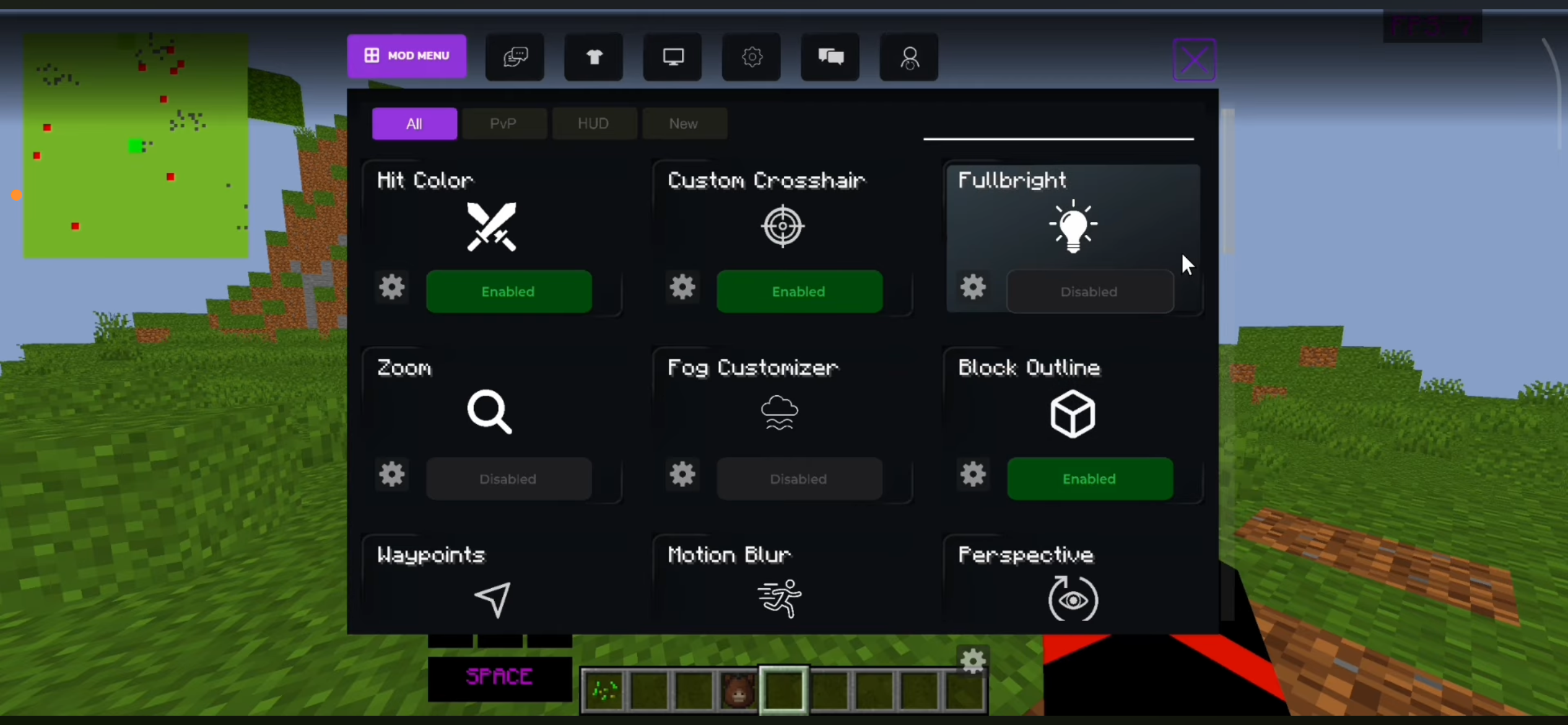
Press Right Shift to open the  mod menu. There you can enable or disable features.
How do I edit the HUD in Feather Remake?
Press Right Alt to open HUD editing. You can then drag and position HUD elements.
What does the Customizable HUD display?
It can display FPS, CPS, coordinates, armor, and potion effects. Elements can be moved or disabled.
See all 6 Feather Remake questions ›
Gallery
3 images from the Feather Remake Client Mod page.
You May Also Like
Wikis that share the most with this one
More client wikis on the site
The most downloaded mods that have a wiki here
A few wikis from each of the other kinds