

 DownloadMatcha Vanilla Flavoured Resource Pack
Get the files on 9Minecraft
Contents (8)
Guides
Step-by-step, in-game.
Keep New Item Textures While Using Vanilla Everything ElsePreserve Matcha's Unique Items The Matcha Vanilla Flavoured Resource Pack maintains textures only for items and…Reduce File Clutter by Removing Extra Language FilesClean Up Your Installation The Matcha Vanilla Flavoured Resource Pack removes unnecessary language files and custom…Troubleshoot Visual Bugs When Layering Resource PacksFix Texture Conflicts If you see overlapping textures, broken models, or visual glitches when using multiple resource…Use Your Own Texture Pack with Matcha Vanilla FlavouredLoad Your Texture Pack on Top The Matcha Vanilla Flavoured Resource Pack removes custom textures from the main data…
Items
A
 Armadillo Spawn Egg
B
 Beetroot
 Beetroot Seeds
 Beetroot Soup
 Bell
 Blaze Powder
 Blaze Rod
 Bread
 Brown Mushroom
C
 Campfire
 Closed Eyeblossom
 Cooked Cod
 Cooked Rabbit
 Cooked Salmon
 Cookie
D
 Disc Fragment
F
 Flint and Steel
 Frog Spawn Egg
G
 Glistering Melon Slice
 Glow Ink Sac
 Glow Item Frame
 Gunpowder
H
 Heart of the Sea
N
 Nether Star
 Netherite Axe
 Netherite Boots
 Netherite Chestplate
 Netherite Helmet
 Netherite Hoe
 Netherite Ingot
 Netherite Leggings
 Netherite Pickaxe
 Netherite Shovel
 Netherite Spear
 Netherite Sword
P
 Phantom Membrane
 Pink Petals
 Prismarine Crystals
 Prismarine Shard
R
 Rabbit Hide
 Raw Rabbit
 Red Mushroom
 Redstone Dust
S
 Shulker Shell
 Smithing Template
 Soul Campfire
 Stick
T
 Tadpole Spawn Egg
 Turtle Scute
Blocks
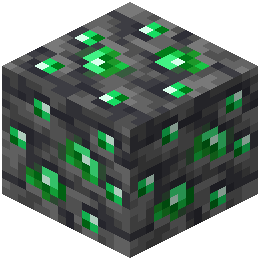 Deepslate Emerald Ore
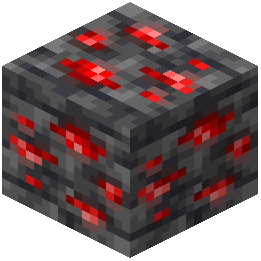 Deepslate Redstone Ore
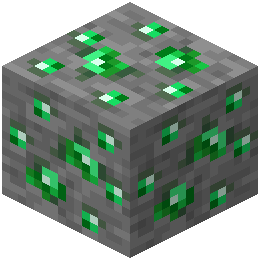 Emerald Ore
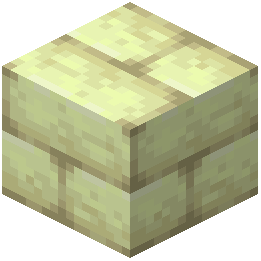 End Stone Bricks
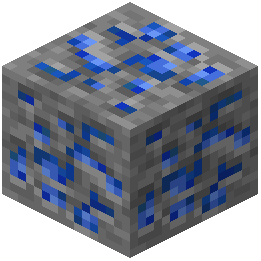 Lapis Lazuli Ore
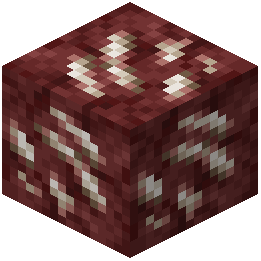 Nether Quartz Ore
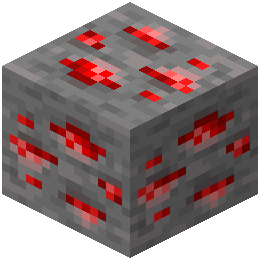 Redstone Ore
 Redstone Torch
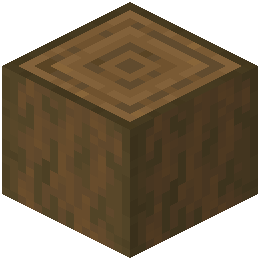 Stripped Spruce Log
What this pack changes
Every texture group the pack replaces, counted from the pack itself.
| Area | Textures replaced |
|---|---|
| Items | 460 |
| GUI & menus | 83 |
| Blocks | 48 |
| Mobs & entities | 38 |
| Armor trims | 7 |
| Font | 2 |
| Paintings | 1 |
Pack format 88–107 (Minecraft 1.21.9)639 texture files in total
Extra features
Custom font
Custom sounds
Sound overrides
Custom block/item models
Reworked GUI
Frequently asked questions
Do I need to uninstall my current resource pack to use this?
No. This pack is designed to work alongside your existing resource pack. Load the Matcha Vanilla Flavoured Resource Pack first in your resource pack list, then place your favorite pack on top of it.
Will I lose the new items' textures if I use this pack?
No. The pack keeps textures for all new items added by the data pack while removing custom textures from vanilla blocks and items. Your new content will still look custom while everything else stays vanilla.
What do I do if textures look weird or broken when I layer packs?
Make sure the Matcha Vanilla Flavoured Resource Pack is loaded first, with your other packs stacked on top. If issues persist, check that your texture pack doesn't have conflicting files for vanilla blocks—the vanilla resource pack should fill in any gaps.
Can I use this with shader mods?
Yes. This resource pack works with shader mods since it only affects textures and models, not rendering. Load it normally alongside your shader.
Does this pack reduce lag or improve performance?
Slightly. By removing extra language files and custom models, it reduces file clutter and memory usage, but the performance gain is minimal on most systems.
What happens to the language files when I use this pack?
The pack removes extra language files added by the data pack, keeping only the default English. If you need other languages, you may need to add them back manually or use a different resource pack.
Do I need to create a new world to use this pack?
No. You can apply this pack to any existing world. Just load it in your resource pack settings and it takes effect immediately.
Will this work if I'm using multiple data packs?
This pack only removes textures and models from the Matcha Vanilla Flavoured data pack. Other data packs' textures won't be affected, though you may need additional resource packs to handle their visuals.
Can I edit this pack to keep certain custom textures?
Yes. You can unzip the resource pack and selectively restore texture files or models you want to keep, then rezip it. Refer to the pack's file structure to identify what to modify.
What's the correct load order for this pack and my texture pack?
Load the Matcha Vanilla Flavoured Resource Pack first (lowest priority), then your texture pack on top of it (highest priority). This ensures vanilla textures fill gaps while your pack takes priority for blocks it includes.
You May Also Like
Wikis that share the most with this one
Wikis on the same theme: food
PlasticraftRojak Resource PackTetoholic Resource PackFresh Food Resource PackTiny Meals Resource PackNythral Pvp Resource PackConsumability Resource PackBrush And Juice Resource PackEnhanced Colour Resource PackA Vanilla Overlay Resource PackBare Bones X Mods Resource PackEugenes 3D Stuffs Resource Pack
More resource pack wikis on the site
Matcha Block Overlays Resource PackMaster Crystal Pvp Resource PackMasa Mod Translation Resource Pack Masa Mod Translation Pack Resource PackMarin Kitagawa Pack Anime Sky 4K Resource PackMandala’s GUI – White Mode Resource PackMandalas GUI KOTS Compat Resource PackMandala’s GUI – Dark Mode Resource PackMandala’s GUI Dark Mode 9minecraft Resource PackMandalas Dragon Mount Refreshed Resource PackMalkazar’s Fantasy Villager Pack Resource PackMalfu Combat Animation 9minecraft Resource Pack
The most downloaded mods that have a wiki here
A few wikis from each of the other kinds
Gallery
4 images from the Matcha Vanilla Flavoured Resource Pack page.


