

 DownloadRojak Resource Pack
Get the files on 9Minecraft
Contents (8)
Guides
Step-by-step, in-game.
Customize Block Textures in Your WorldUnderstanding Rojak's Texture System Rojak Resource Pack applies its texture changes automatically to all compatible…Explore The Aether with Enhanced TexturesRojak's Aether Mod Support Rojak Resource Pack includes specialized textures for The Aether mod, transforming the sky…Get Better Visuals for Magic and Farming ModsRojak's Mod Compatibility Rojak Resource Pack extends beyond vanilla Minecraft with textures for popular magic and…Make Lush Caves More Visually AppealingRojak's Lush Cave Enhancements Rojak Resource Pack includes dedicated texture improvements for lush cave biomes,…
Items
A
 Apple
B
 Beetroot
 Beetroot Soup
 Blaze Powder
 Blaze Rod
 Bread
 Brown Mushroom
C
 Cake
 Carrot
 Chorus Fruit
 Cookie
 Crimson Fungus
E
 Enchanted Golden Apple
G
 Ghast Tear
 Glowstone Dust
 Golden Apple
 Golden Carrot
L
 Lever
M
 Melon Seeds
 Mushroom Stew
N
 Nether Quartz
 Nether Wart
P
 Popped Chorus Fruit
 Pumpkin Pie
 Pumpkin Seeds
R
 Rabbit Stew
 Red Mushroom
 Redstone Dust
 Redstone Torch
S
 Slimeball
 Soul Campfire
 Soul Torch
 Stick
 String
 Suspicious Stew
 Sweet Berries
T
 Torch
V
 Vines
W
 Warped Fungus
Blocks
B
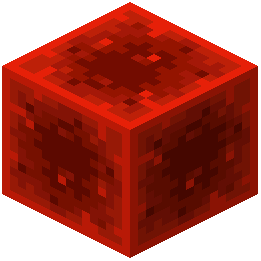 Block of Redstone
C
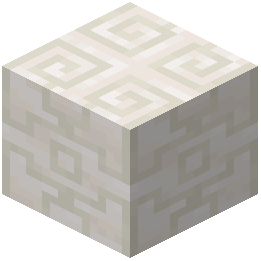 Chiseled Quartz Block
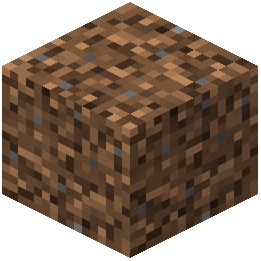 Coarse Dirt
 Crimson Roots
D
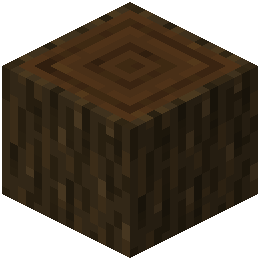 Dark Oak Log
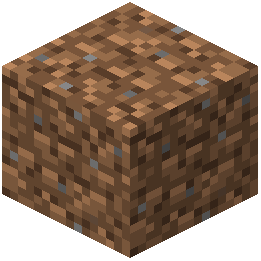 Dirt
F
 Fern
G
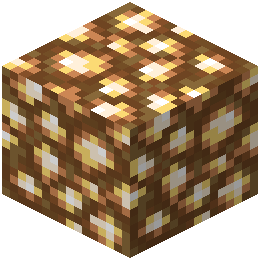 Glowstone
N
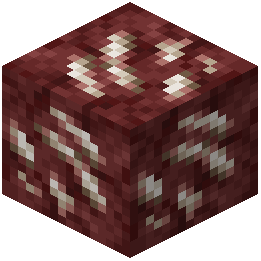 Nether Quartz Ore
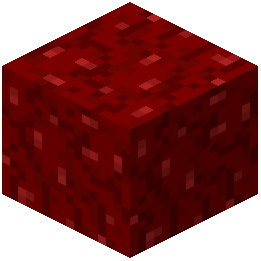 Nether Wart Block
O
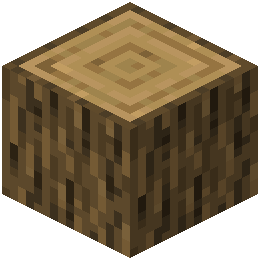 Oak Log
Q
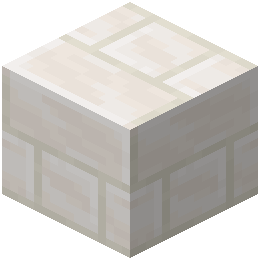 Quartz Bricks
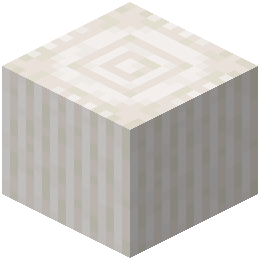 Quartz Pillar
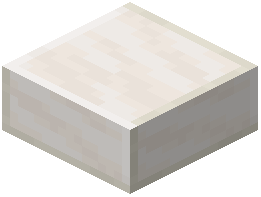 Quartz Slab
S
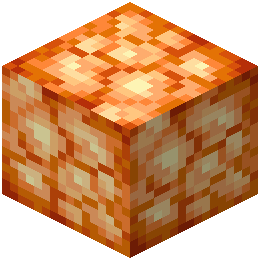 Shroomlight
W
 Warped Roots
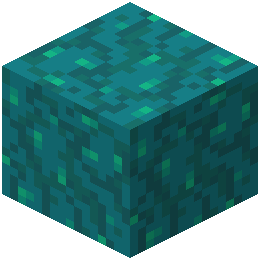 Warped Wart Block
What this pack changes
Every texture group the pack replaces, counted from the pack itself.
| Area | Textures replaced |
|---|---|
| Items | 223 |
| Blocks | 131 |
| Status effects | 6 |
| Biome colours | 1 |
Pack format 46 (Minecraft 1.21.5)361 texture files in total
Extra features
Custom block/item models
Frequently asked questions
Do I need other mods for Rojak to work?
Rojak works as a standalone resource pack for vanilla Minecraft, but it includes optional support for mods like Twilight Forest, The Aether, Ars Nouveau, and Farmer's Delight—those textures only appear if you have those mods installed. The pack uses Continuity for connected textures, which is optional but recommended for the best visual experience.
Why do my blocks look disconnected or have gaps between them?
Install the Continuity mod to enable connected textures, which makes block edges blend together seamlessly. Without it, some textures like stone and dirt may appear to have visible seams.
How do I enable the 3D mushroom textures?
The 3D mushrooms are included by default in Rojak—they should appear automatically on mushroom blocks in your world. If you don't see them, make sure your resource pack is loaded and set to high priority in your resource pack list.
Can I use Rojak with other resource packs?
Yes, you can layer Rojak with other packs by adjusting their order in your resource pack menu. Packs higher in the list override those below, so place Rojak above or below other packs depending on which textures you want to prioritize.
Why do the Crimson and Warped forest blocks look different?
Rojak includes custom color updates for Nether forest blocks to make them more visually distinct and vibrant. This is intentional and part of the pack's design to refresh the Nether aesthetic.
Do the glowstone blob textures affect brightness or light levels?
No, the glowstone textures are purely visual—they don't change how much light glowstone emits or any other game mechanics. The unique glowing blob appearance is just a cosmetic refresh.
Will Rojak work with mod packs or launchers?
Yes, Rojak is compatible with any launcher that supports resource packs, including MultiMC, Prism Launcher, and others. Simply add it to your resource packs folder like any other pack.
What should I do if textures look blurry or pixelated?
Check your video settings and make sure your GUI scale isn't set too high, and verify that mipmapping is enabled. Rojak is designed for standard texture resolution, so extreme zoom levels may cause visual issues.
Does Rojak change item textures or only blocks?
Rojak primarily focuses on block textures, but it does include item texture updates for mod support—particularly for magic items in Ars Nouveau and crops in Farmer's Delight.
Can I customize which textures from Rojak I want to use?
Rojak is designed as a complete pack, but you can create a custom resource pack that layers on top of it to override specific textures you don't want. Alternatively, check if the mod author provides variant versions with different feature sets.
You May Also Like
Wikis that share the most with this one
PlasticraftTetoholic Resource PackFresh Food Resource PackTiny Meals Resource PackNythral Pvp Resource PackConsumability Resource PackBrush And Juice Resource PackEnhanced Colour Resource PackA Vanilla Overlay Resource PackBare Bones X Mods Resource PackEugenes 3D Stuffs Resource PackMostly True Above Resource Pack
Wikis on the same theme: food
Fresh Food 9minecraft Resource PackMatcha Vanilla Flavoured Resource PackHurkledurkle S Animated Items Resource PackApple Skin Vanilla Food Information Resource PackComprogrammer Programmer Art Mod Compat CompliationComprogrammer Programmer Art Mod Compat Compliation Resource PackMapleNearsBurgerAuroralCheesusEnderfy
More resource pack wikis on the site
Rocking Boats Resource PackRift Side Realms Resource PackRetrograde Vision Resource PackRetro RPG Font Resource PackRetro Plastic Resource PackRethoughted Trident Resource PackRethoughted Spawn Eggs Resource PackRethoughted GUI Resource PackRethoughted Dragon Egg Resource PackRetextures O’ Plenty Texture Pack Resource PackRestore Block Lines Resource PackResprited Resource Pack
The most downloaded mods that have a wiki here
A few wikis from each of the other kinds
Gallery
12 images from the Rojak Resource Pack page.


