

 DownloadHorse Stats Vanilla
Get the files on 9Minecraft
Guides
Step-by-step, in-game.
Comparing Two Horses Before You CommitLine Them Up Tame both horses (feed them until hearts appear and they stop bucking). Bring them to the same spot so…Deciding Whether a Wild Horse Is Worth TamingCheck Before You Invest You do not need to fully commit to a wild horse to judge it. Tame it first (repeatedly mount…How to Read Horse Stats in the InventoryOpen the Horse's Inventory Ride the horse, then open your inventory (default E ). Because you are mounted, the…Using Stats to Breed Better HorsesUnderstand Inheritance When two horses breed, the foal's health, speed, and jump height are derived from its parents'…
Configuration
Every setting in the mod config file, with what it changes.
| Option | What it does |
|---|---|
badHorseHeartsValueBad Hearts Value | Anything below this value will be marked as bad. |
badHorseJumpValueBad Jump Value | Anything below this value will be marked as bad. |
badHorseSpeedValueBad Speed Value | Anything below this value will be marked as bad. |
badStrengthValue | Anything below this value will be marked as bad. |
enableTooltip | Show a tooltip when right-clicking on a horse while sneaking |
goodHorseHeartsValueGood Hearts Value | Anything above this value will be marked as good. |
goodHorseJumpValueGood Jump Value | Anything above this value will be marked as good. |
goodHorseSpeedValueGood Speed Value | Anything above this value will be marked as good. |
goodStrengthValue | Anything above this value will be marked as good. |
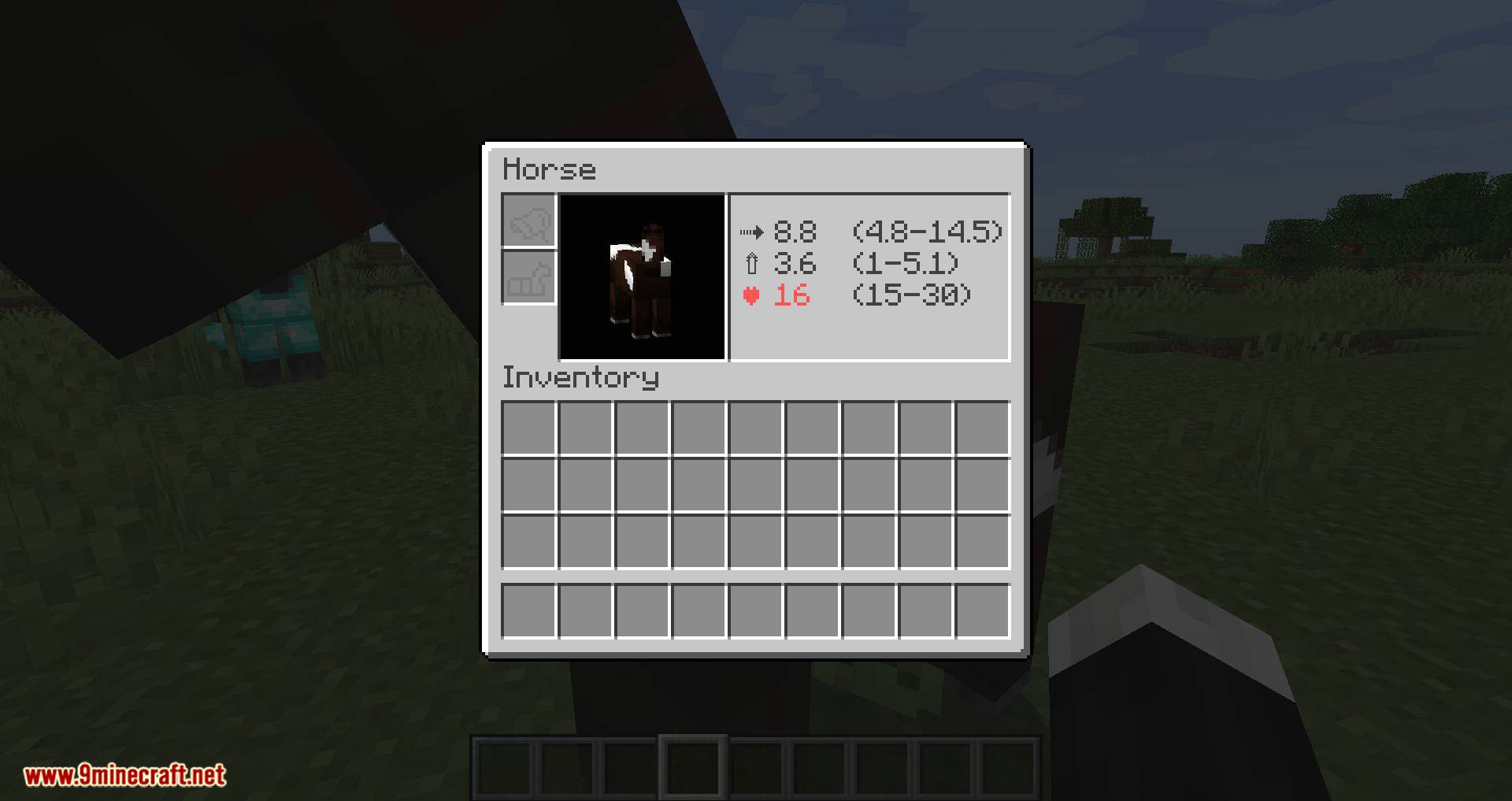
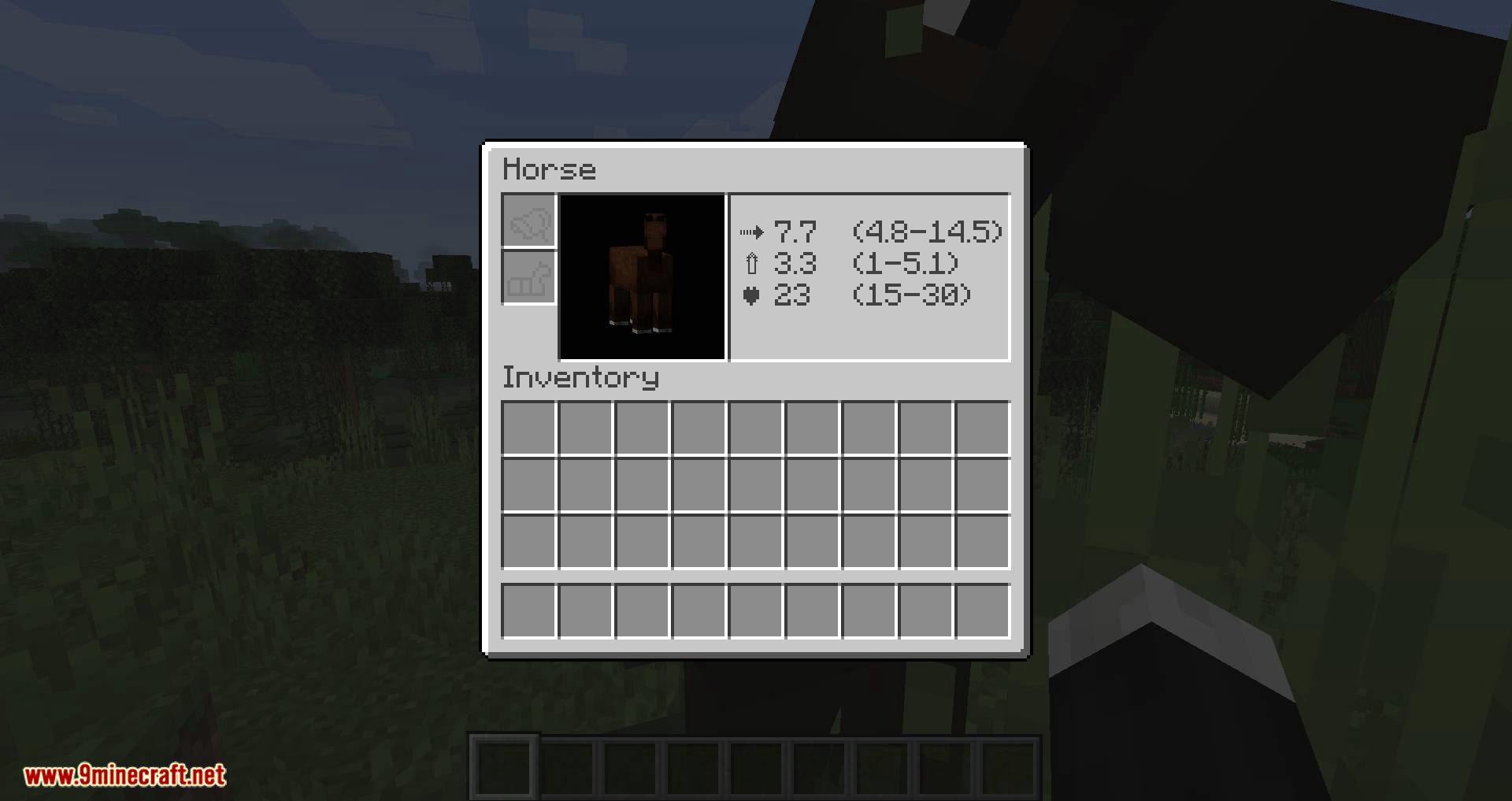
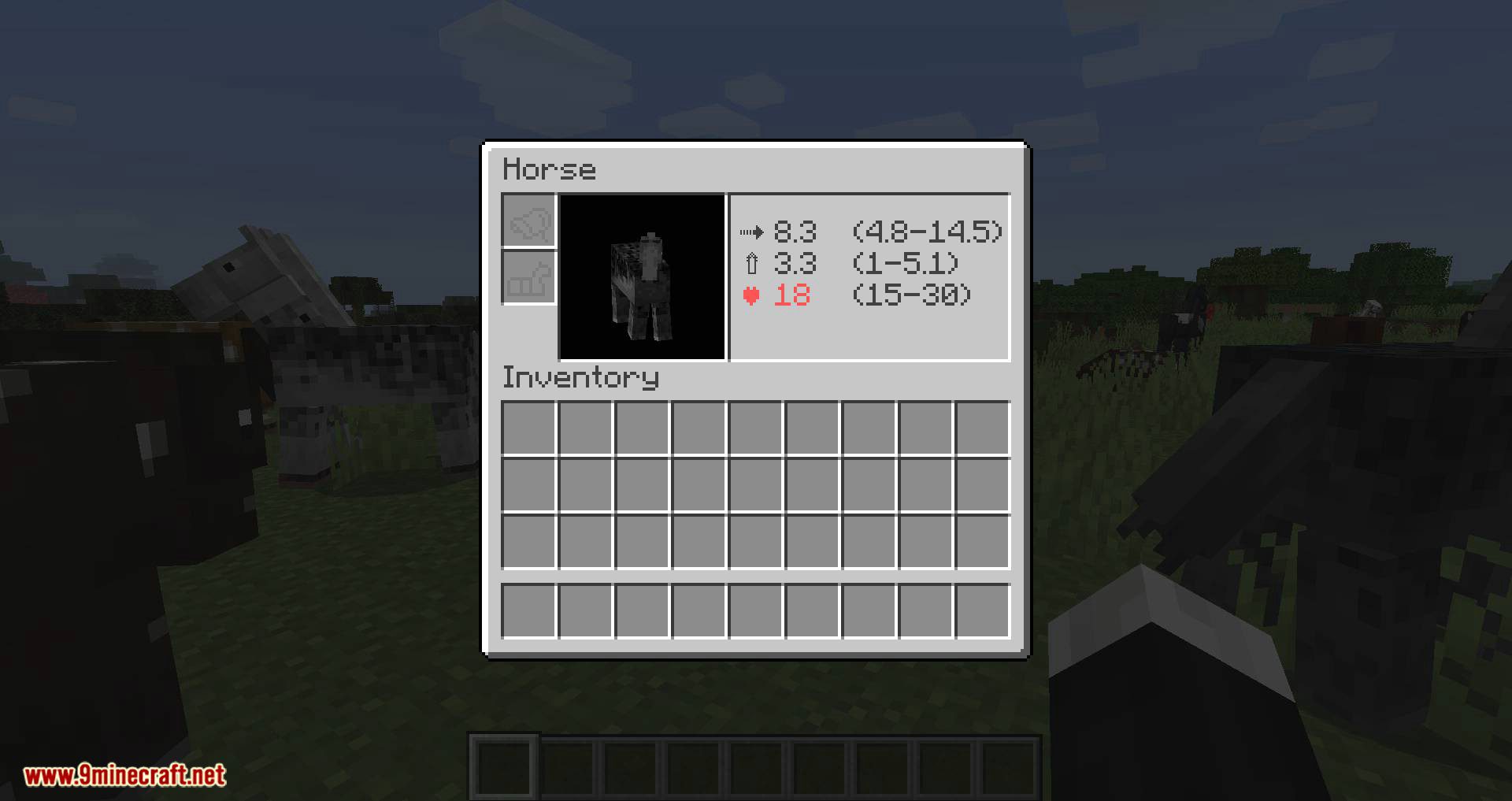
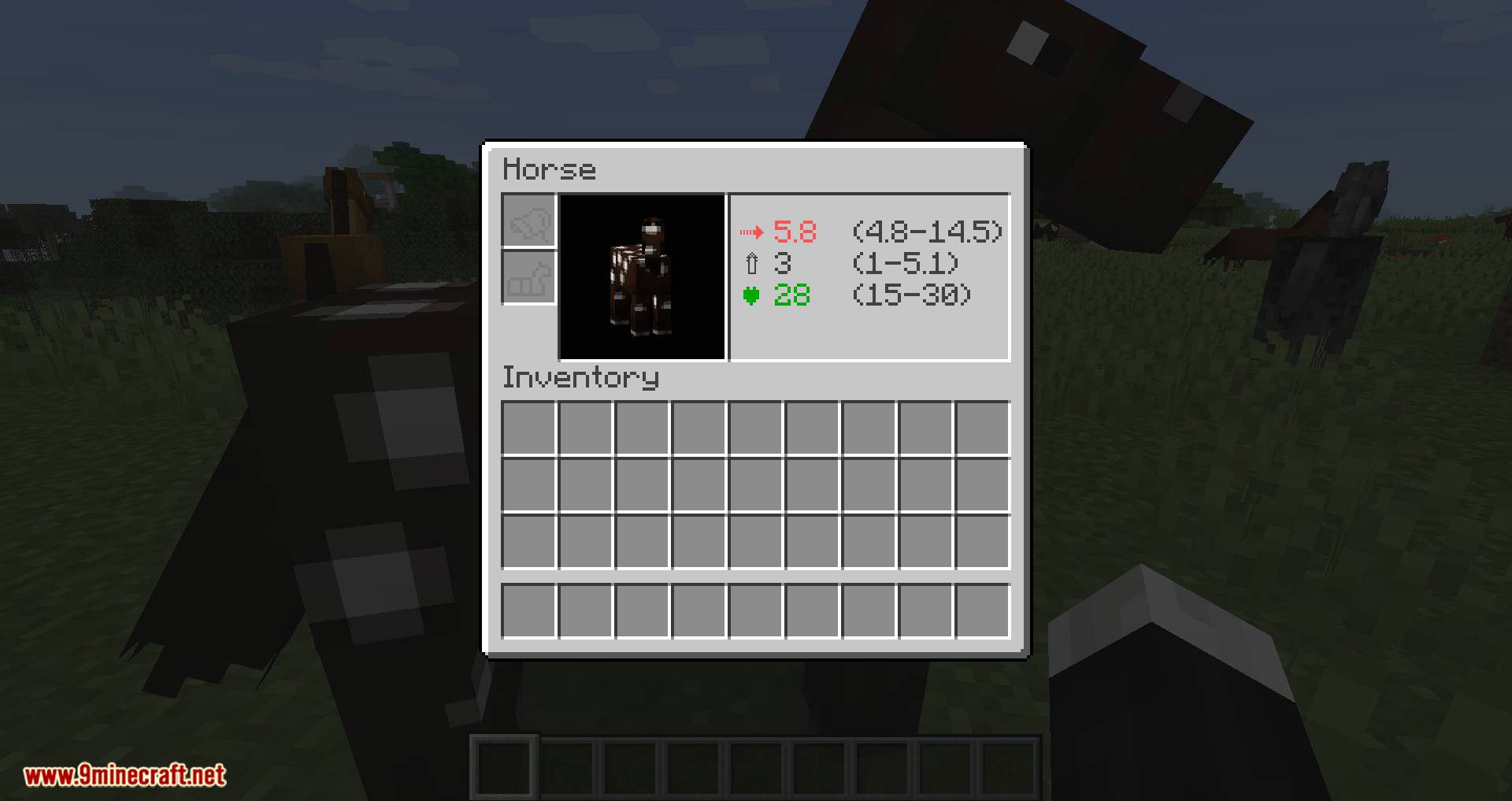
showMaxMinShow max and min | Display max and min values. |
useColorsUse colors [#ff+HEX] | Highlight weak values red and good values green. |
badColorBad Value Color | Sets the text color used to display bad horse stat values |
showValueEnable mod | Toggles whether horse stat values are displayed in the GUI |
goodColorGood Value Color | Sets the text color used to display good horse stat values |
neutralColorNeutral Value Color | Sets the text color used to display neutral horse stat values |
valueUpValues are always on top | Toggles whether stat values render above the horse instead of below |
Frequently asked questions
How do I see horse stats with this mod?
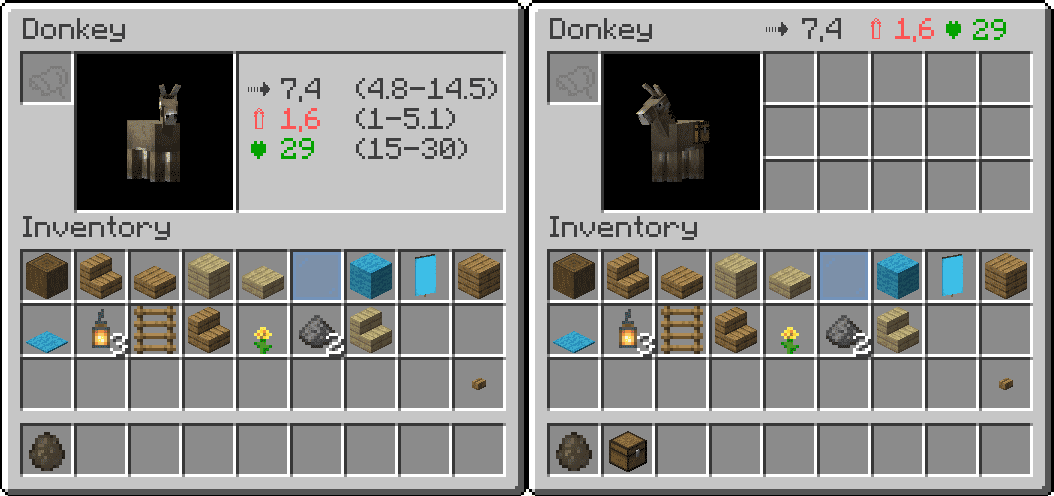
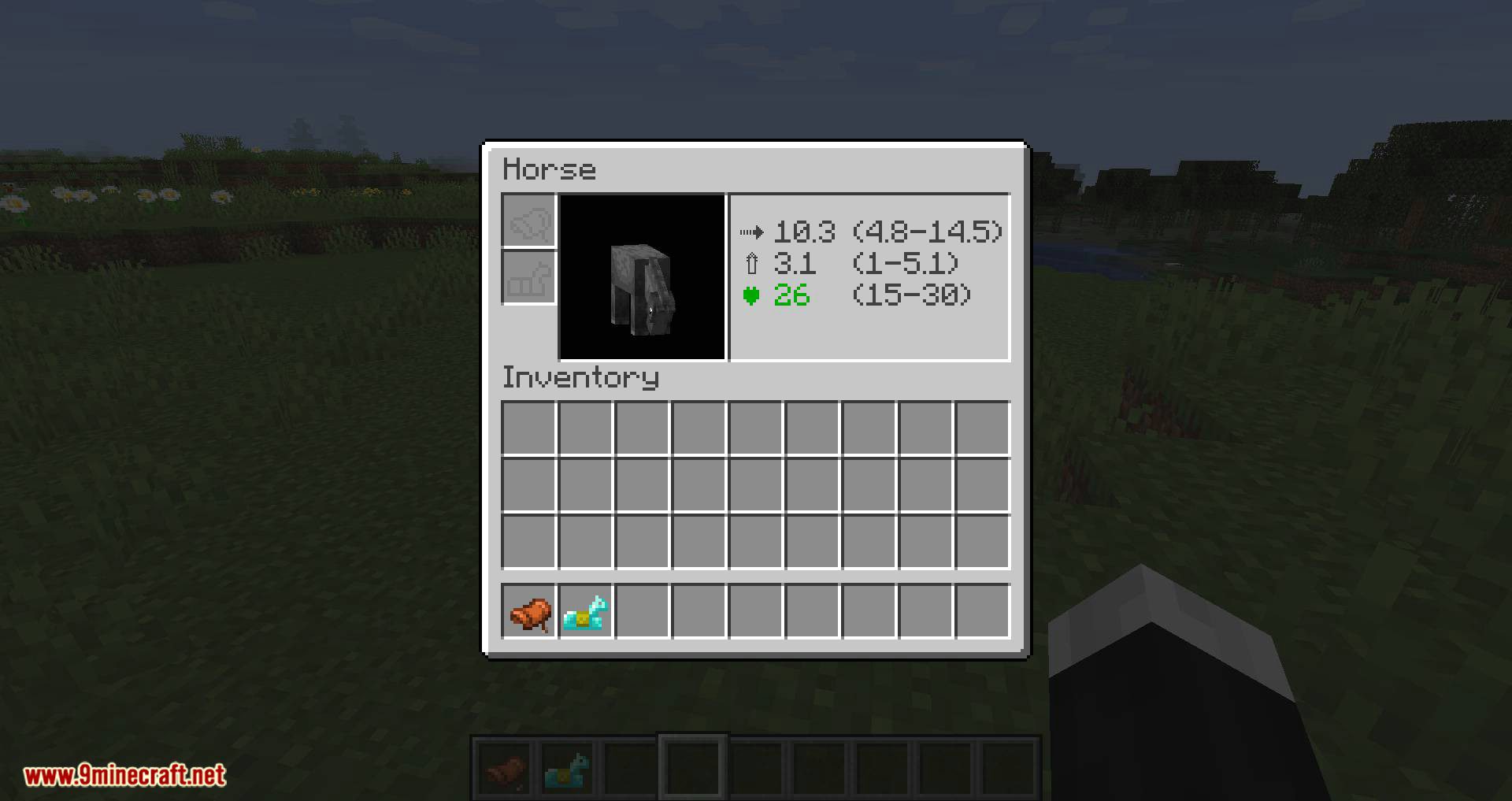
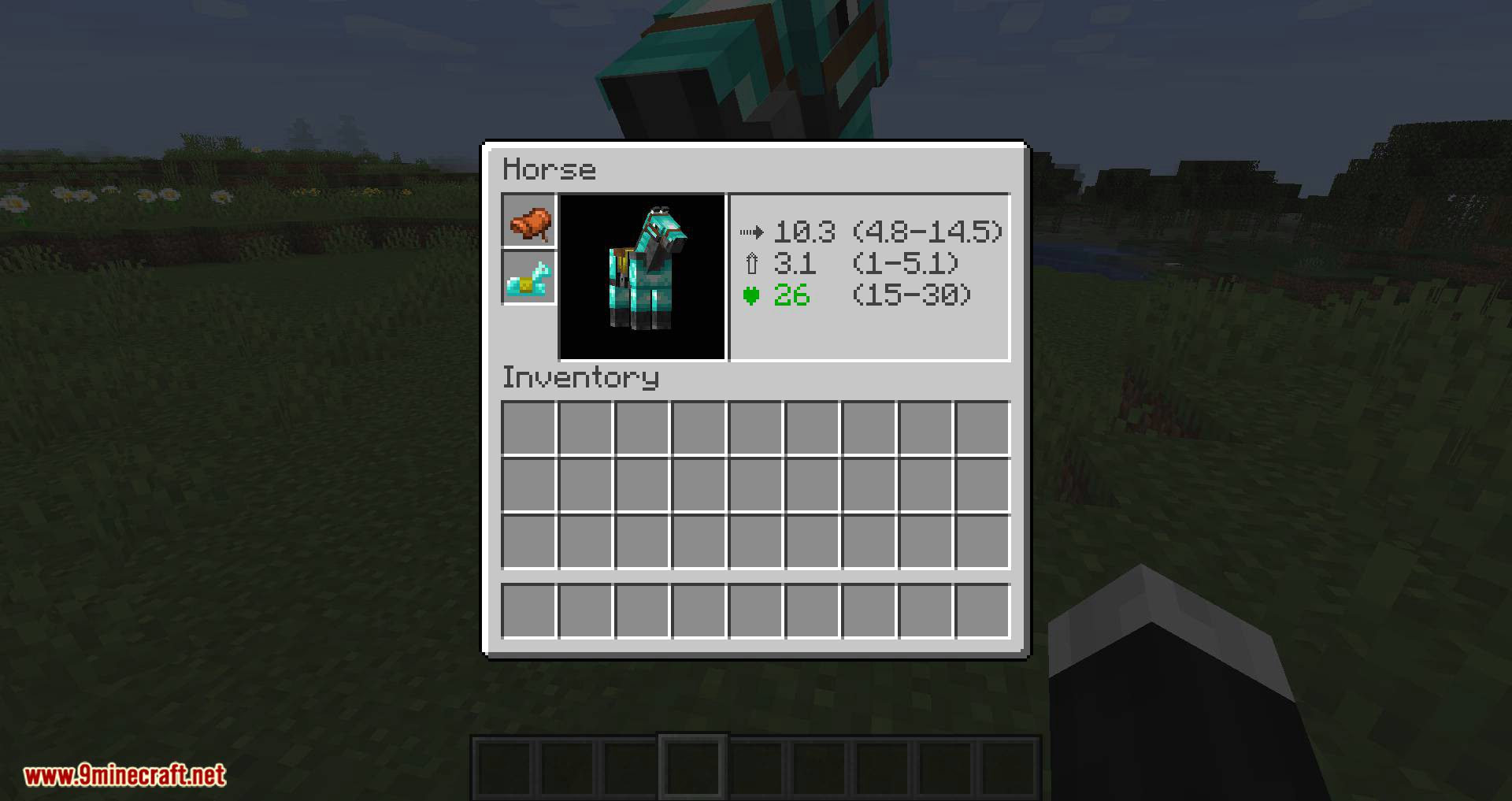
Open a horse's inventory screen and the health, speed, and jump height values appear alongside the saddle and armor slots. You don't need to tame, saddle, or ride the horse first — just interact with it to open the GUI.
Does Horse Stats Vanilla work on wild horses?
Yes, you can view the stats of any untamed horse by opening its inventory screen. This lets you judge a wild horse before spending time taming it.
What do the speed and jump height numbers actually mean?
Speed is the horse's internal movement attribute, and jump height is its jump strength attribute — the same values the game rolls when a horse spawns. Higher numbers mean a faster or higher-jumping horse, so compare values side by side rather than expecting a specific unit like blocks per second.
Can I see horse stats without taming the horse?
Yes. Opening the inventory screen shows the stats regardless of whether the horse is tamed, so you can scout wild horses and only tame the good ones.
See all 10 Horse Stats Vanilla questions ›
Dependencies
Other mods needed to run this one.
Gallery
11 images from the Horse Stats Vanilla Mod page.

You May Also Like
Wikis that share the most with this one
Wikis on the same theme: horse
More mod wikis on the site
The most downloaded mods that have a wiki here
A few wikis from each of the other kinds