

 DownloadDefault Style Fall Pack Resource Pack
Get the files on 9Minecraft
Contents (8)
Guides
Step-by-step, in-game.
Items
 Bottle o' Enchanting
Blocks
A
 Acacia Leaves
 Acacia Sapling
 Allium
 Azure Bluet
B
 Birch Leaves
 Birch Sapling
C
 Cornflower
D
 Dandelion
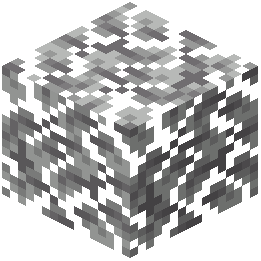 Dark Oak Leaves
 Dark Oak Sapling
L
 Lily of the Valley
M
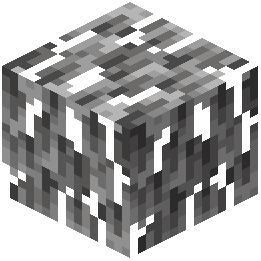 Mangrove Leaves
O
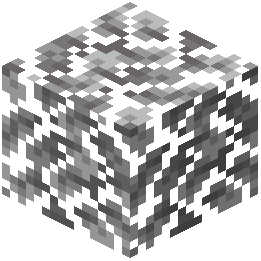 Oak Leaves
 Oak Sapling
 Orange Tulip
 Oxeye Daisy
P
 Pink Tulip
 Poppy
R
 Red Tulip
W
 White Tulip
What this pack changes
Every texture group the pack replaces, counted from the pack itself.
| Area | Textures replaced |
|---|---|
| Blocks | 44 |
| GUI & menus | 27 |
| Biome colours | 2 |
| Items | 1 |
Pack format 34 (Minecraft 1.21.2)74 texture files in total
Extra features
Custom block/item models
Reworked GUI
Frequently asked questions
What colors do tree leaves become with the Default Style Fall Pack?
Tree leaves are repainted in warm autumn colors including red, orange, and yellow instead of the default bright green.
Does this resource pack add fallen leaves to the ground?
Yes, the pack adds scattered fallen leaves that rest on top of grass blocks to create a seasonal autumn appearance.
How does the Default Style Fall Pack change the grass appearance?
The grass receives a yellower tint compared to the normal green color to match the autumn weather theme.
What parts of Minecraft does this pack customize besides the landscape?
The pack updates game menus and GUI elements with a custom fall design to fit the seasonal theme.
What mod pairs well with the Default Style Fall Pack?
The Falling Leaves mod pairs perfectly with this pack to add extra visual effects like falling leaf particles.
Does the Default Style Fall Pack keep the vanilla Minecraft style?
Yes, the pack maintains the familiar vanilla look while repainting the world with cozy autumn colors.
You May Also Like
Wikis that share the most with this one
 Default Style Christmas Model
 Depth Style Shaders
Wikis on the same theme: flower
 Enough Of Sprouts Resource Pack
More resource pack wikis on the site
Default HD Sun and Moon Resource PackDefault Hd 64X Resource PackDefault Hd 512X Resource PackDefault Hd 256X Resource PackDefault Dark Mode: Expansion Resource PackDefault Beta Resource PackDeez Fps Resource PackDeep Origins Overlays Resource PackDeceased Craft Screen Tweak Resource PackDeath Knights PT BR Translation Resource PackDarkmode Resource PackDark Transparent GUI Resource Pack
The most downloaded mods that have a wiki here
A few wikis from each of the other kinds
Gallery
9 images from the Default Style Fall Pack Resource Pack page.


